6.7. Inventory
-
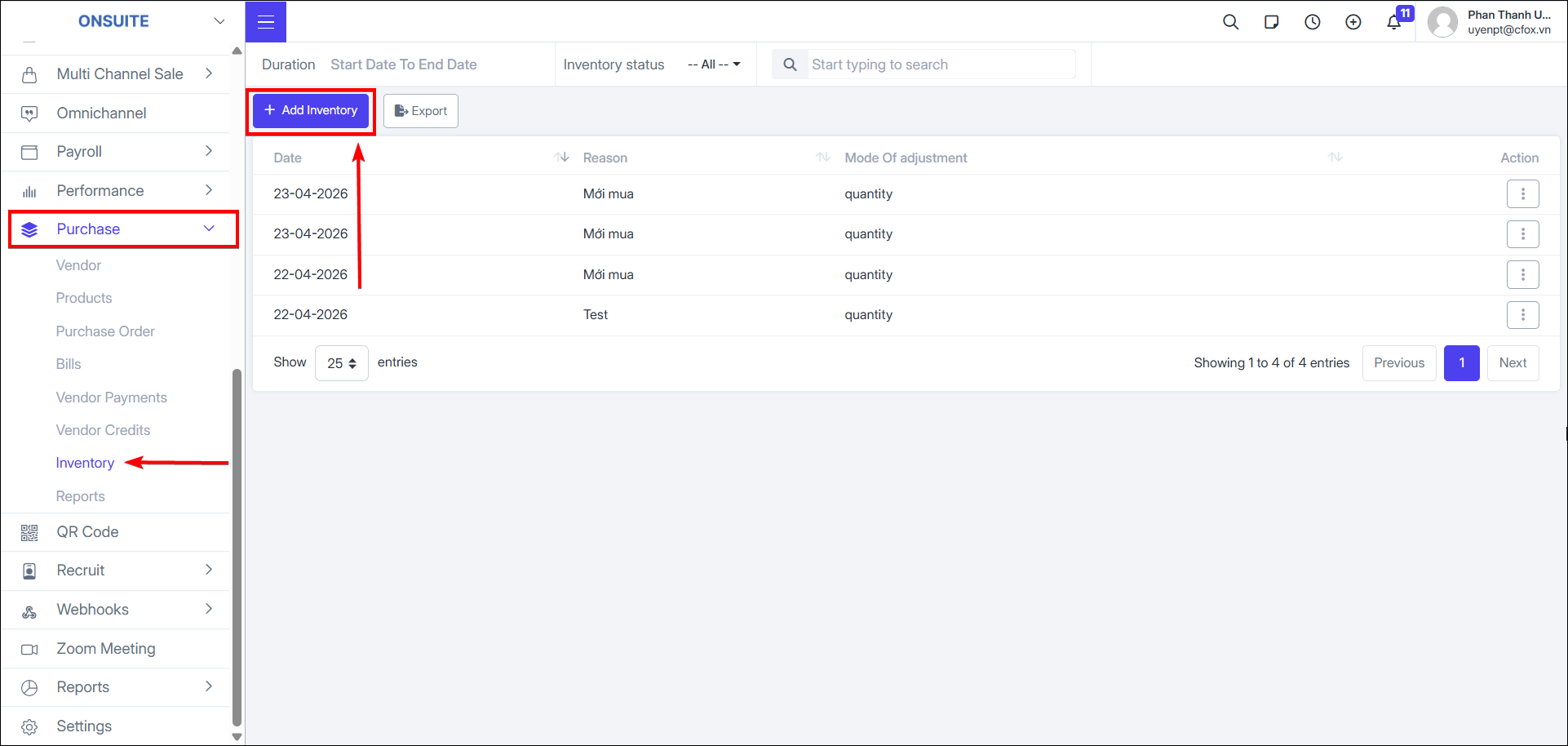
Add inventory
-
Select to add inventory

-
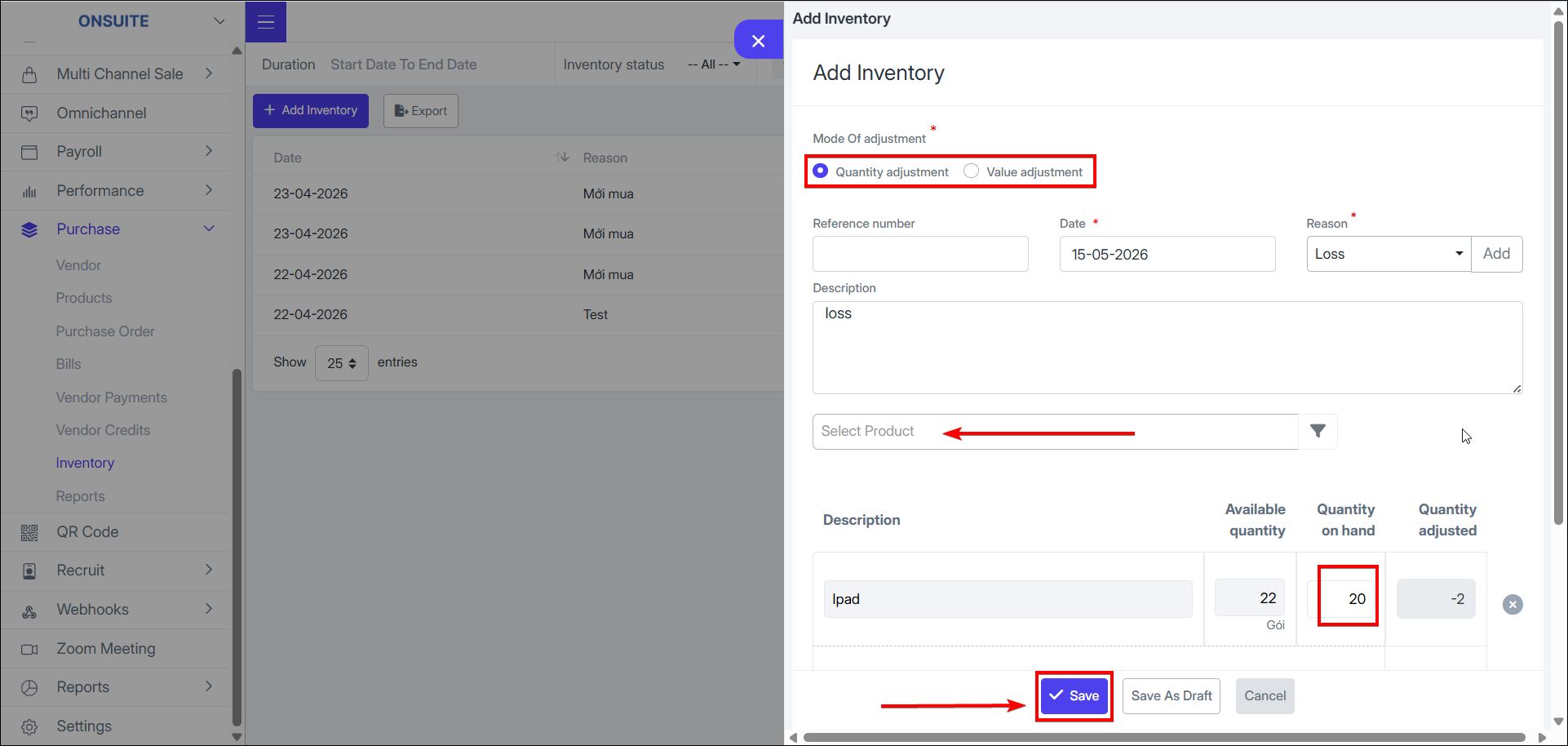
Select adjustment method: quantity or value
-
Select date, reason (can add new if no suitable option), enter description if any
-
Select products to adjust (can select multiple products at once)
-
Enter current quantity (for quantity adjustment) or changed value (for value adjustment)
-
Select to save changes

-
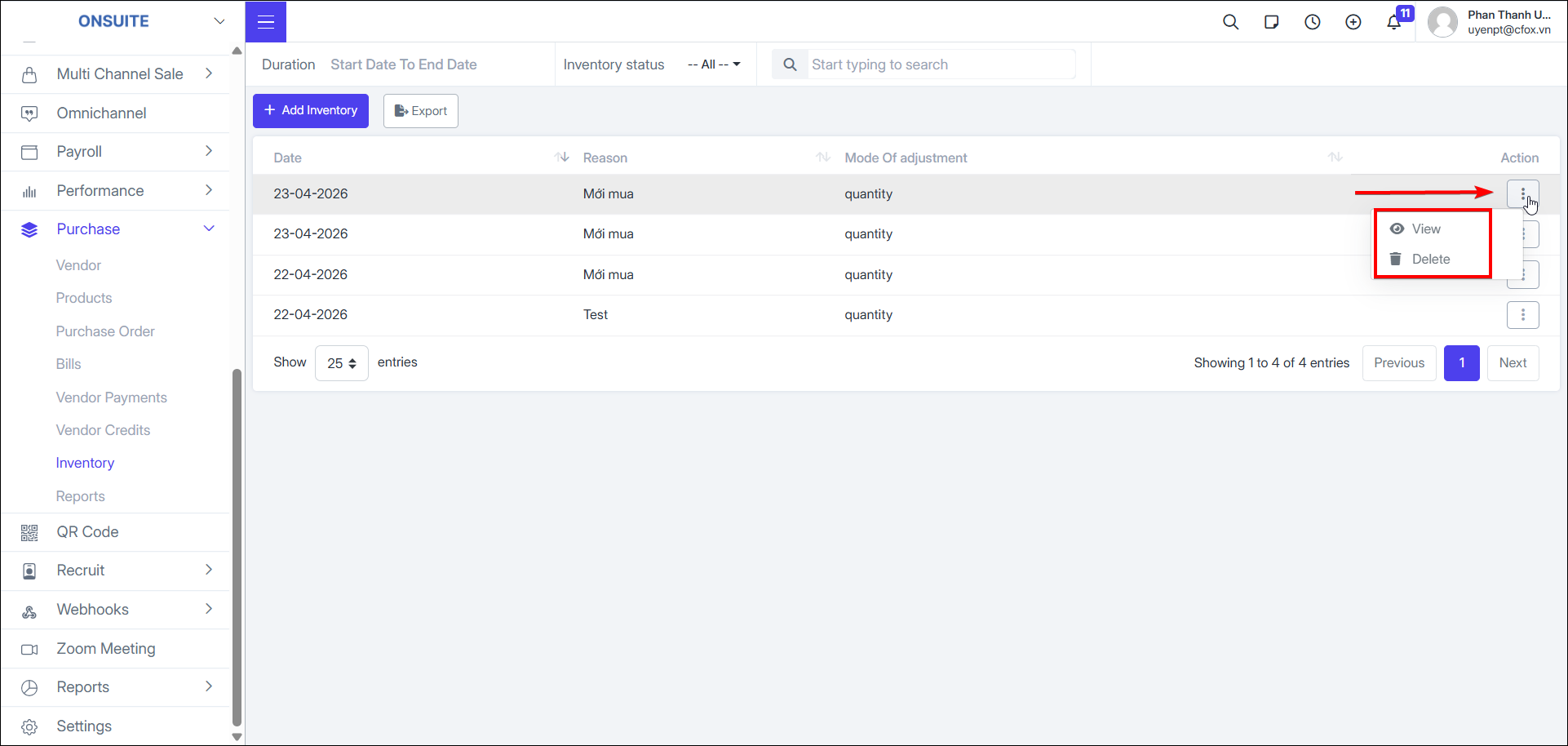
Inventory actions:
-
View: Select to view inventory adjustment details, attachments, and creation/edit history

-
Delete: Select to delete inventory record, then confirm