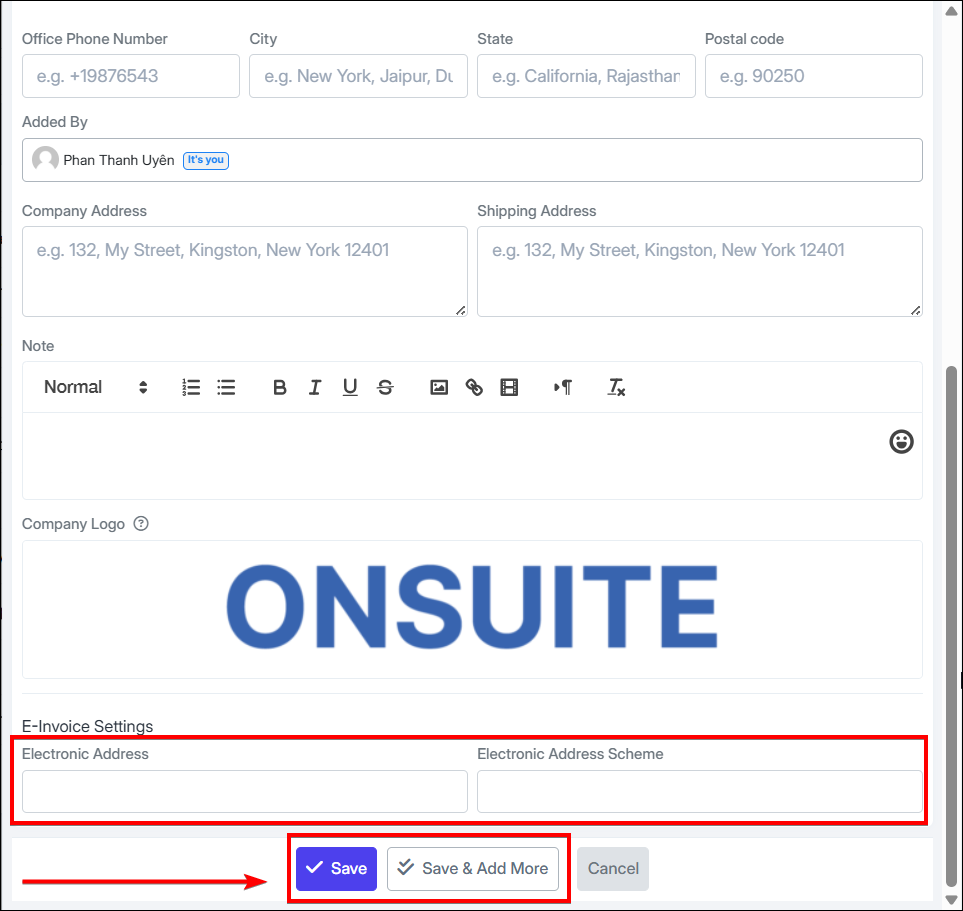
2.1. Add Clients
-
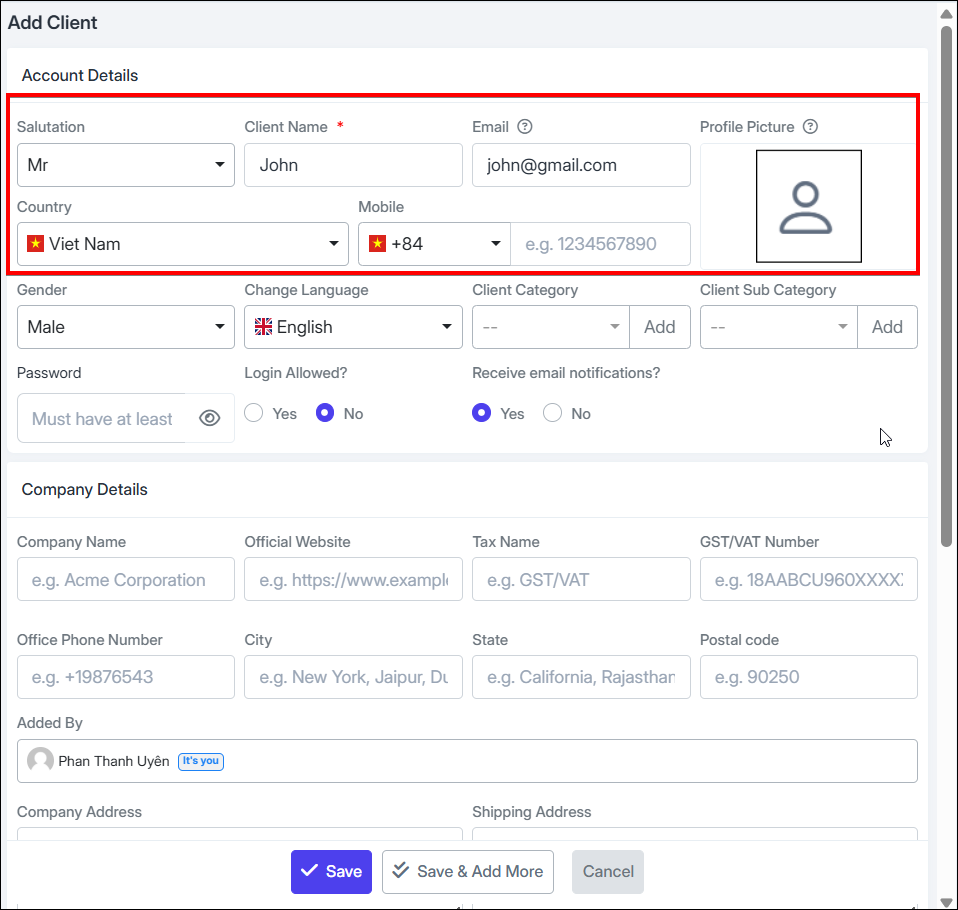
Step 1: Select title, enter name, email, profile picture
- Select country, phone number, language, etc.
-
Step 2:
-
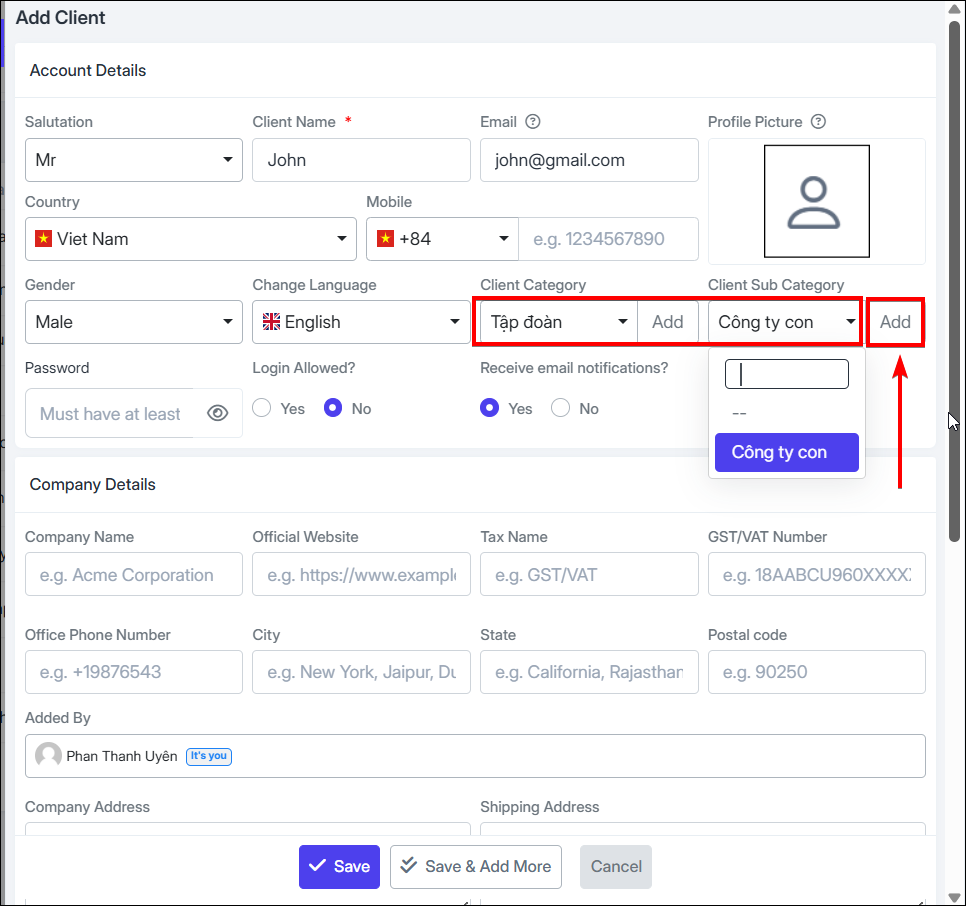
Select client category, client sub-category
-
If not available, can quickly add new
-
-
Step 3:
-
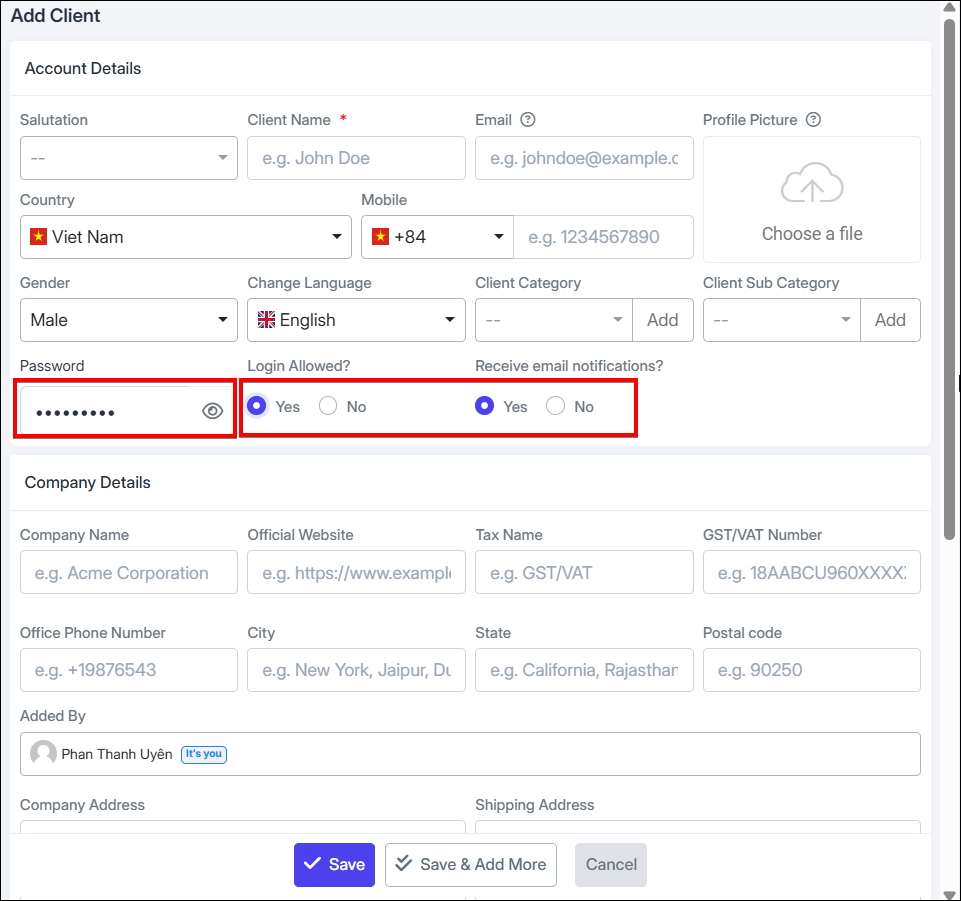
Check to allow / not allow login with account
-
Set password for client account (minimum 8 characters)
-
Check / uncheck to notify client via email
-
-
Step 4:
-
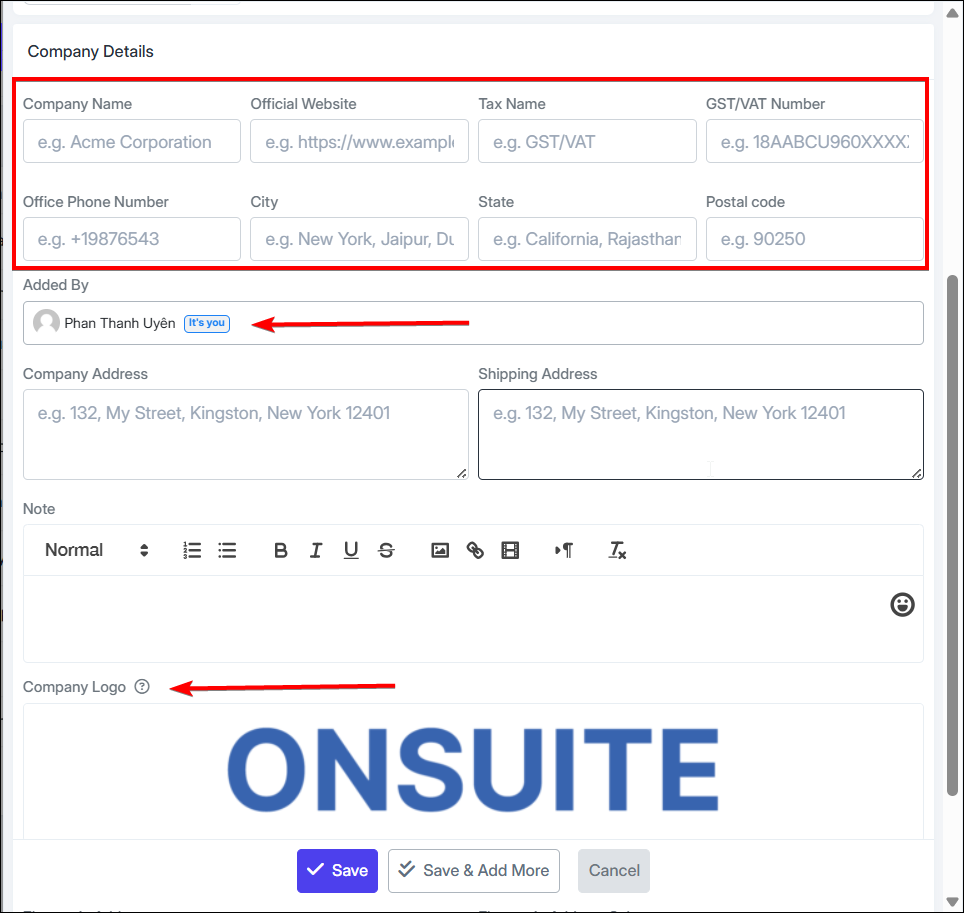
Enter detailed company information of the client: Company name, website, tax, phone, etc.
-
Select which employee added the client
-
Upload logo image, etc.
-
-
Step 5: Add e-invoice settings
-
Step 6: Save / Save and Add More Info to continue adding new clients