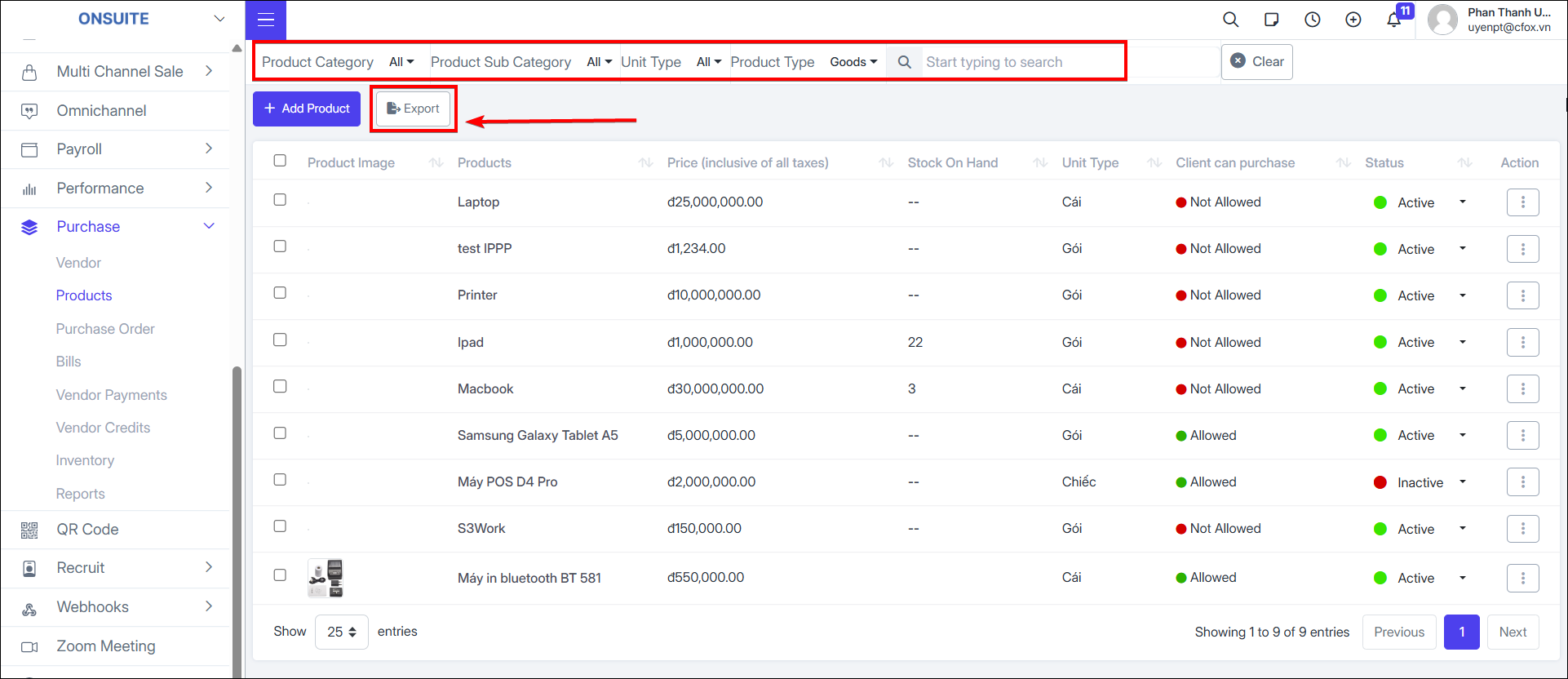
6.2. Products
Manage product/service categories.
-
Add new products/services
-
Select to add new product

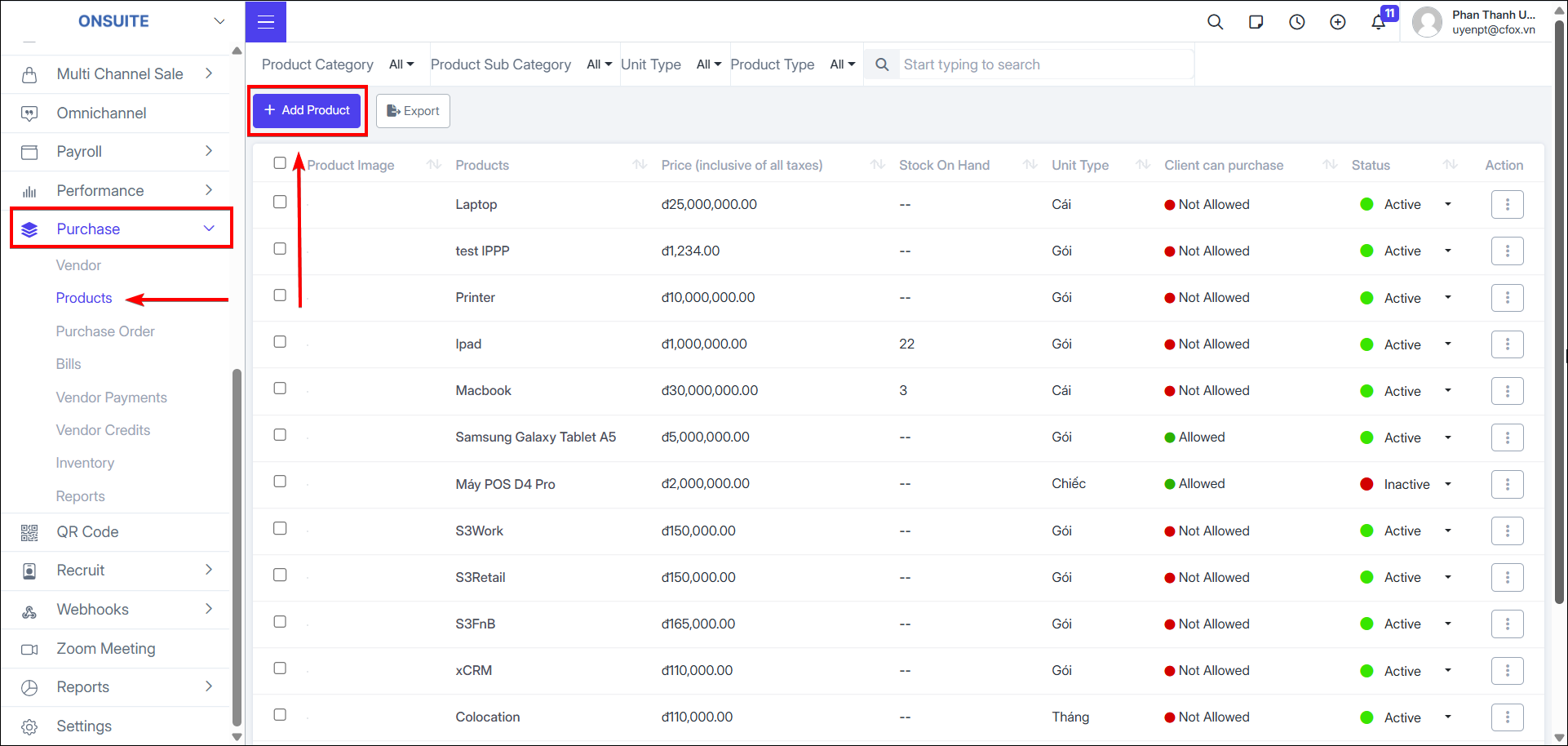
- Choose to add product as goods or service
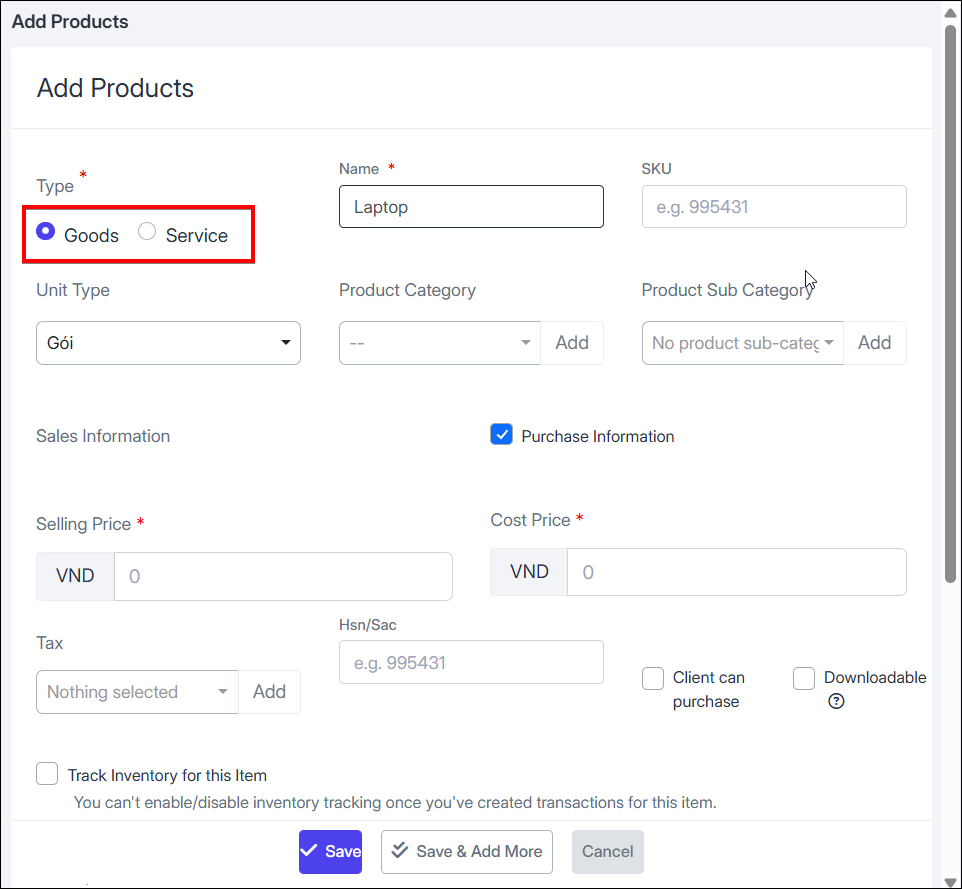
For goods:
-
Fill in information: Name, product code, unit, selling price, cost price, etc.
-
Select product category, sub-category and tax; can select to add new if no suitable option exists
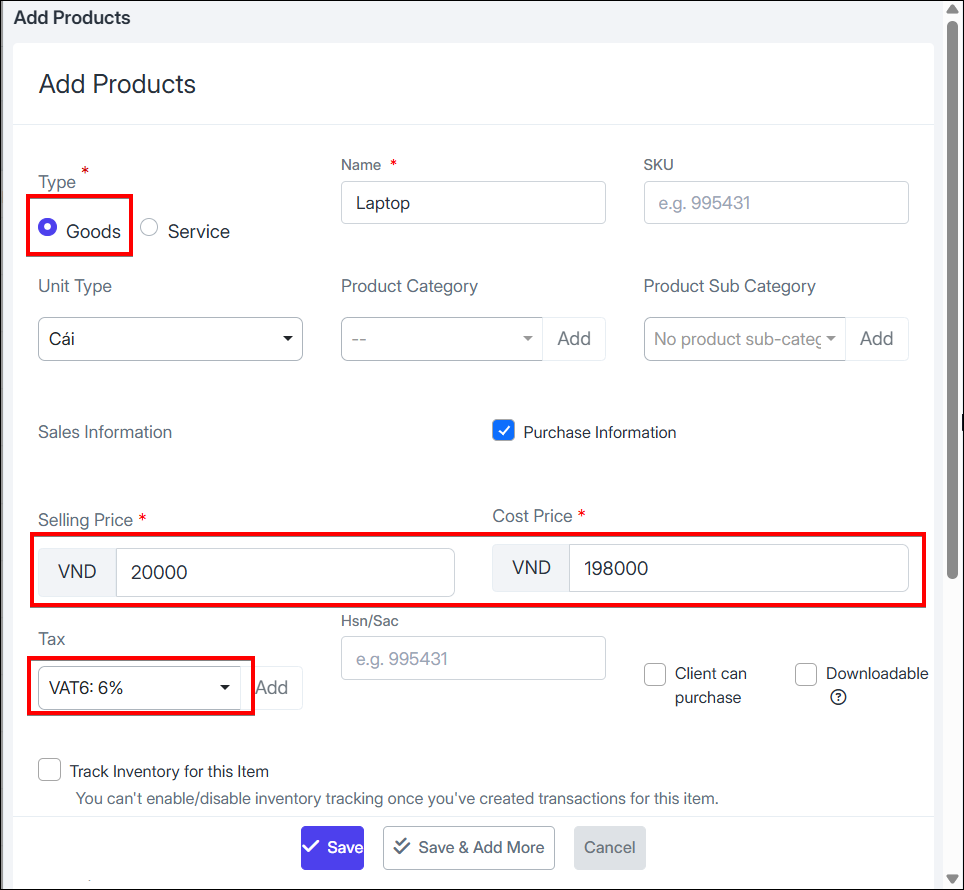
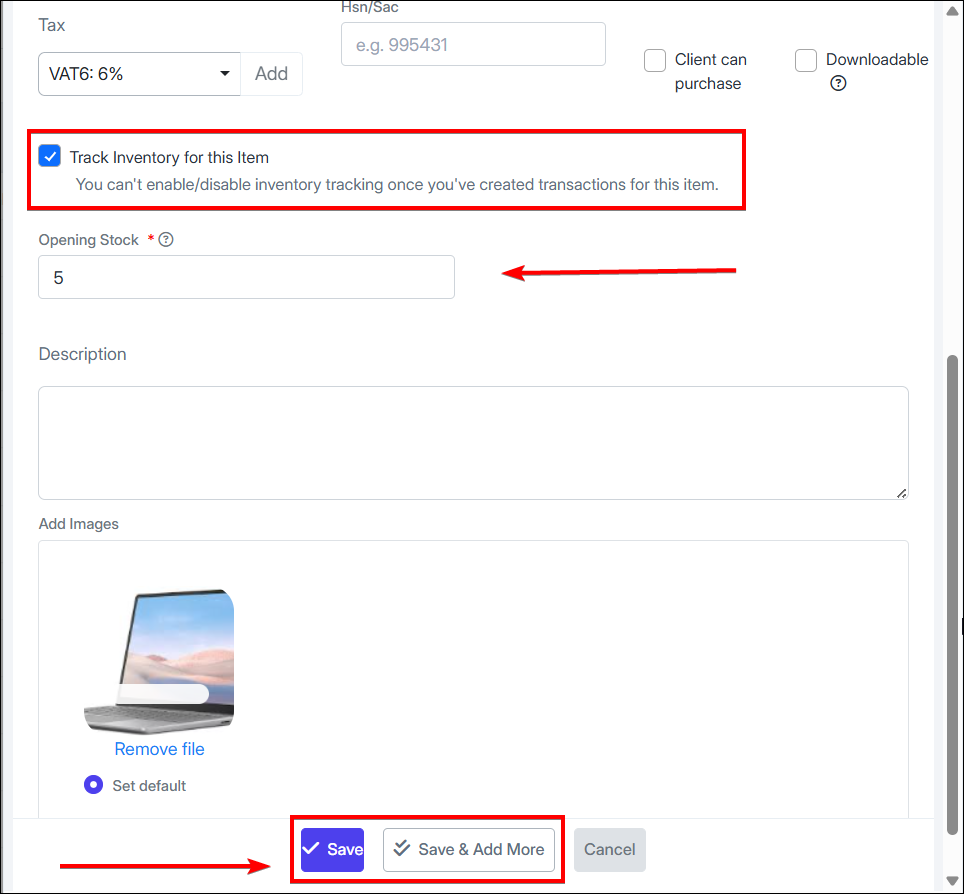
- Option to track inventory for goods: enter initial stock quantity
For services:
-
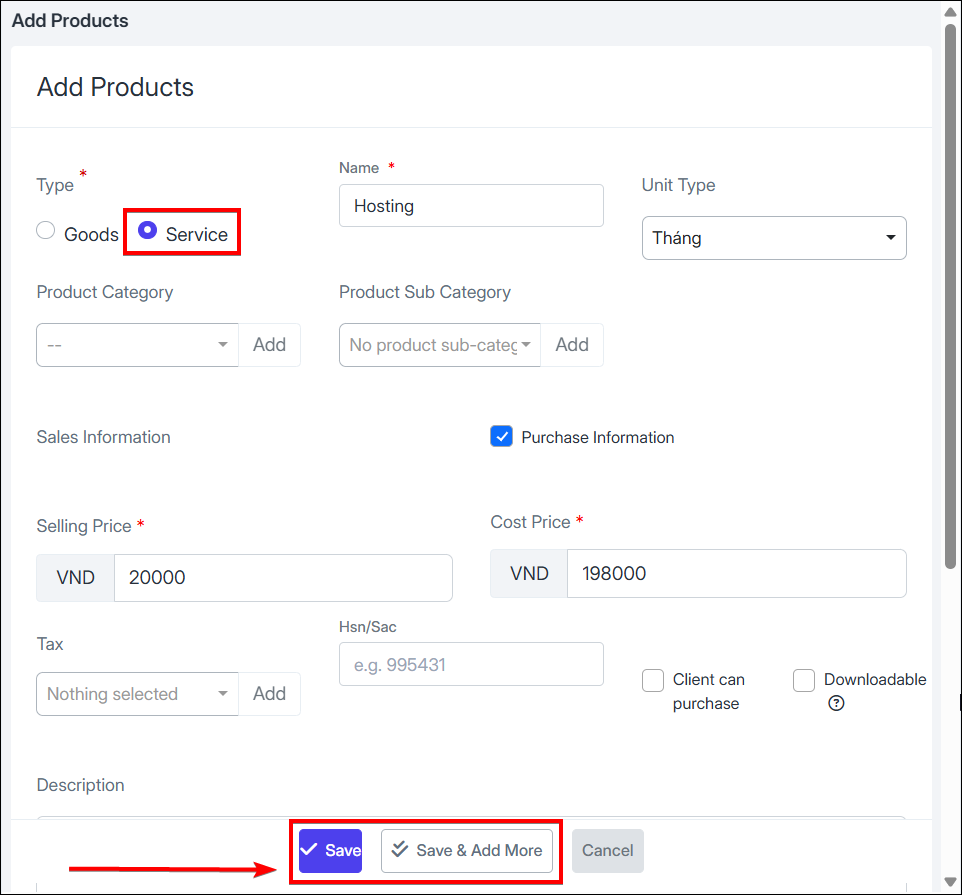
Fill in service information: Name, unit, cost price, selling price, etc.
-
Select product category, sub-category and tax; can add new if no suitable option
-
Select to add new product

-
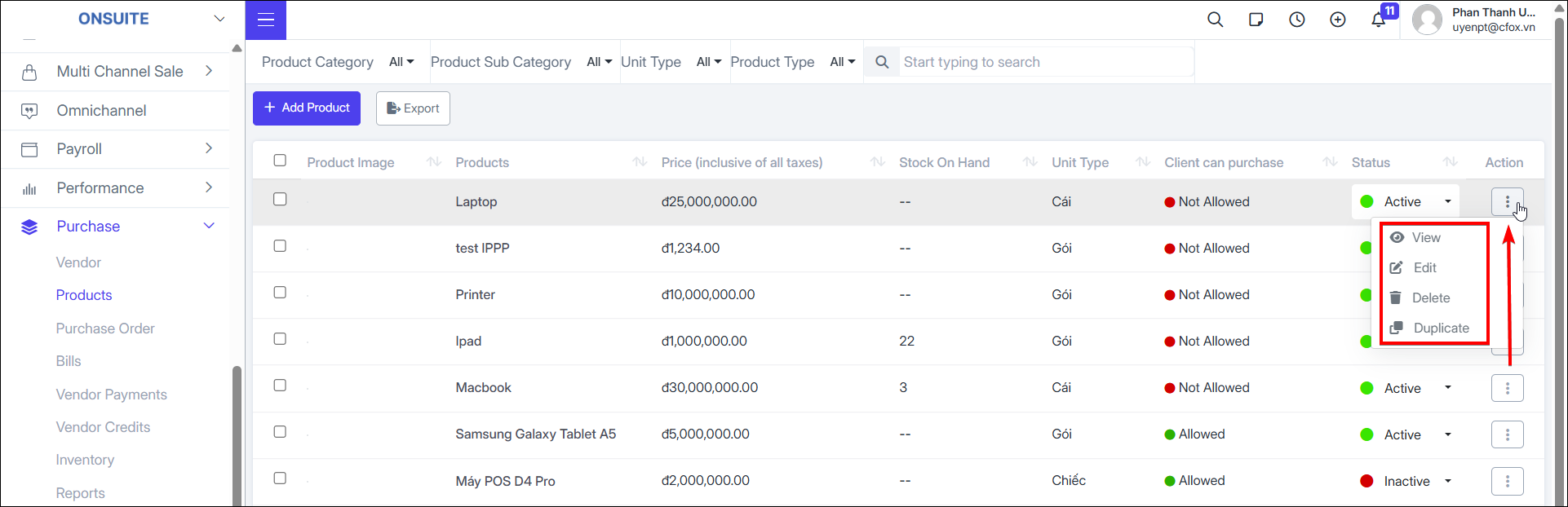
Product actions:
-
View: Select to view product details, product images, and edit history

-
Edit: Select to edit product information, make changes, then save

-
Delete: Select to delete product, then confirm removal

-
Duplicate: Select to duplicate product, change name to avoid duplicates, modify info if needed, then save

-
Export to Excel: Select to export product statistics to Excel

-
Filter and search products:
-
Can apply filters to find products (multiple filters can be applied simultaneously)
-
By product category
-
By product sub-category
-
By unit type
-
By product type
-
Direct name search in the search box
-