5.1. Payroll
Create and manage employee payroll.
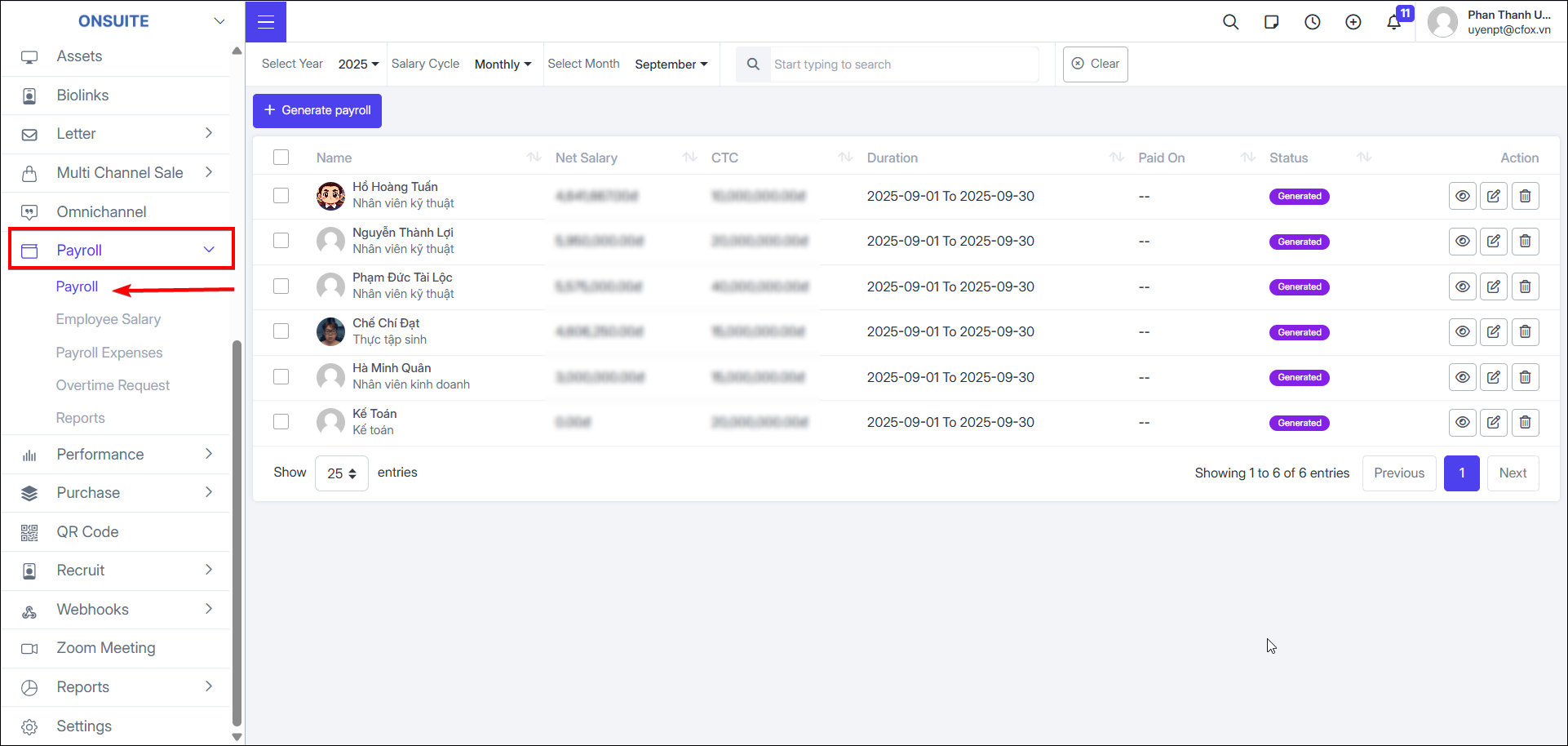
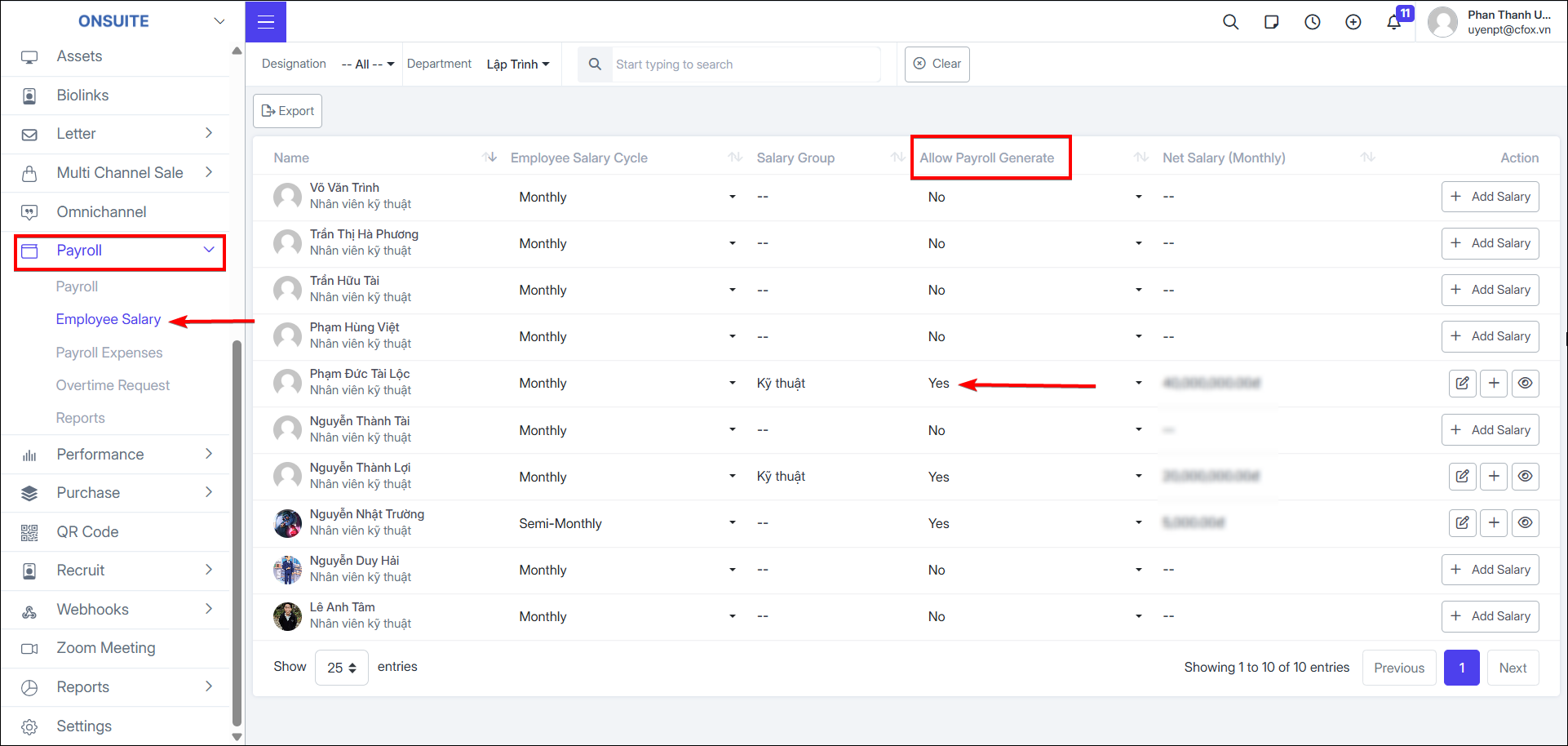
Note: To create payroll for employees, you must set the 'Allow Payroll Creation' column to true in the 'Employee Salary' section.
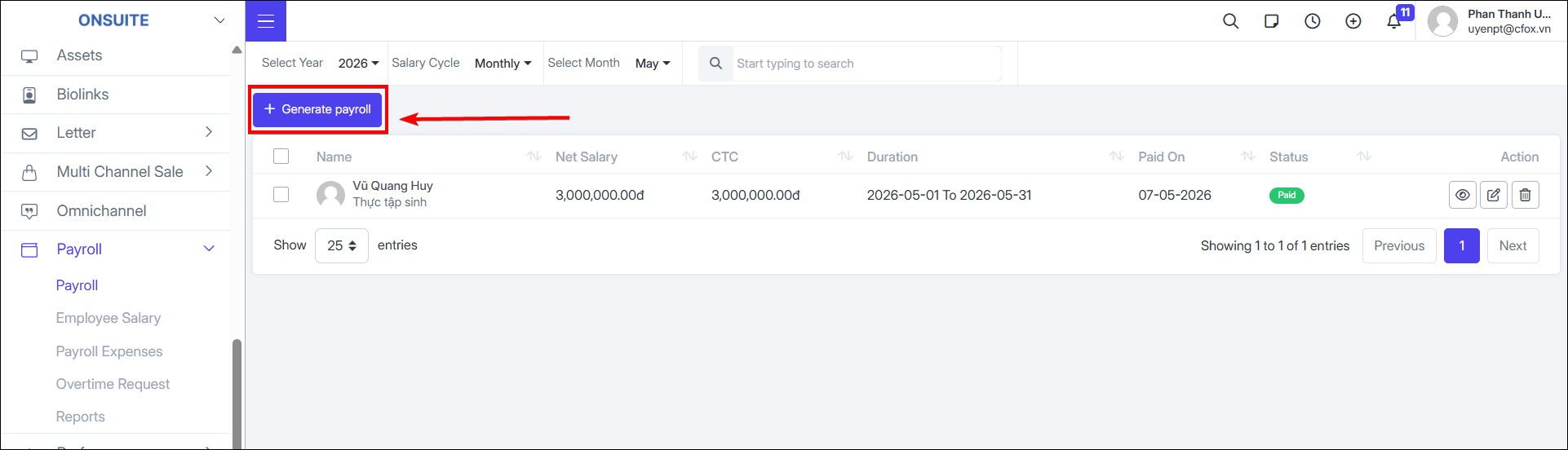
Create Payroll:
- Select Generate payroll button
-
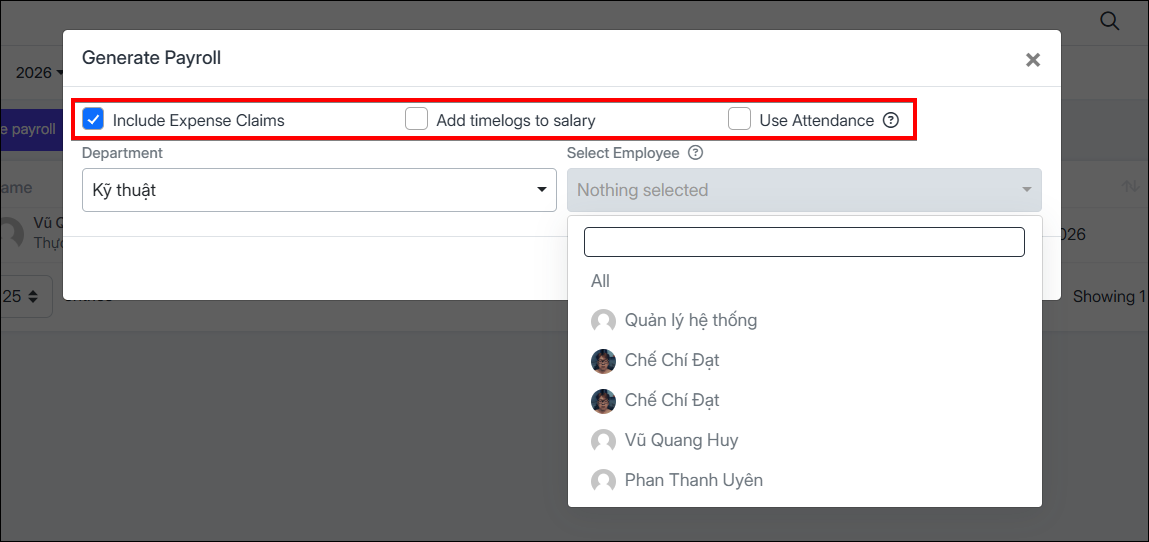
Choose payroll options
-
Select Department and employees for payroll (can select all employees or multiple employees at once)
- Select to create payroll

Payroll Actions:
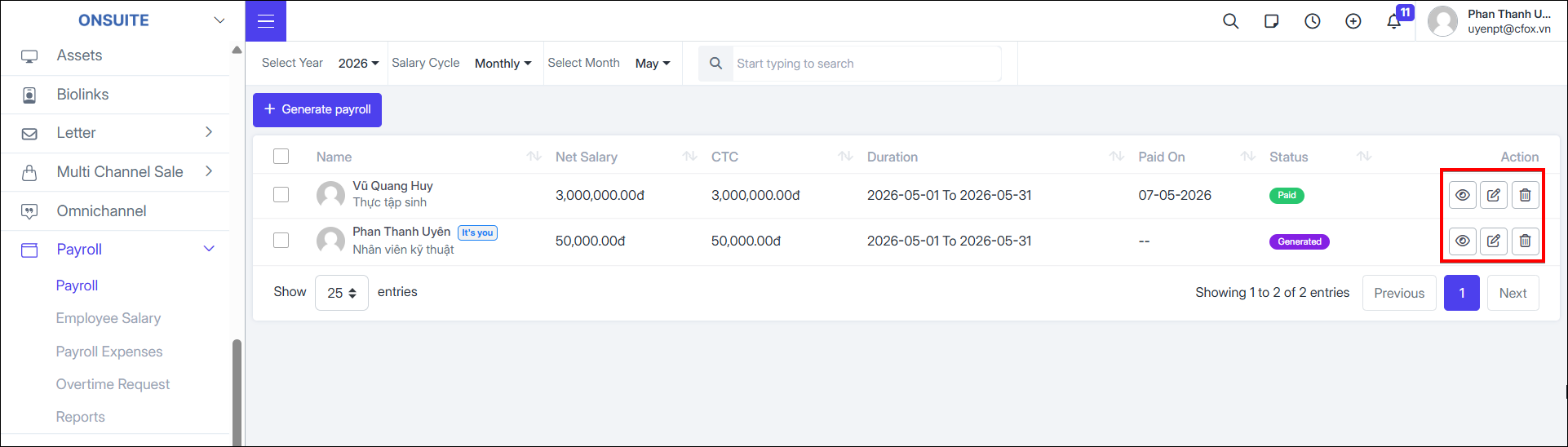
- View: Select to view payroll details

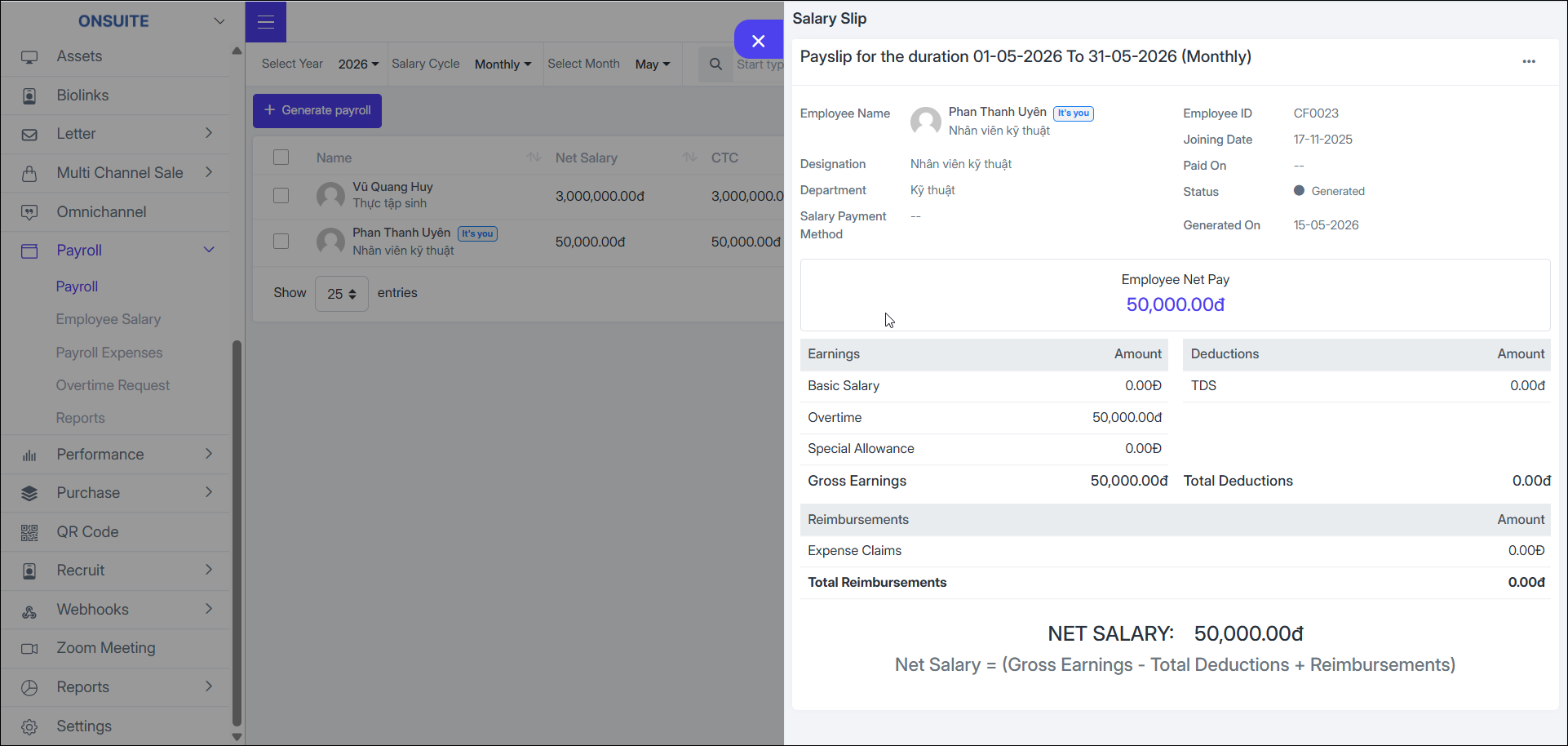
-
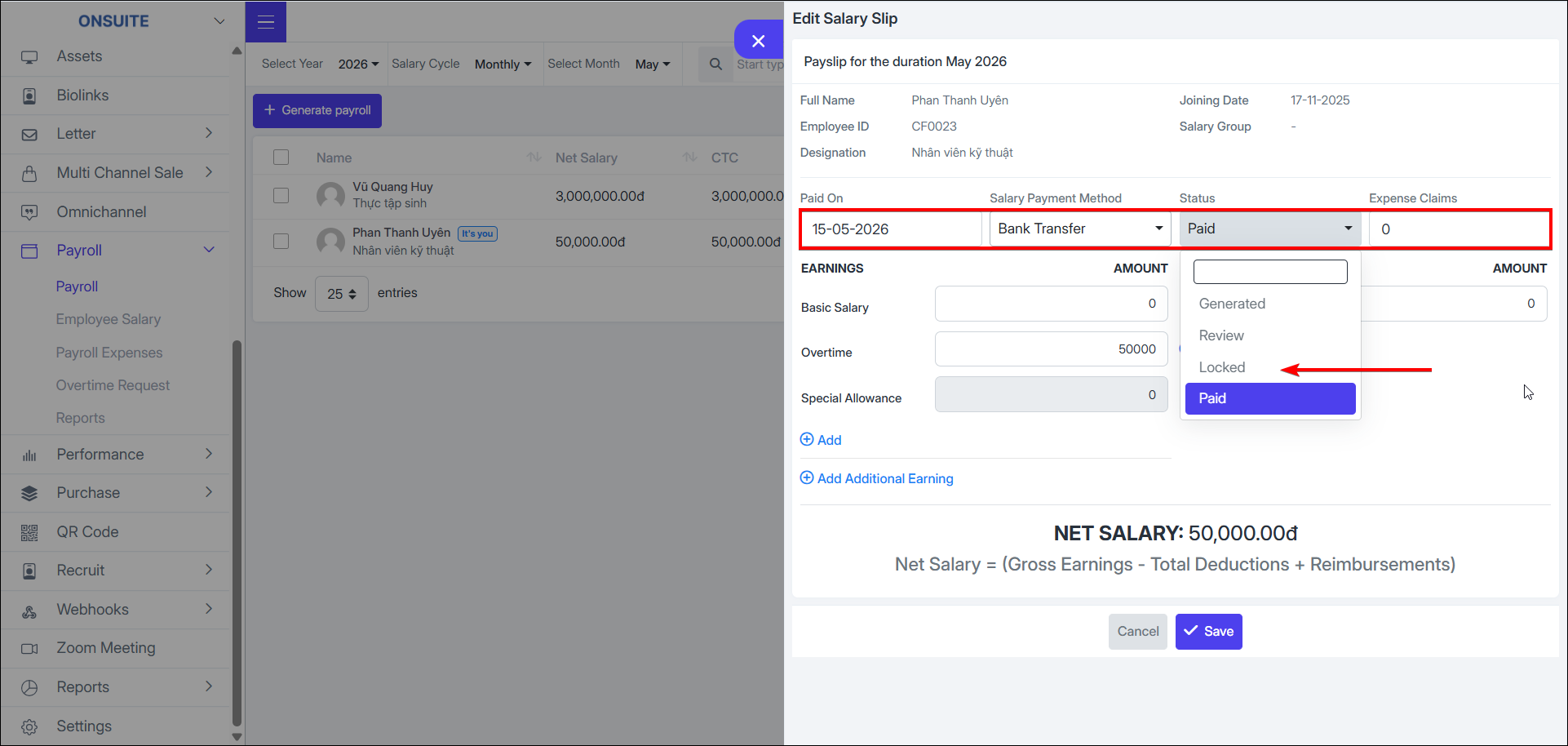
Customize:
-
Select to customize: status, payment method, payment date, income and deduction items

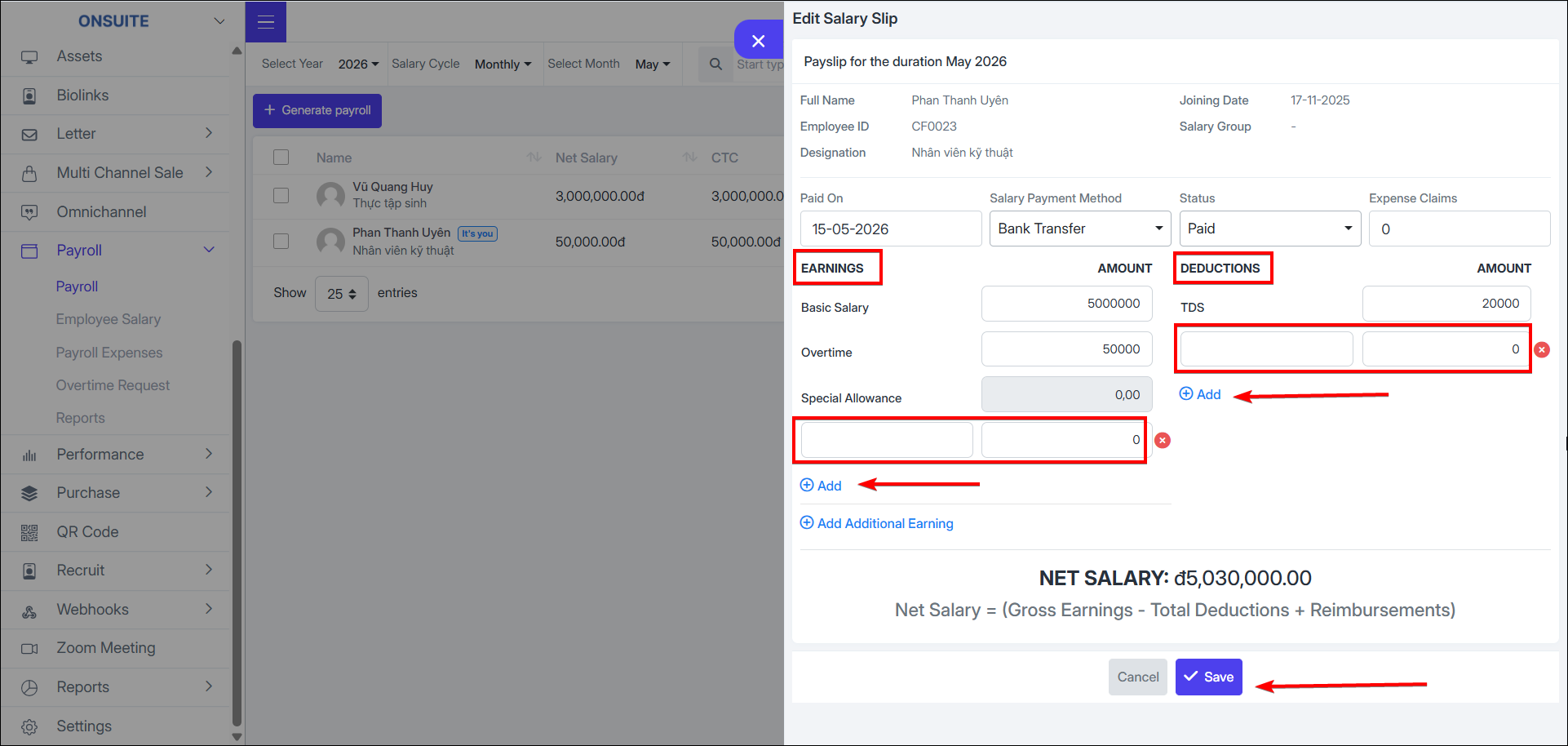
-
Select to add new income and deduction items if needed

-
Select to save payroll

- Delete: Select to delete payroll then confirm deletion
