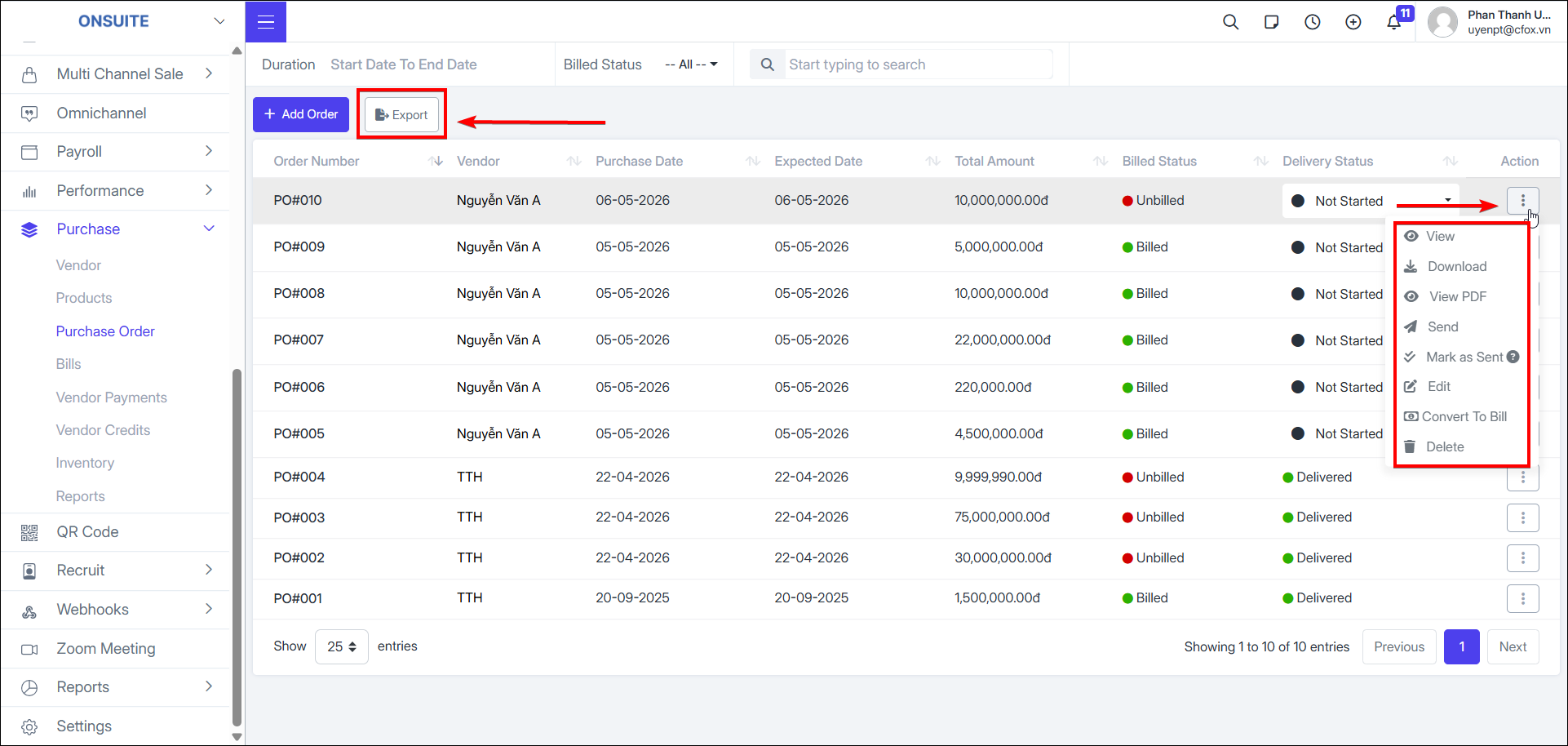
6.3. Purchase Orders
-
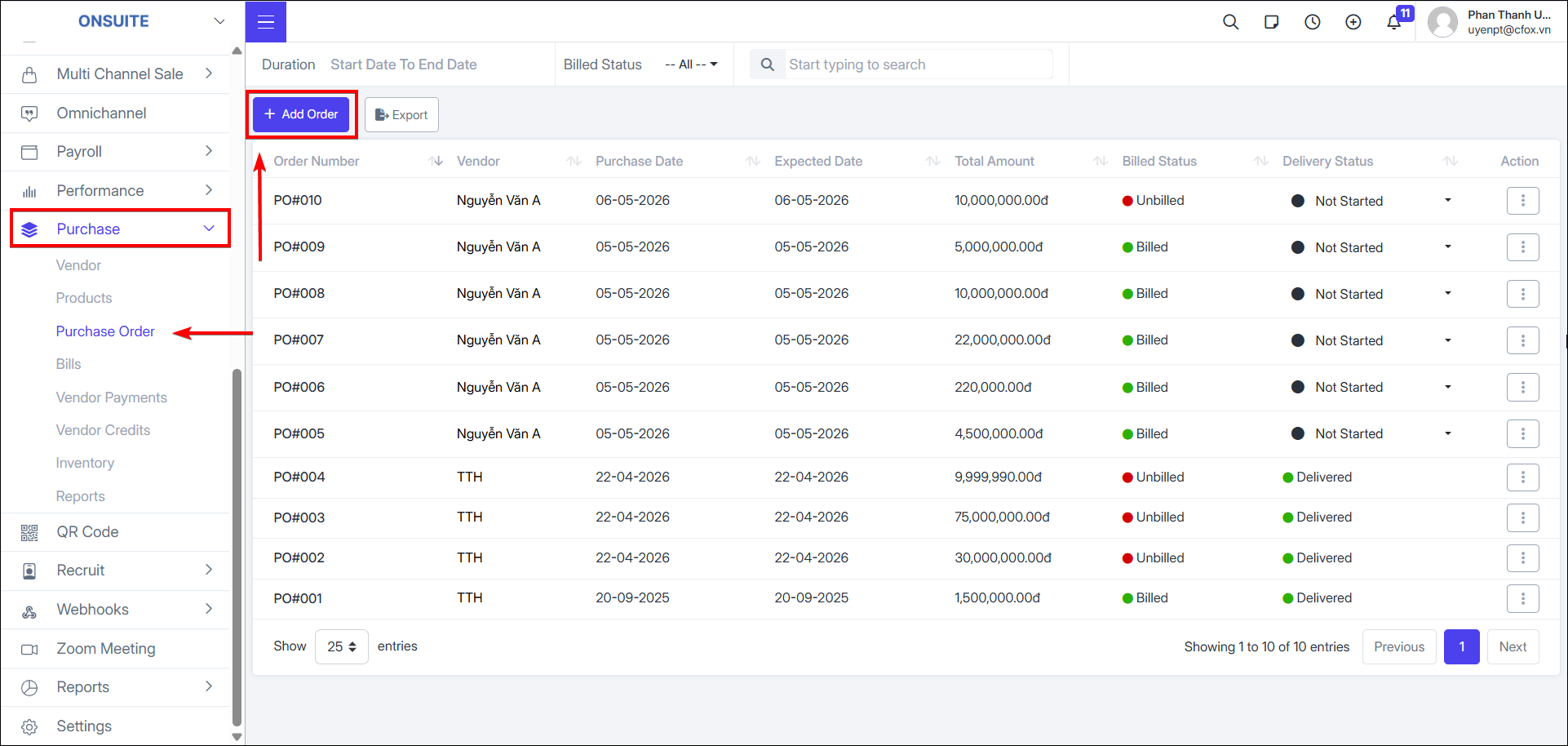
Create new purchase order
-
Select to create new purchase order

-
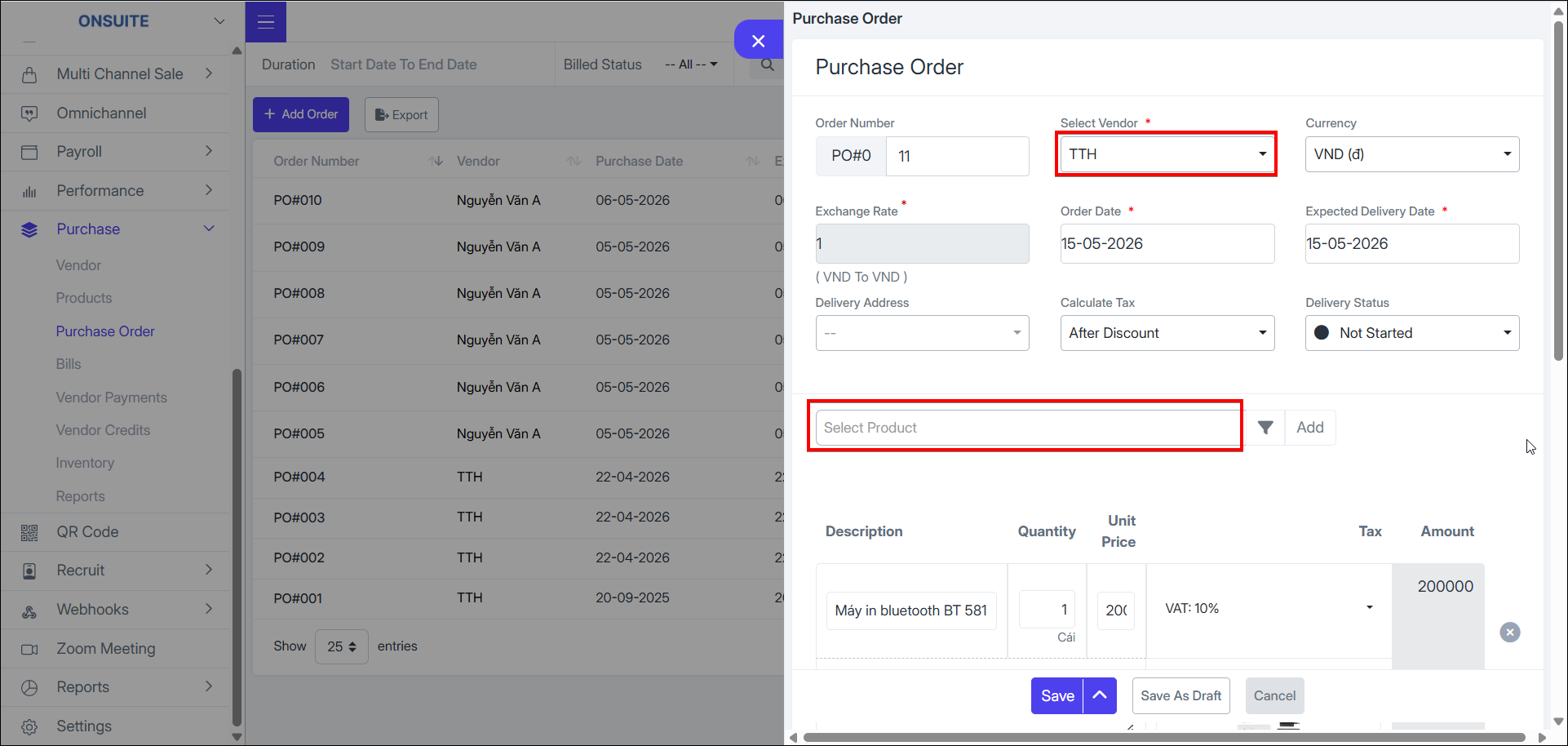
Fill in order information:
-
General info: Order date, expected delivery date, tax calculation method, shipping address, etc.
-
Product information: add products, enter quantity, price, tax
-
Other information: discount, notes, etc.
-
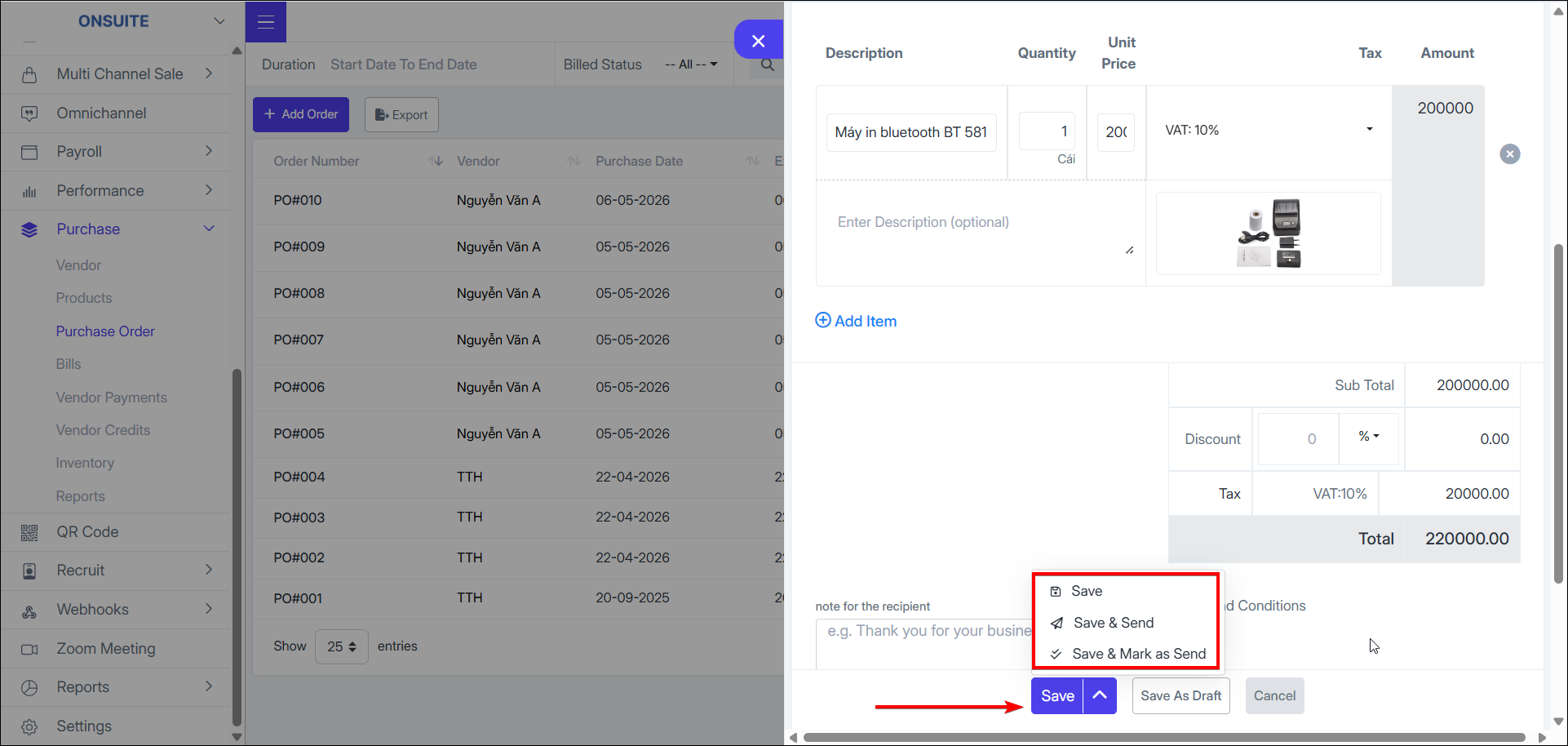
Order save options:
-
Select to save the purchase order

-
Select to save and send order information to vendor

-
Select to save and mark as sent to vendor

-
Select to save as draft

-
Purchase order actions:
-
View: select to view order details

-
Download: select to download order PDF

-
View PDF: select to view order as PDF
-
Send: select to send order to vendor

-
Mark as sent: select to mark order status as sent to vendor

-
Edit: select to edit order information

-
Convert to Bill: select to convert to Bill, customize Bill details, save (draft or open)

-
Delete: select to delete, then confirm

-
Export to Excel: Select to export order information to Excel