6.5. Vendor Payments
-
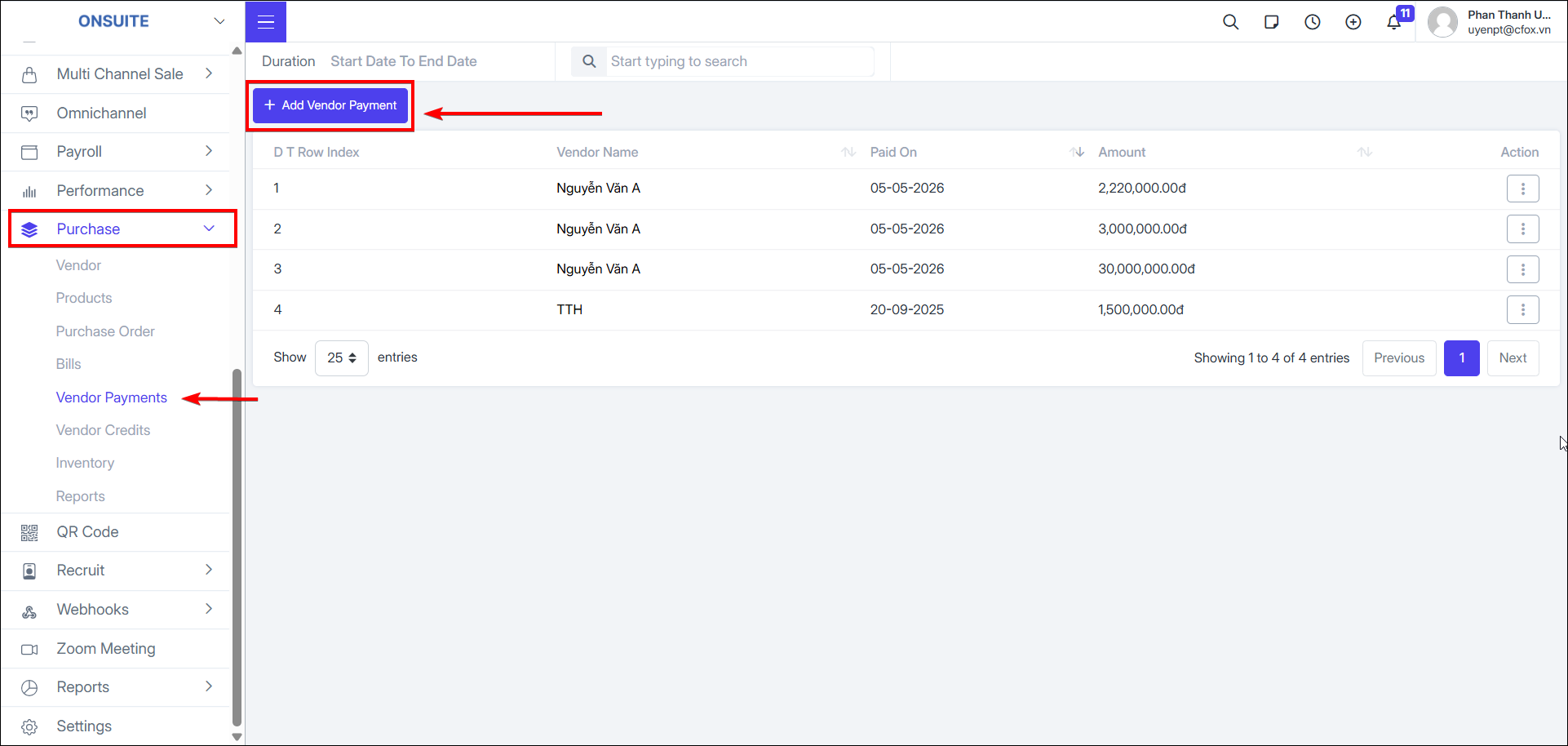
Create payment for vendor
-
Select to create payment for vendor

-
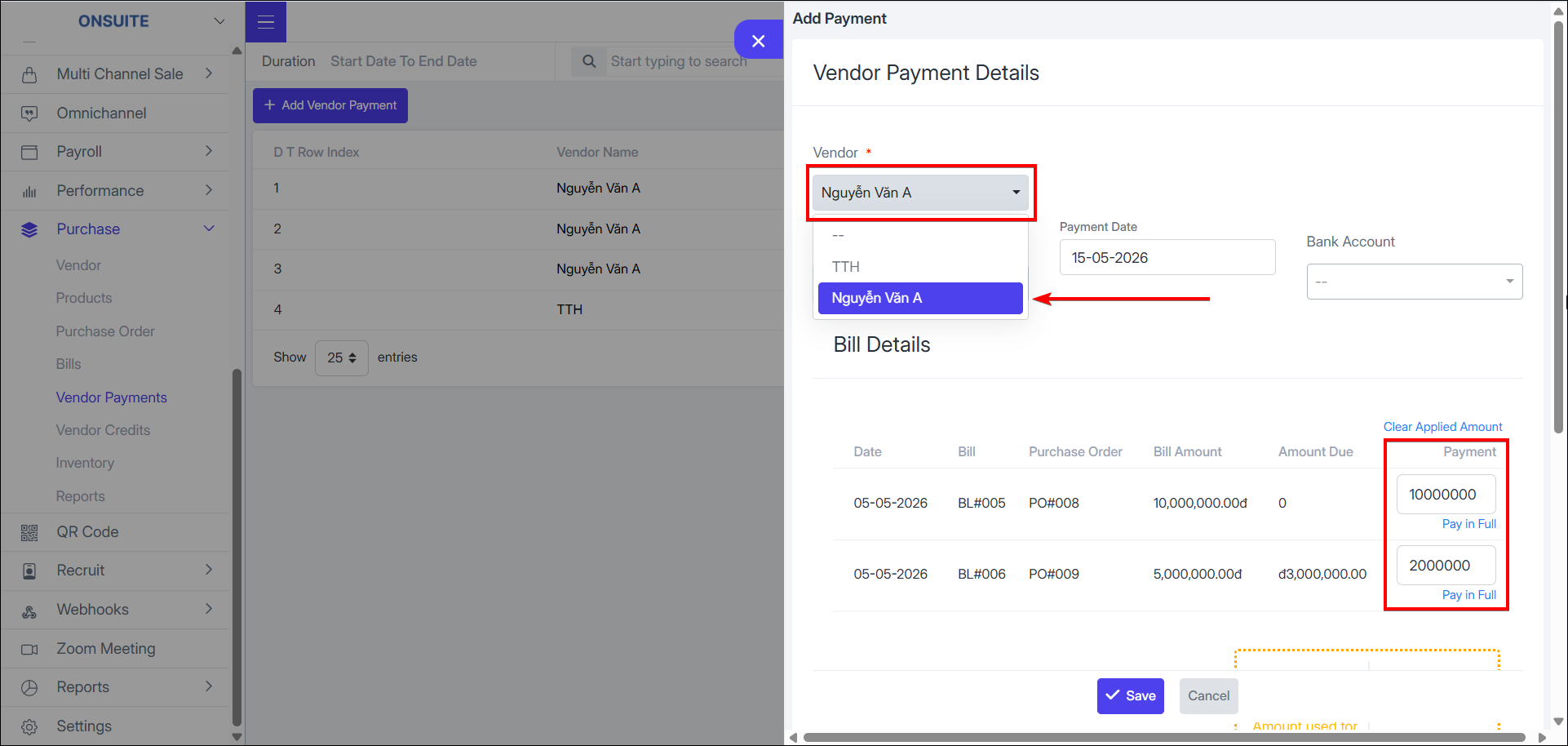
Fill in information:
-
Payment date, payment account, amount paid
-
Bill details will show Bills with 'Open' or 'Partially Paid' status – enter payment amount for vendor
-
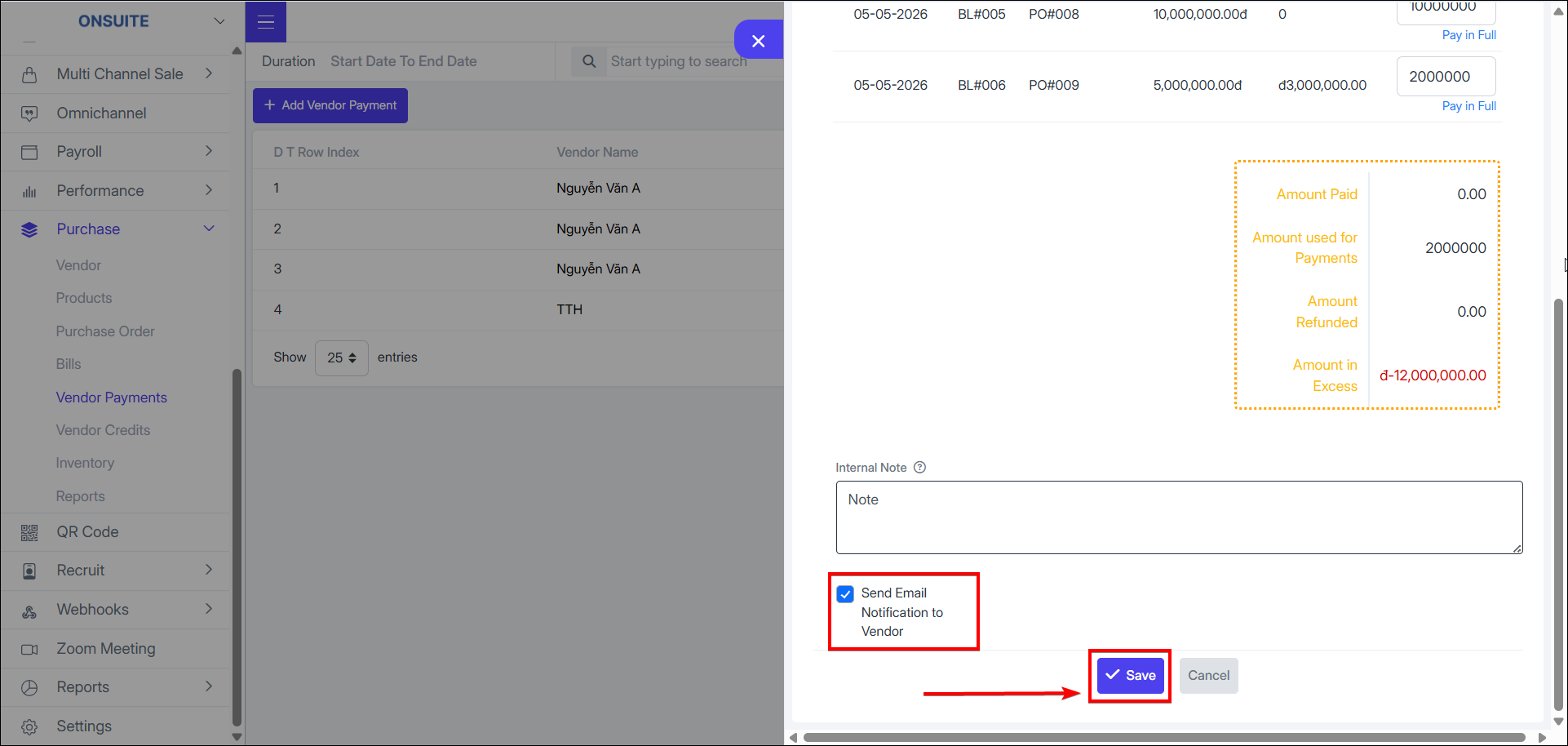
Option to send information via email to vendor and add notes if any
-
Select to save vendor payment

-
After completing payment, Bill statuses will update based on amount paid: Partially Paid, Paid
-
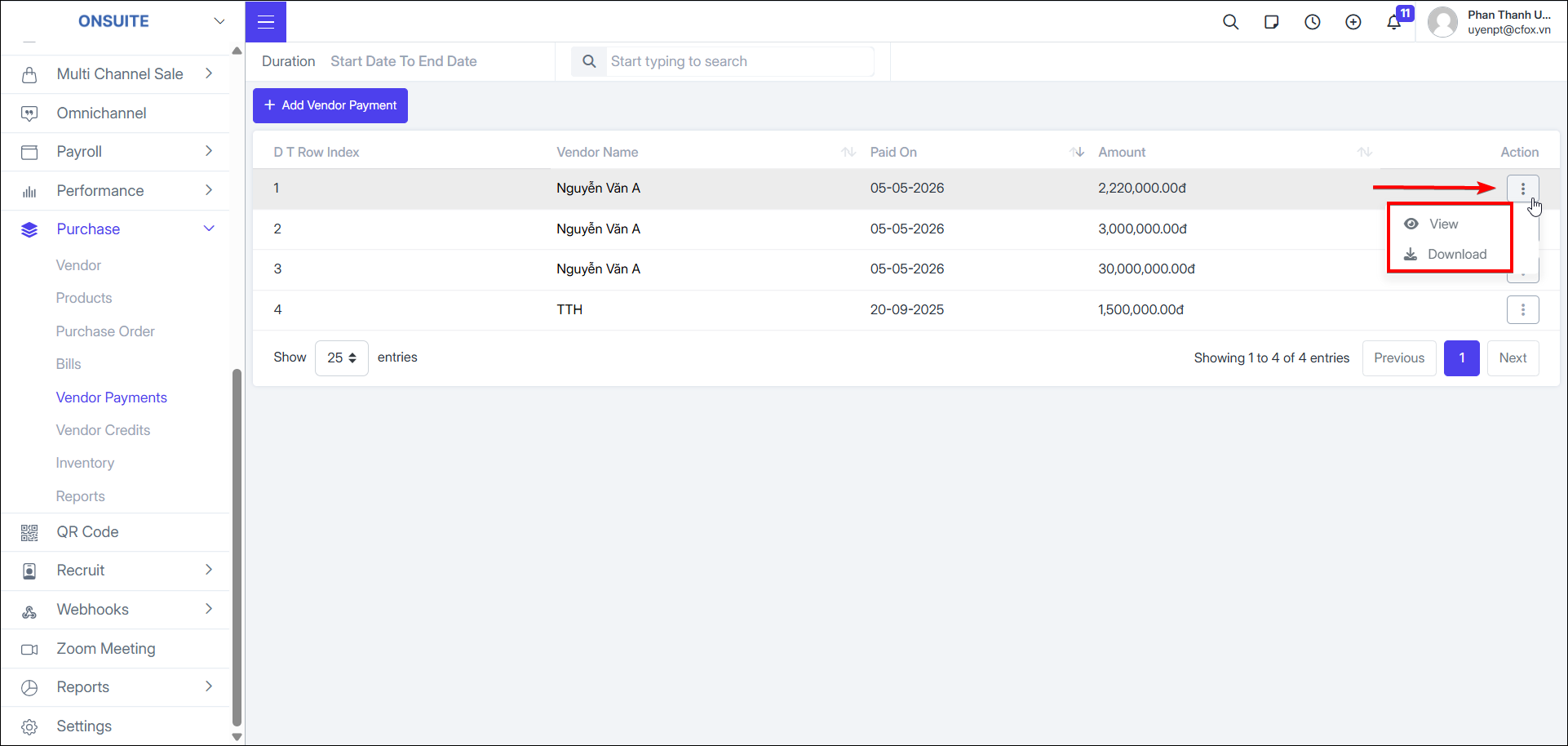
Payment actions:
-
View: Select to view vendor payment details

-
Download: Select to download vendor payment slip