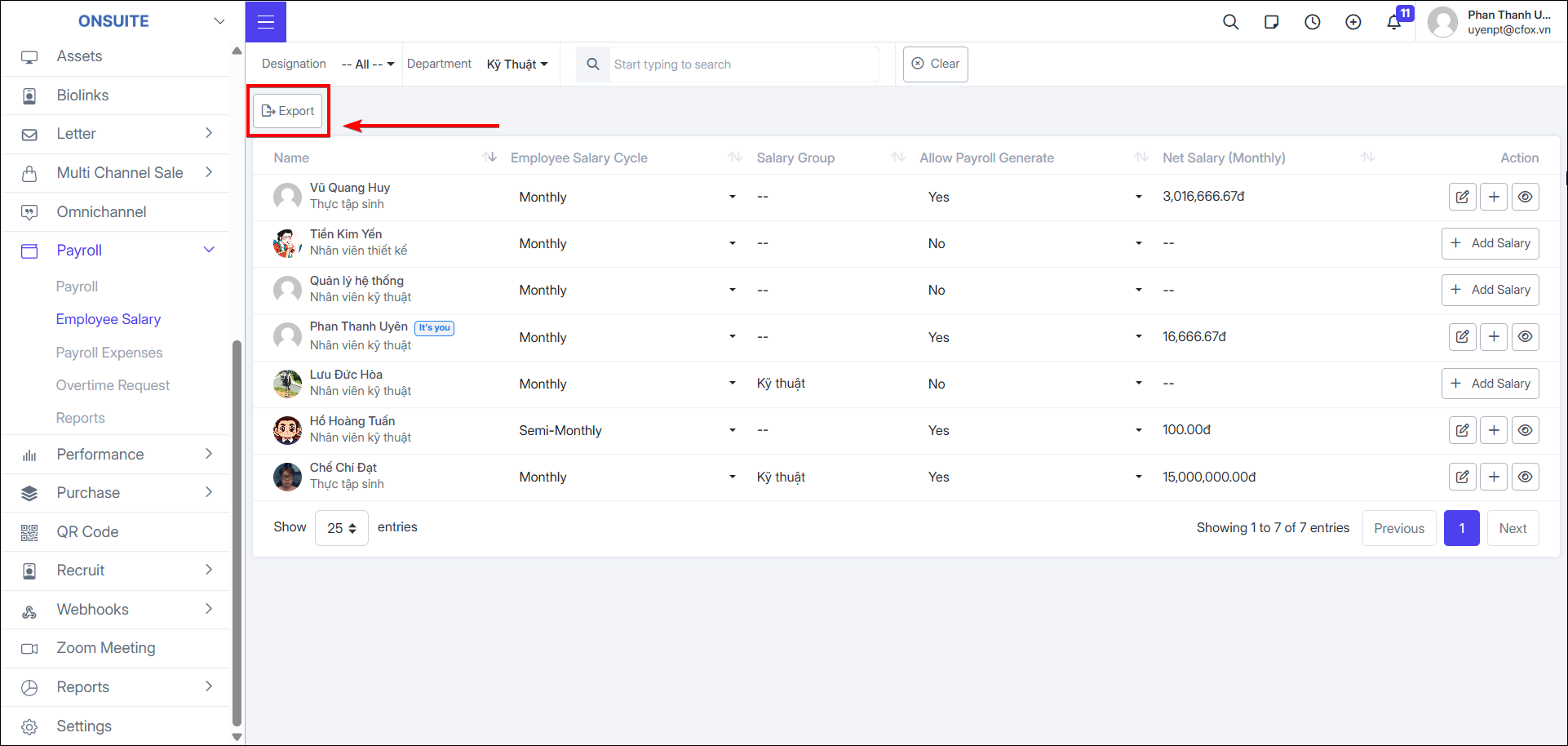
5.2. Employee Salary
Manage and configure salary for employees.
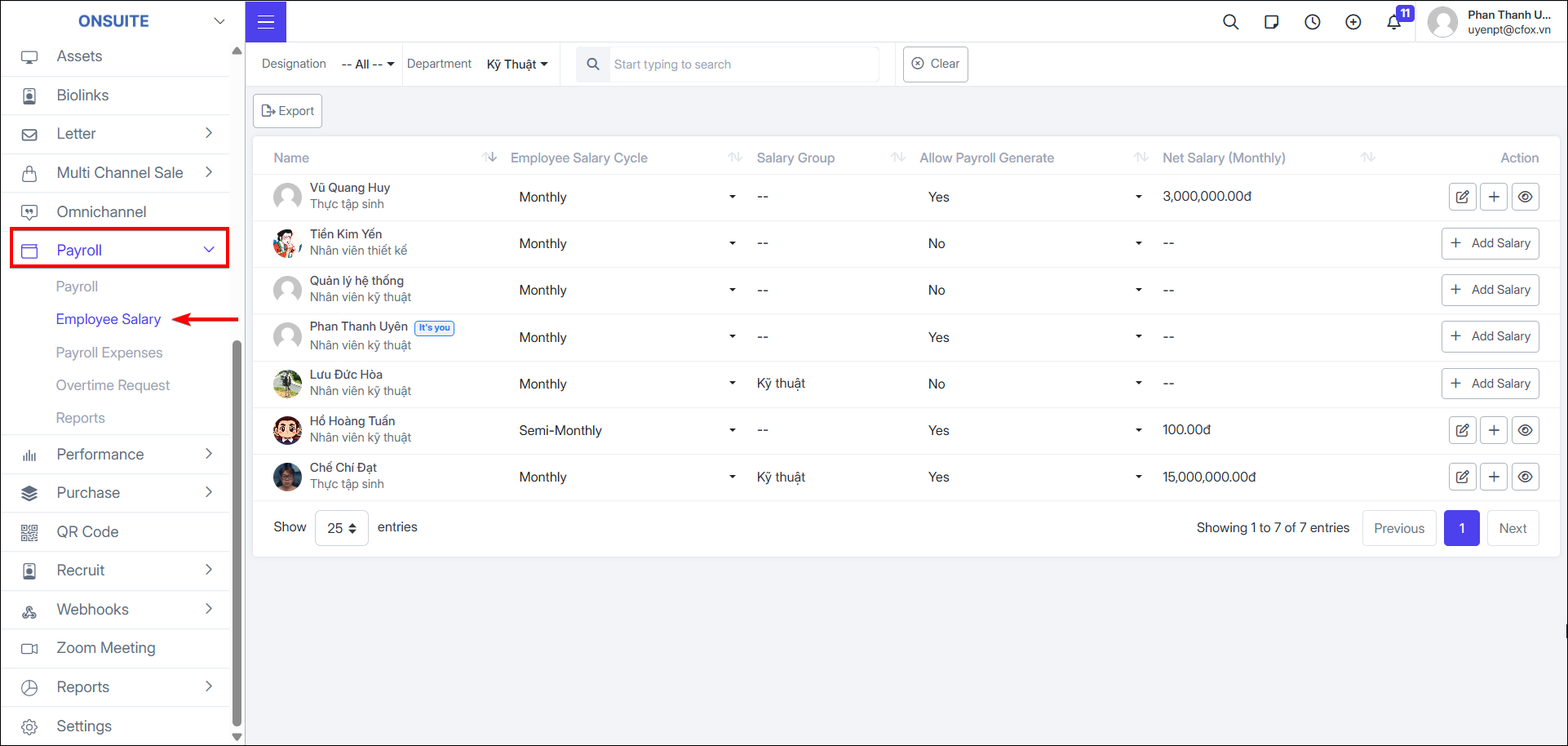
- Change salary cycle: In the 'Employee Salary Cycle' column, change the employee's salary cycle: Monthly, Weekly, Bi-weekly, Semi-monthly
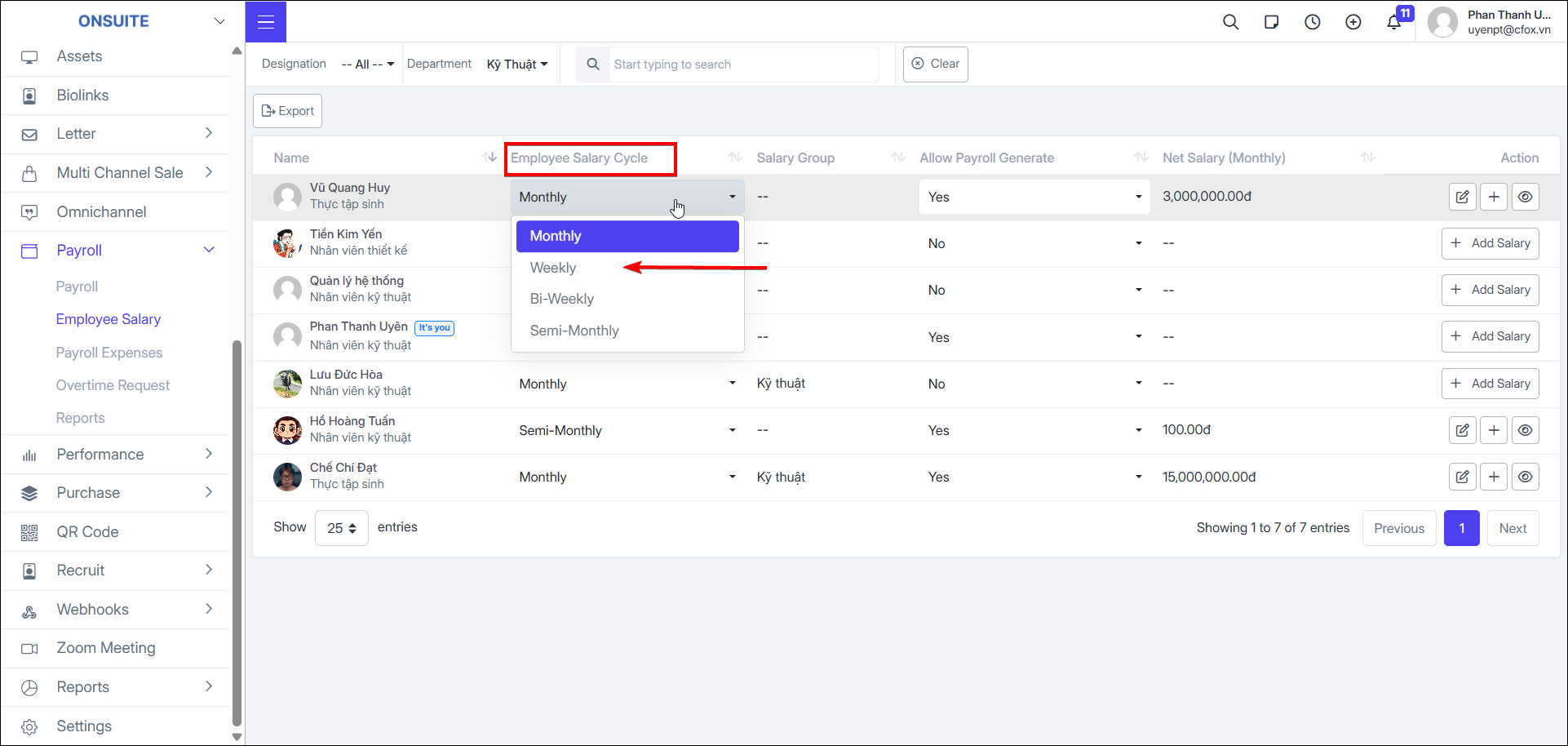
- Allow payroll creation: In the 'Allow Payroll Creation' column, toggle payroll creation for the employee in the Payroll section above
-
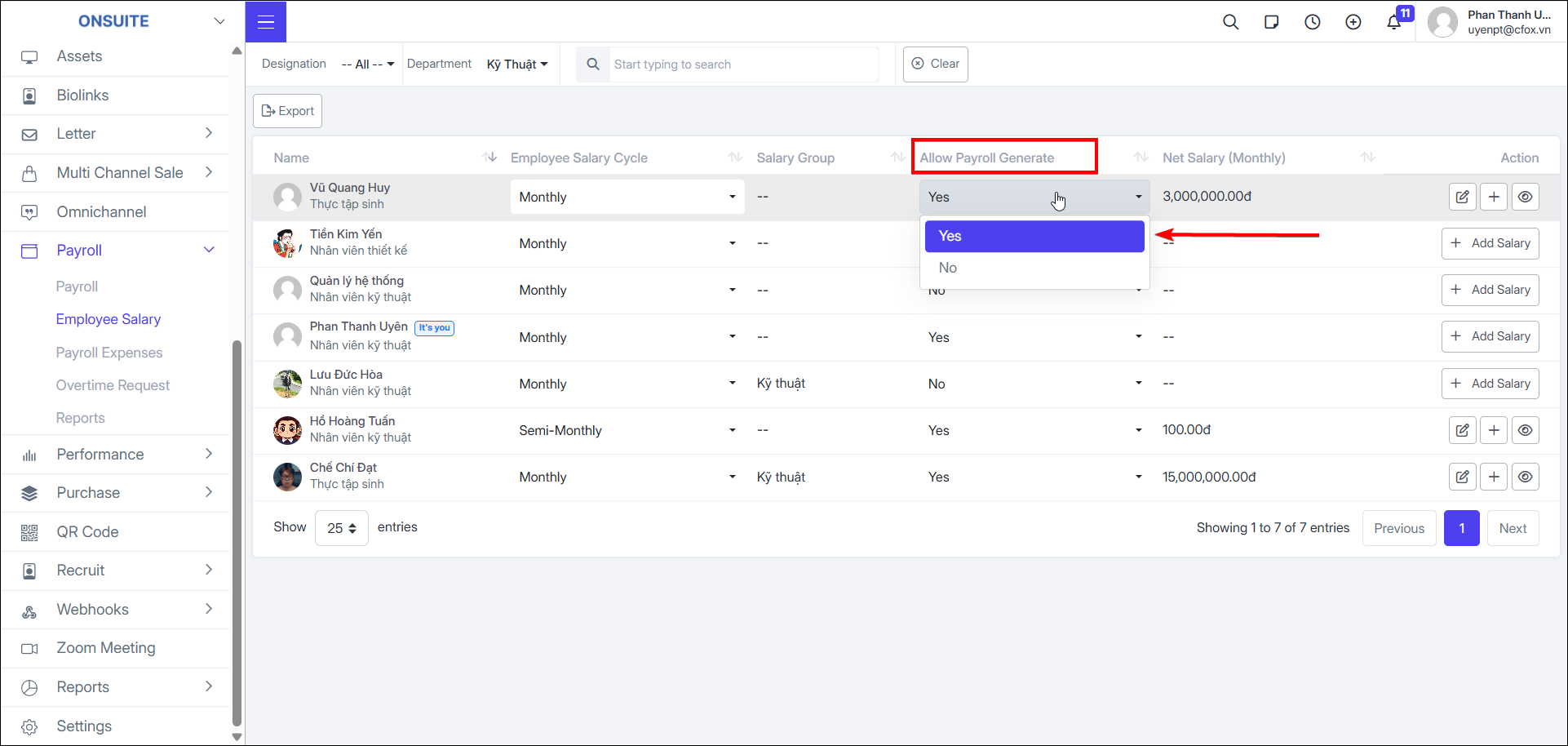
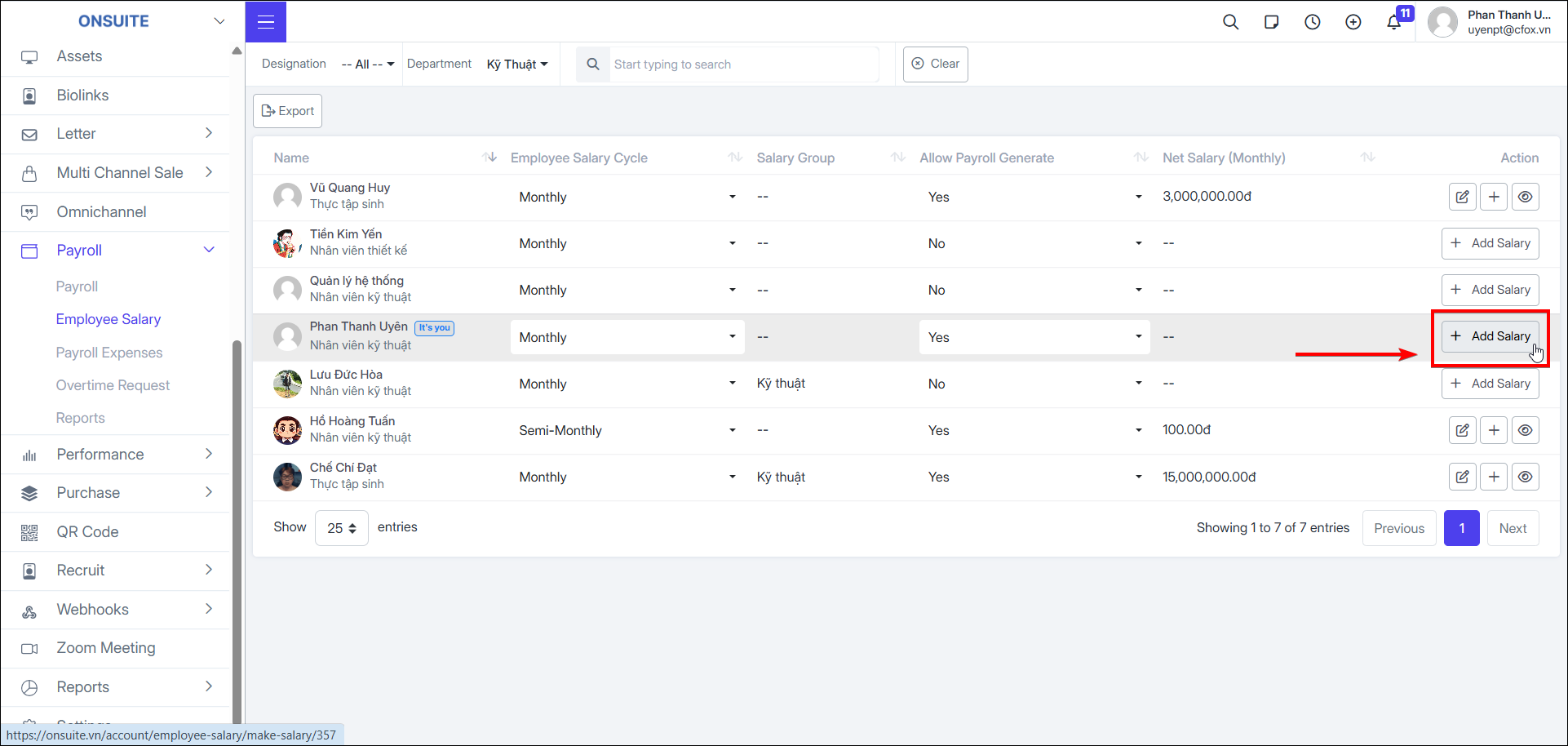
Add salary: Configure employee salary
-
Select to add salary for the employee

-
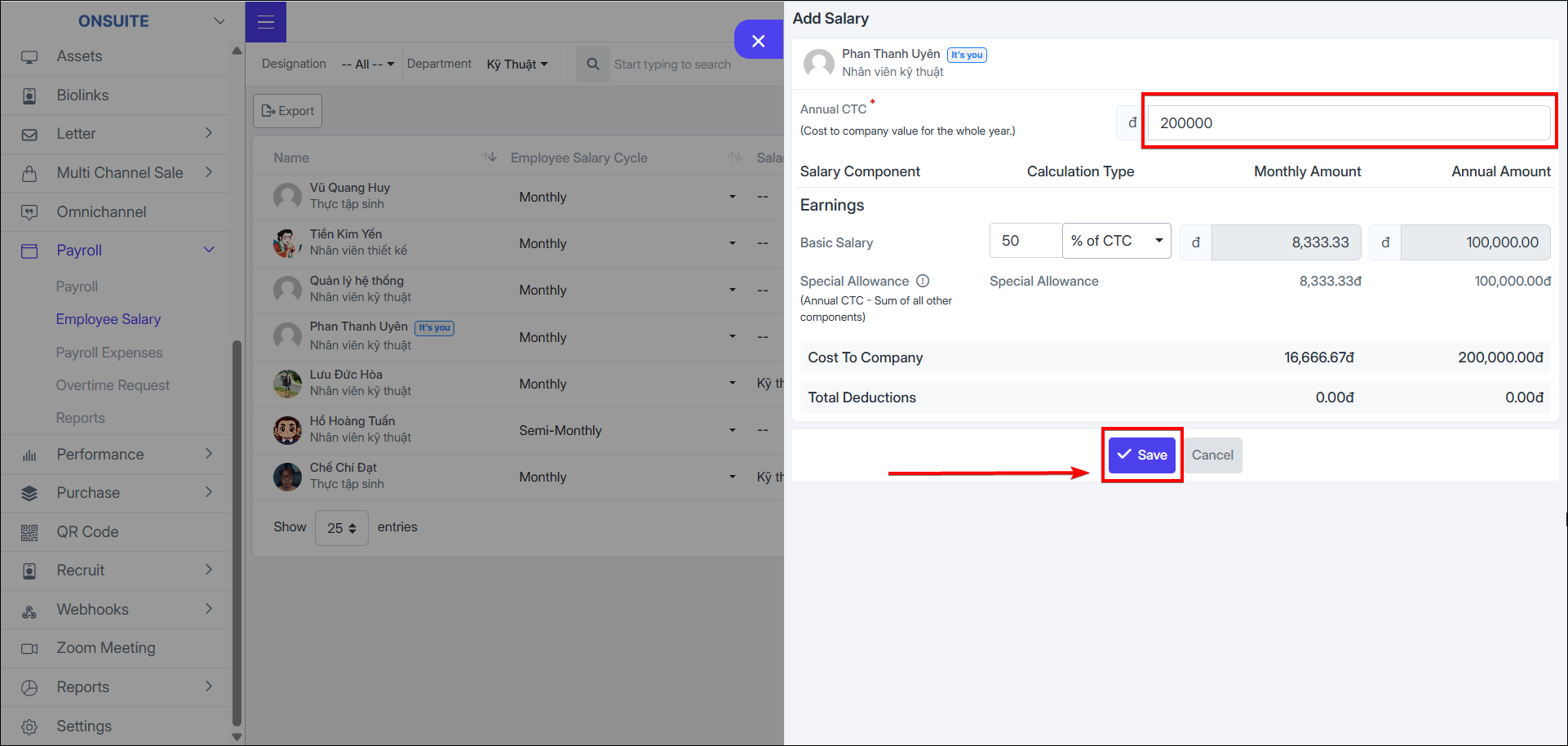
Enter 'Total Annual CTC' value
-
Option 'Basic Salary' by '% of CTC' or 'Fixed' and fill in the appropriate value
-
System will automatically calculate salary figures and costs
-
Select to save employee salary configuration

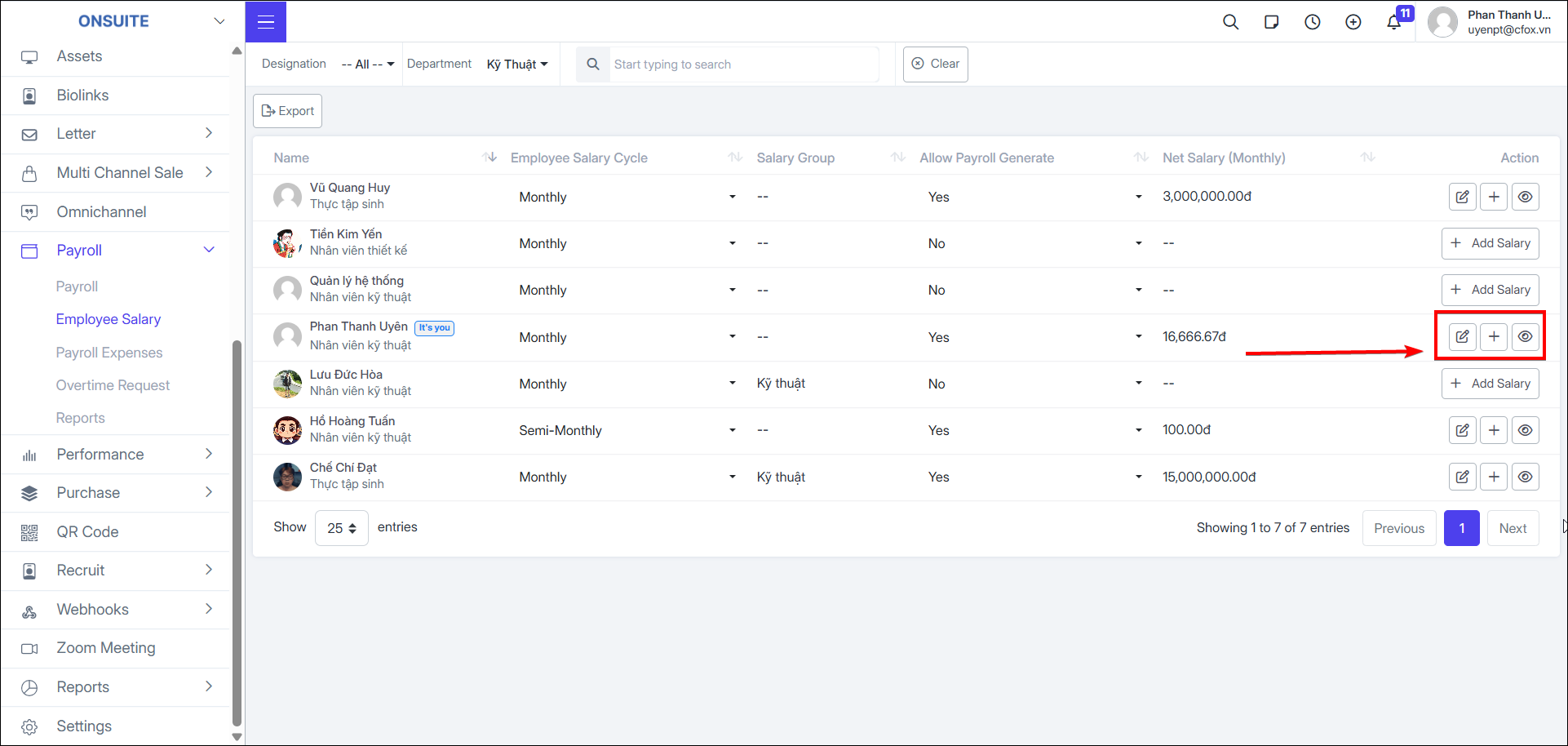
- Actions available after adding salary: edit, salary increase, view salary history
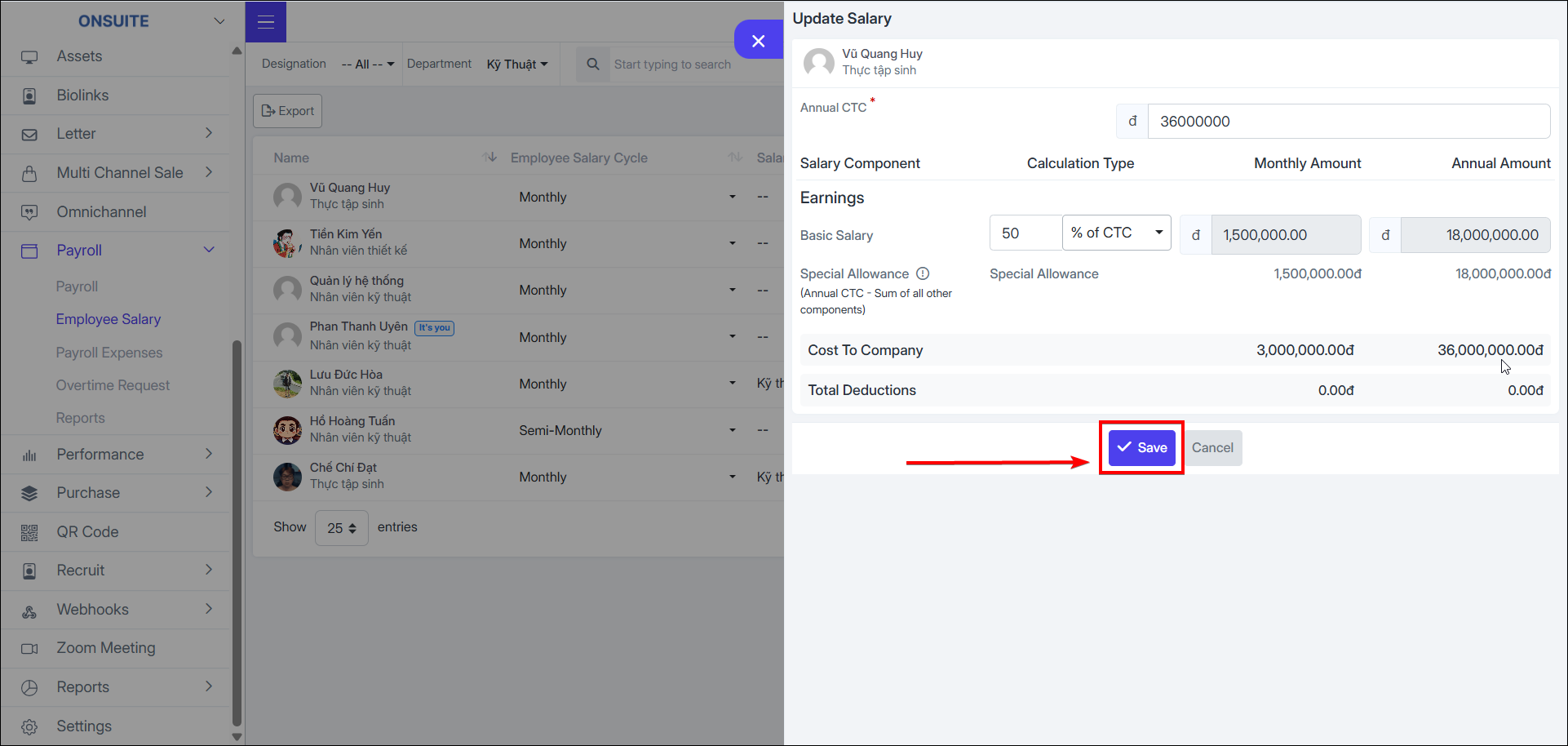
Edit:
-
Select to update employee salary

-
Change values as needed
-
Select to save changes
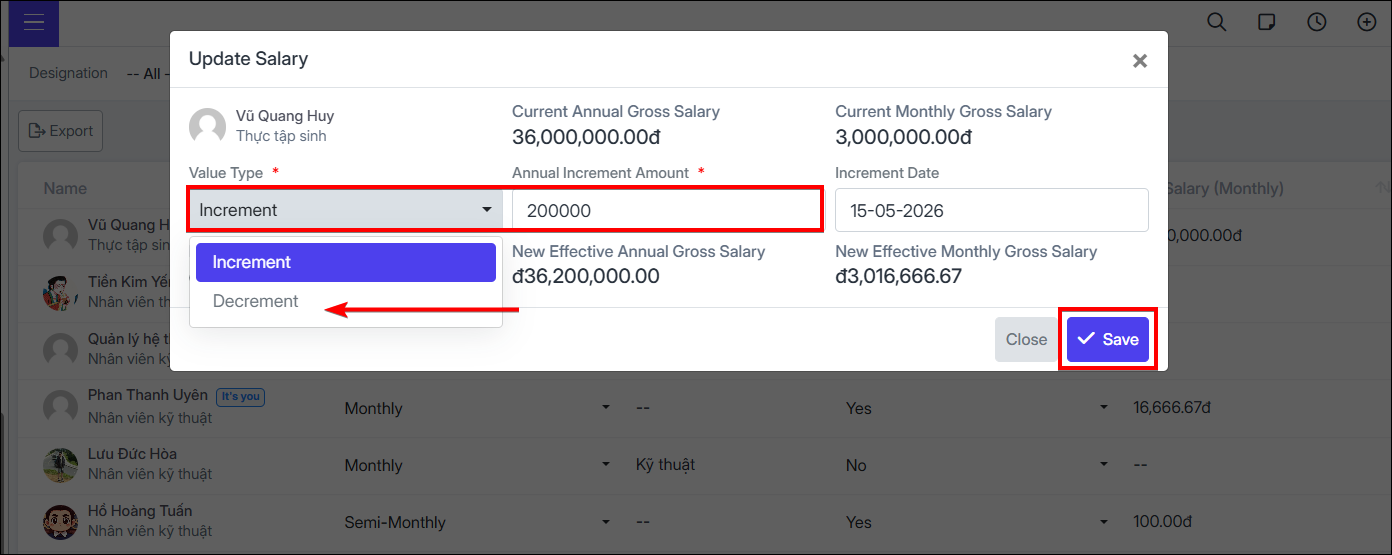
Salary Increase / Decrease:
-
Select to increase/decrease employee salary

-
Select value type: salary increase/decrease
-
Enter annual increase/decrease amount
-
Select effective start date
-
Select to save
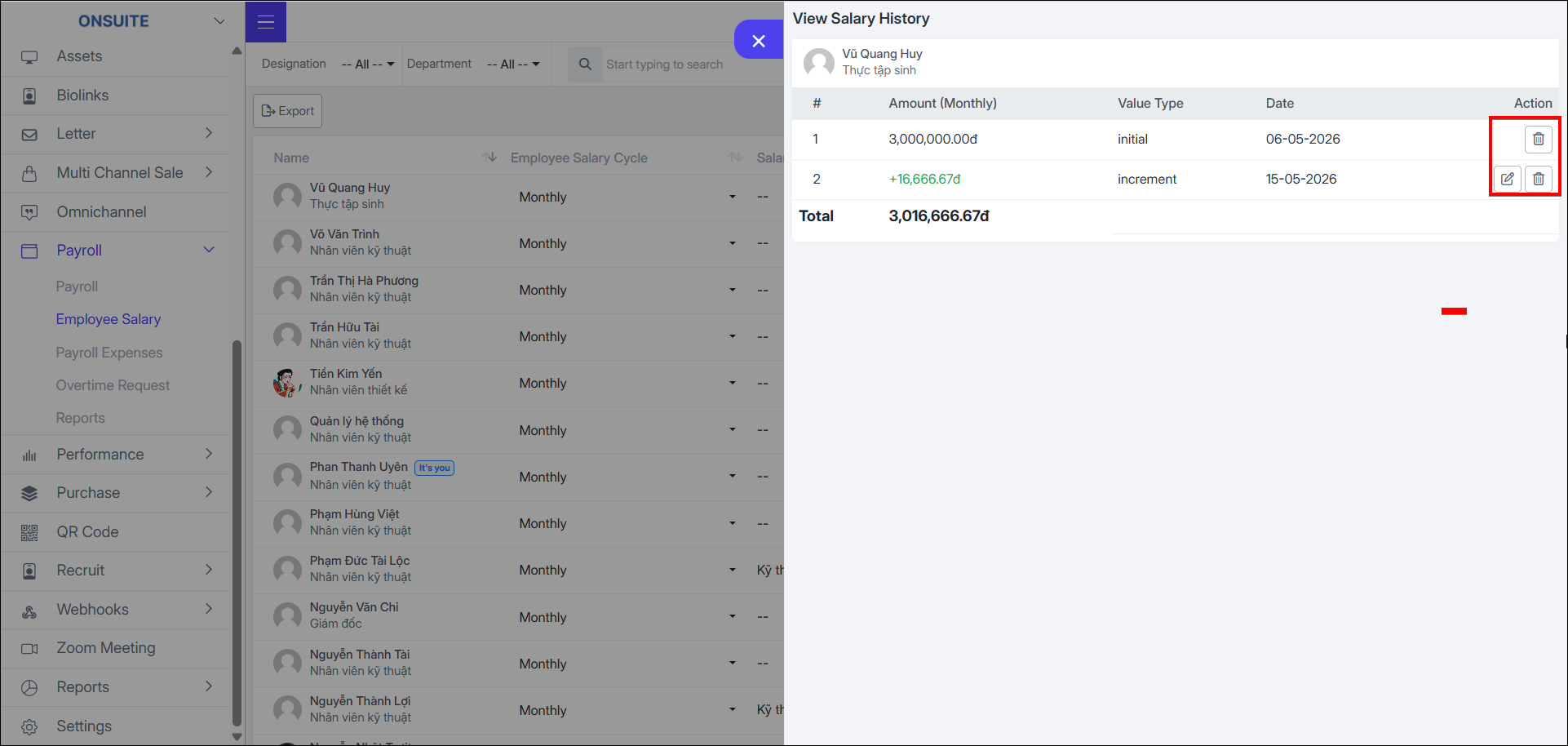
Salary History:
-
Select to view employee salary component history

-
Select to delete a salary component

-
For increase/decrease salary components, can select to edit
- Export to Excel: Select to export employee salary information to Excel