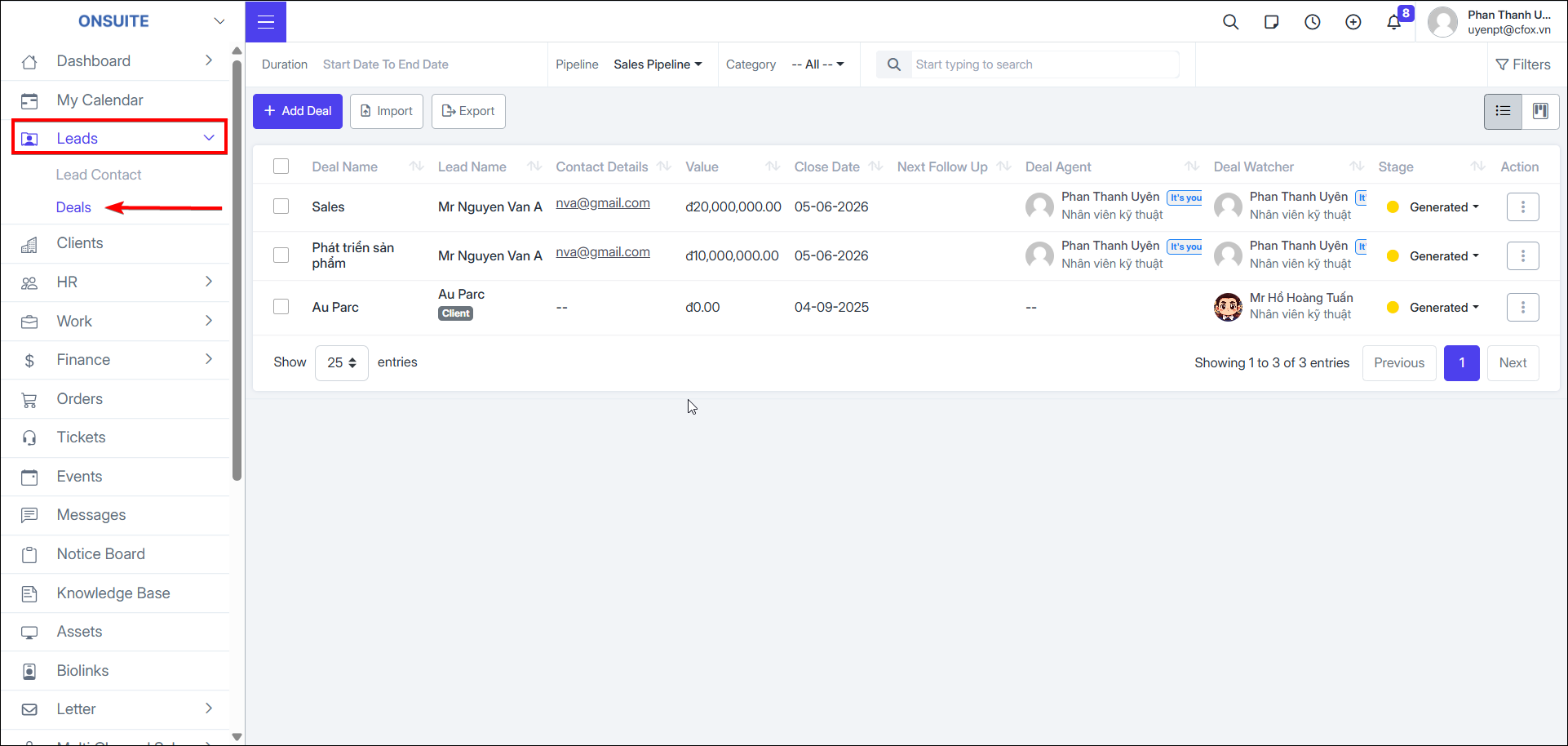
1.2. Deals
- Go to Leads → Deals tab → Manage deal information with customers
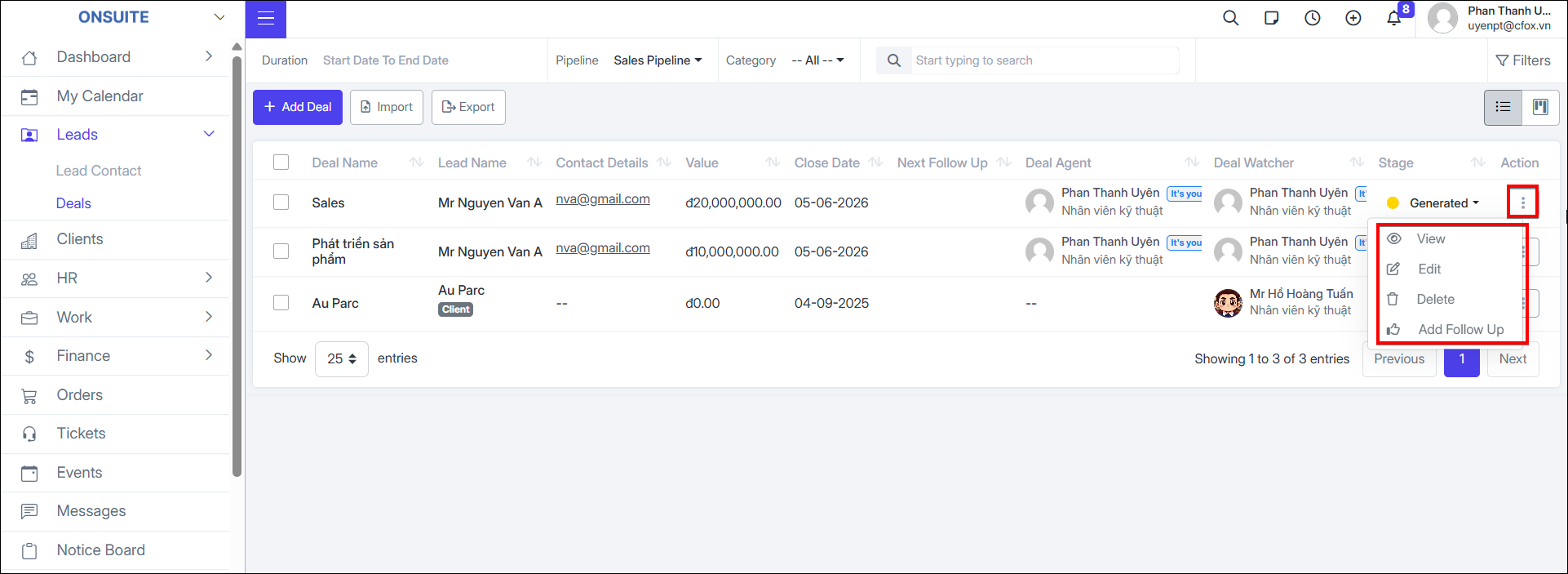
- You can update stage, View / Edit / Delete / Follow deals
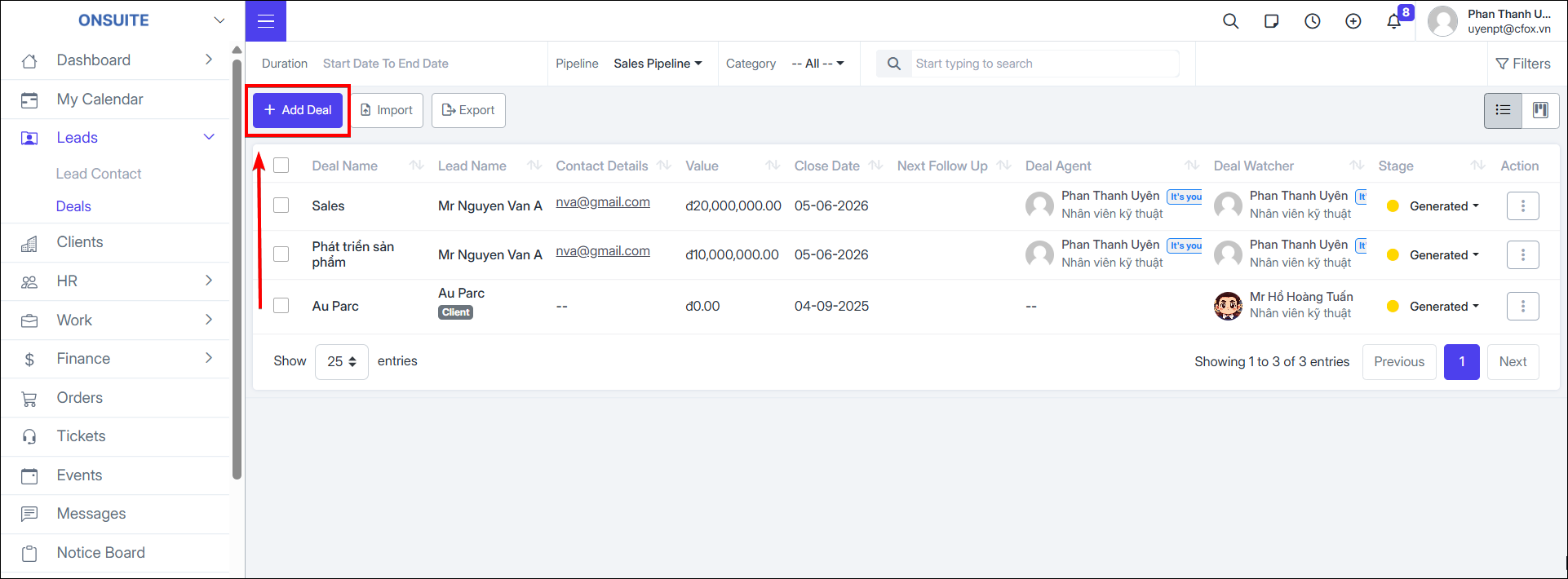
Add Deal:
- Step 1: Select Add Deal
-
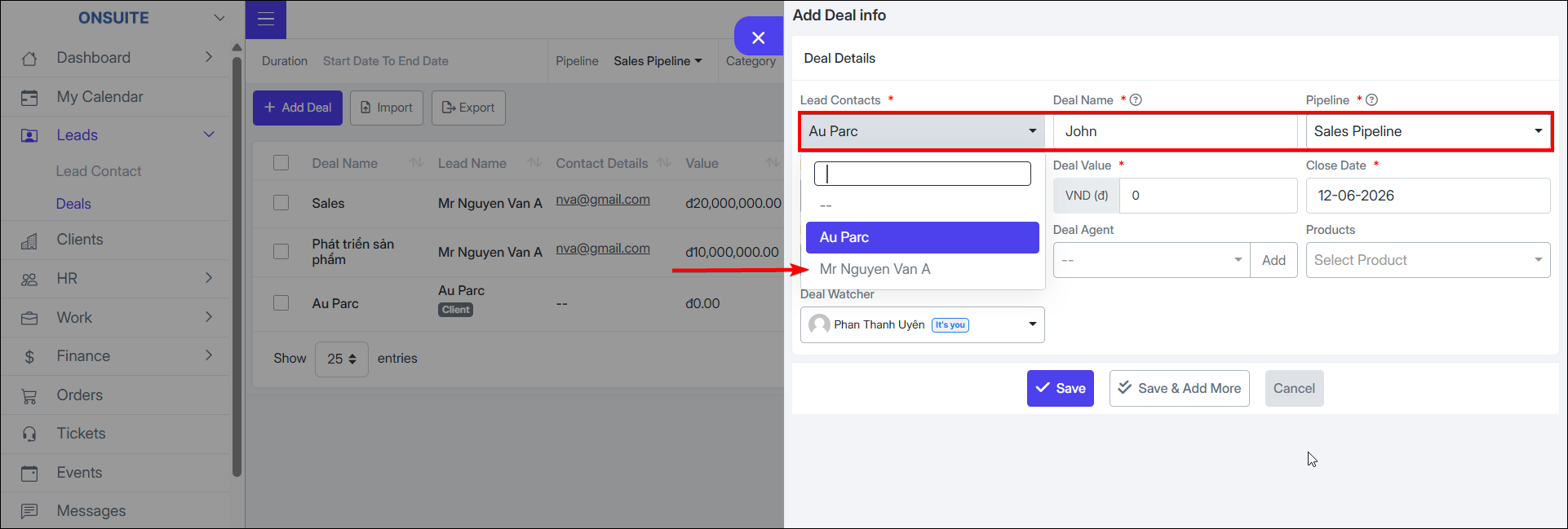
Step 2: Enter information:
-
Customer's Lead Contact
-
Deal name
-
Select Sales Pipeline
-
-
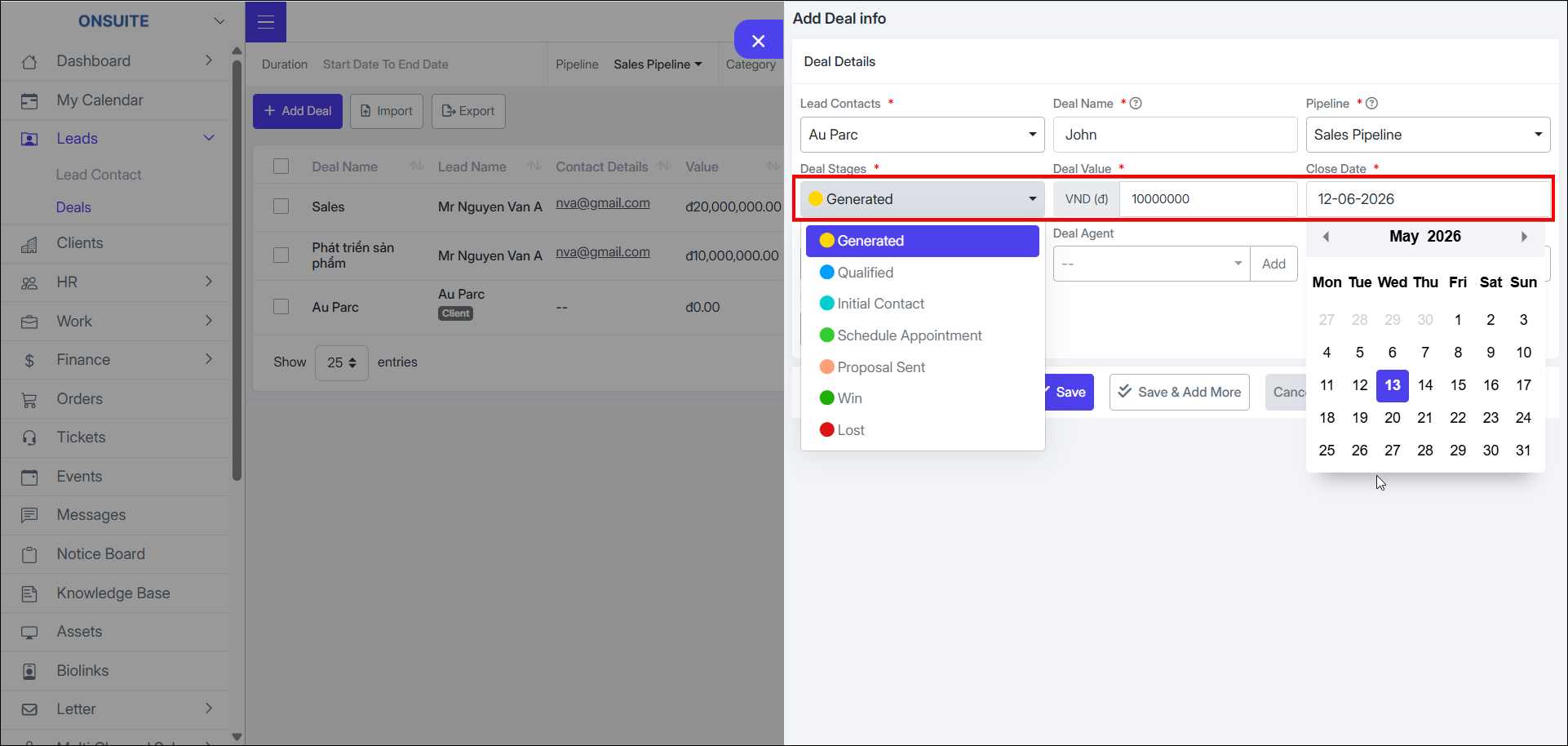
Sales stage
-
Enter deal value
-
Close Date
-
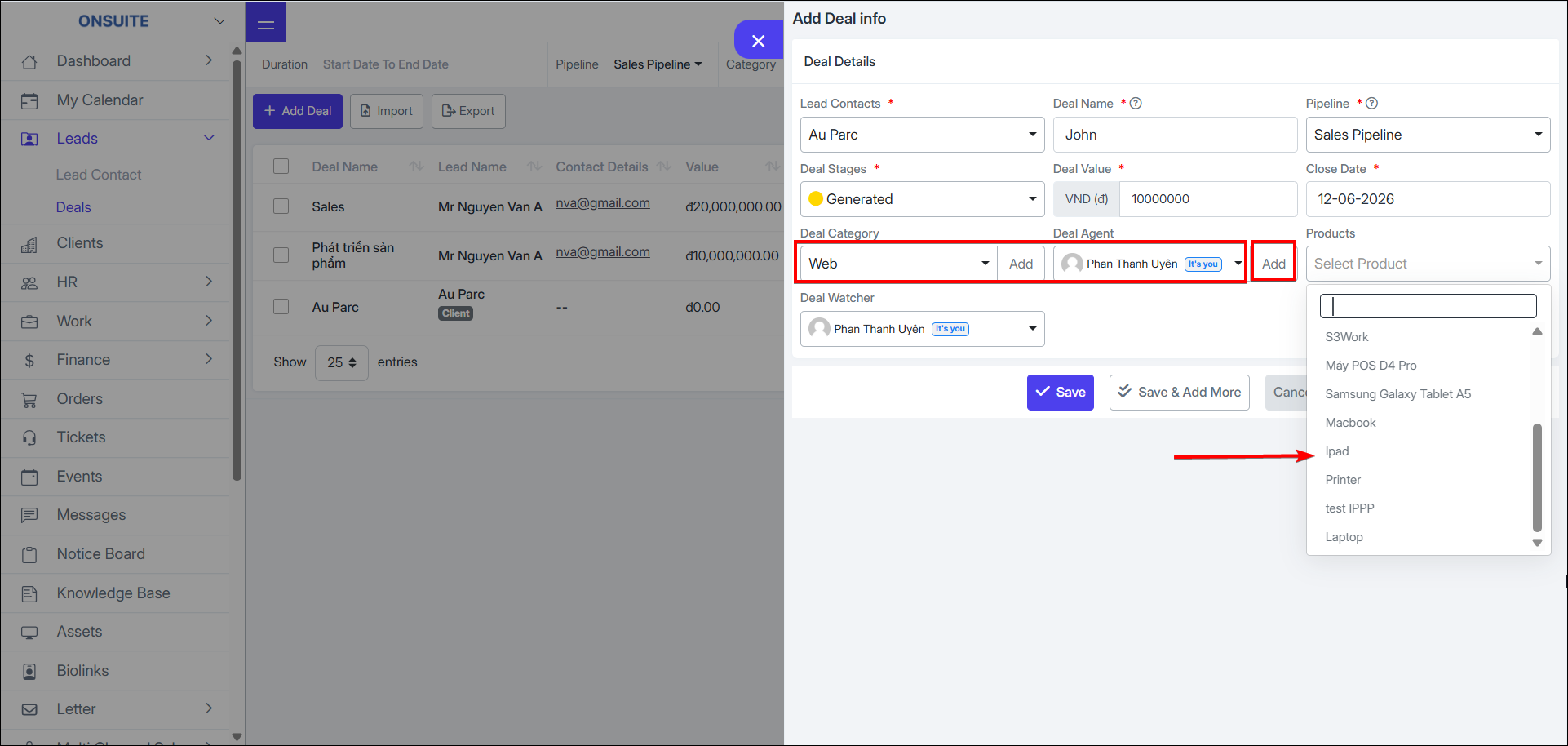
Select deal category (if not available, can quickly add new)
-
Select salesperson (if not available, can add new)
-
Select deal product
-
Assign tracking employee
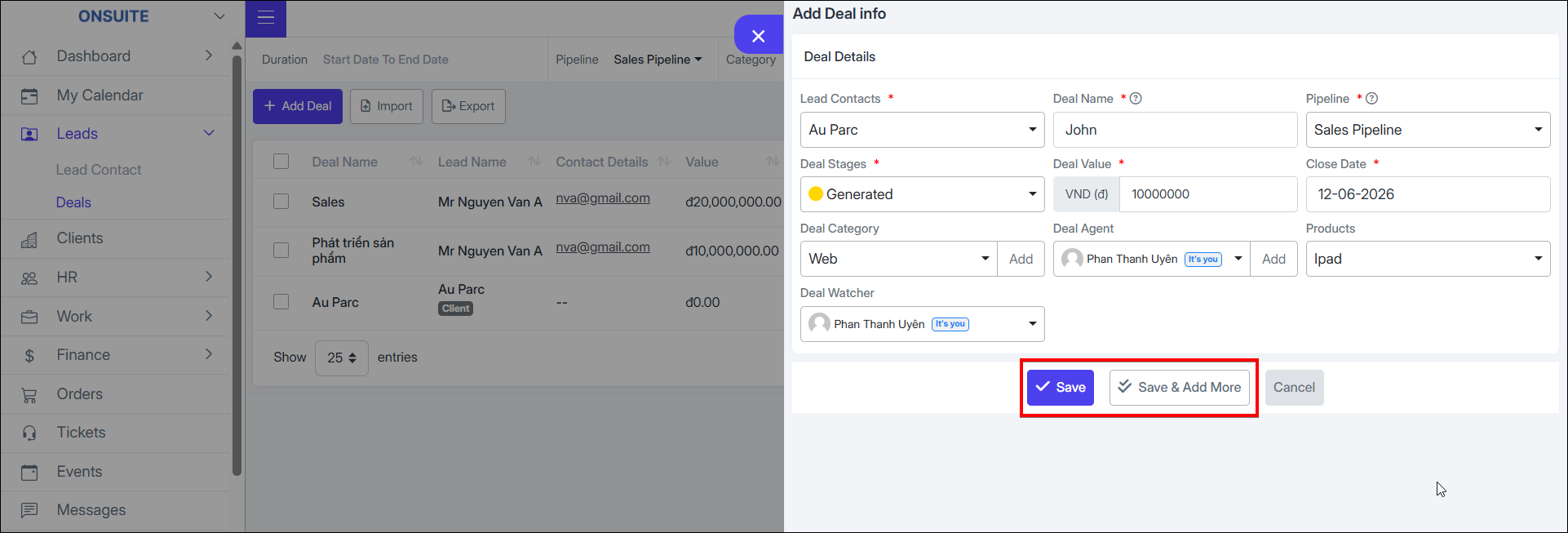
- Step 3: Select Save or Save and Add More to continue creating the deal
-
You can Import / Export Excel files for deals
-
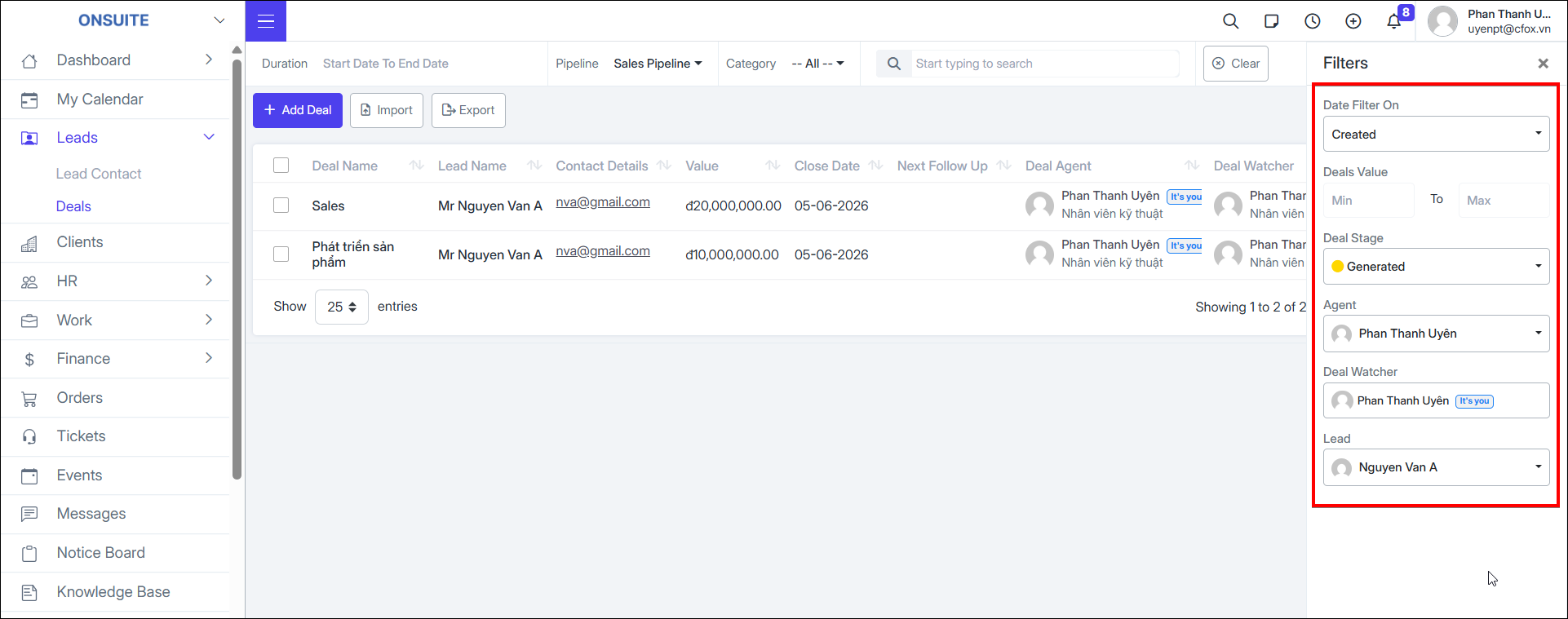
You can search or filter by time, sales pipeline
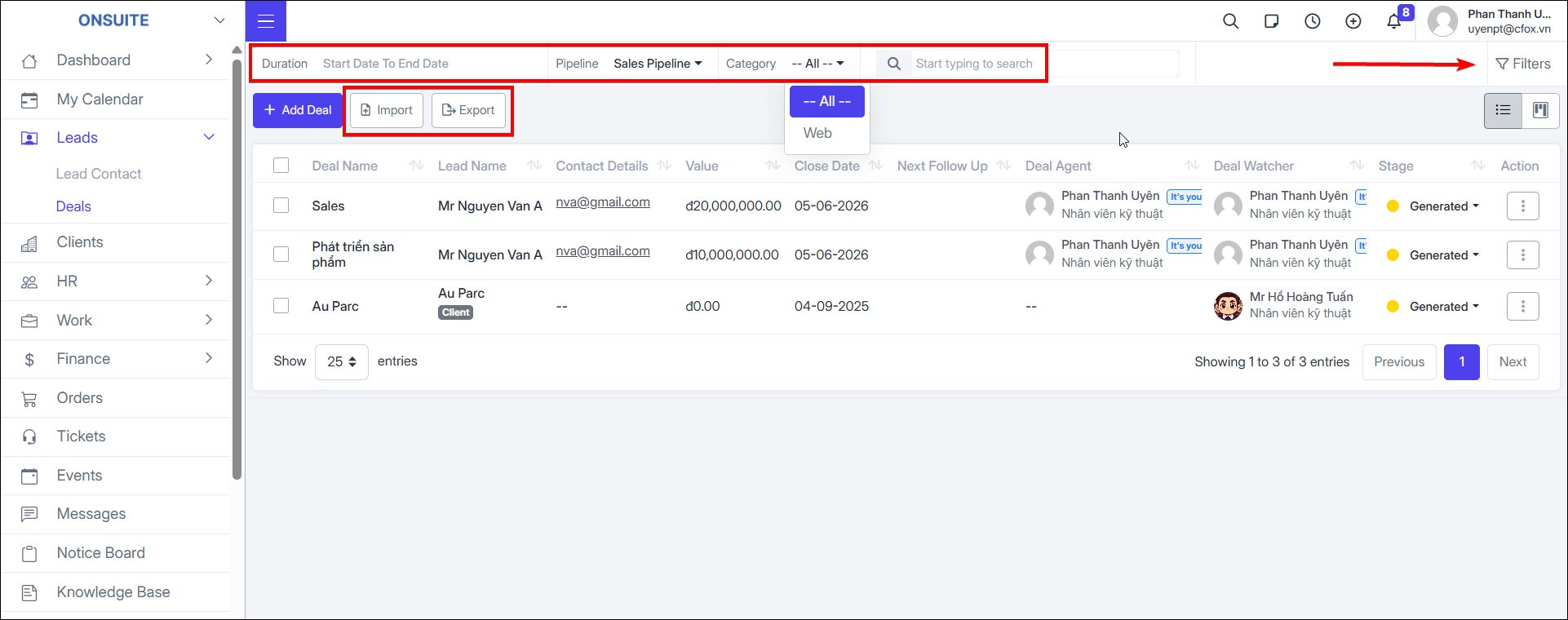
- Select advanced filter by date, Deal Value, Deal Stage, Handling Employee, Follower, Lead