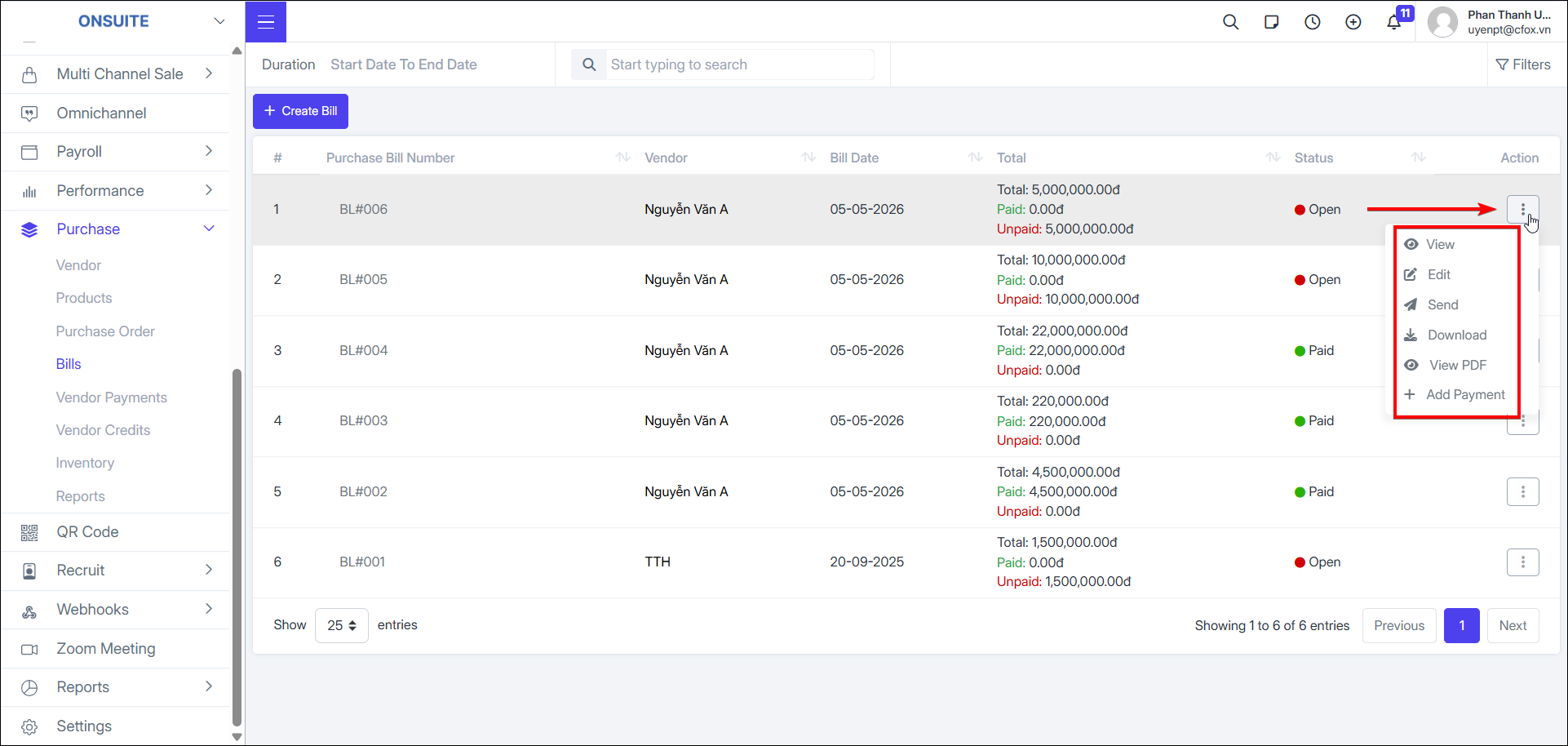
6.4. Bills
-
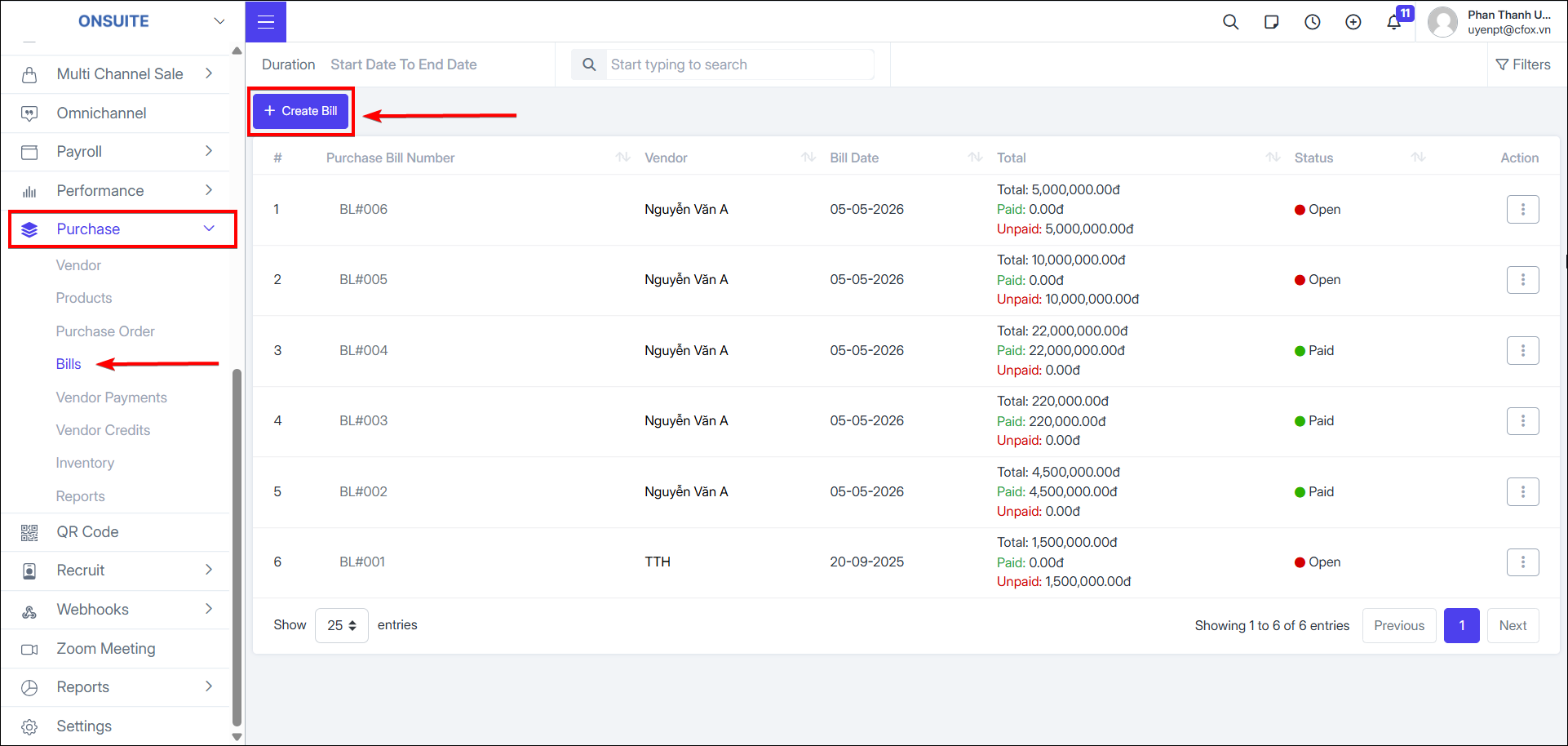
Create Bill
-
Select to create Bill

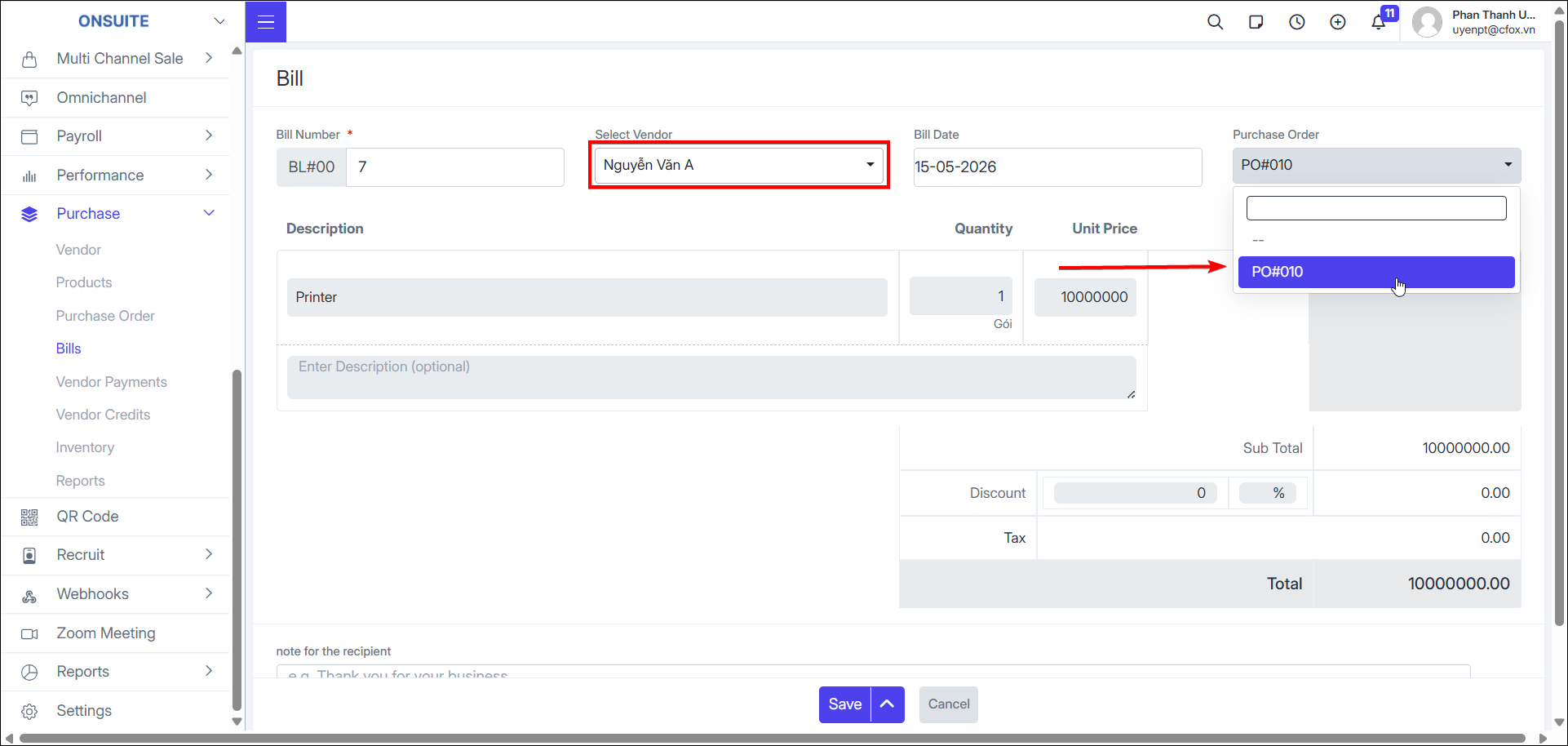
- Fill in information: Bill number, Bill date, select purchase order, notes (if any)
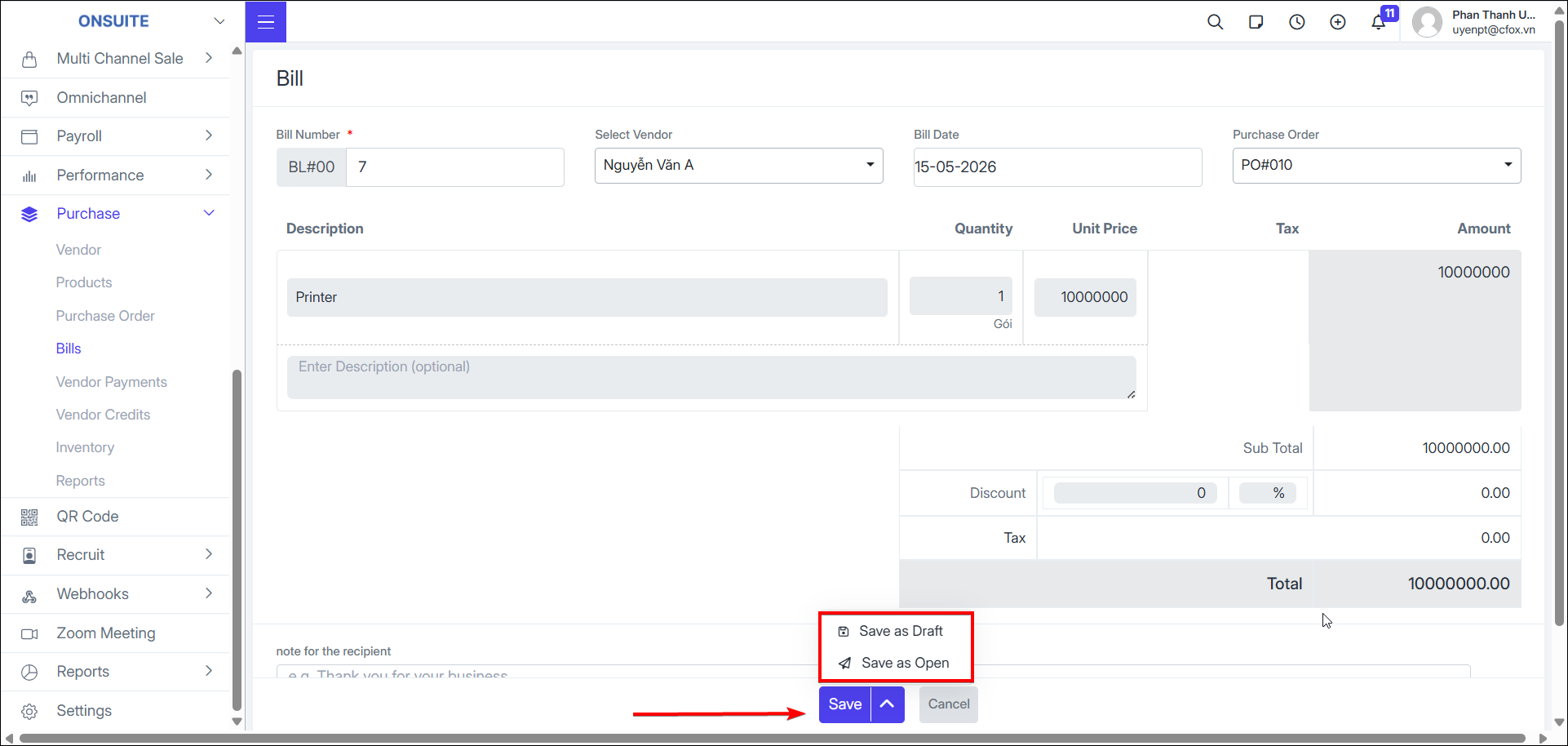
- Select to save Bill: two save options – draft and open

-
Bill actions:
-
View: Select to view Bill details

-
Edit: Select to edit Bill information, then save

-
Send: Select to send Bill to vendor

-
Download: Select to download Bill PDF

-
View PDF: Select to view Bill as PDF
-
Add Payment: Select to proceed to Bill payment