3.3. Leaves
-
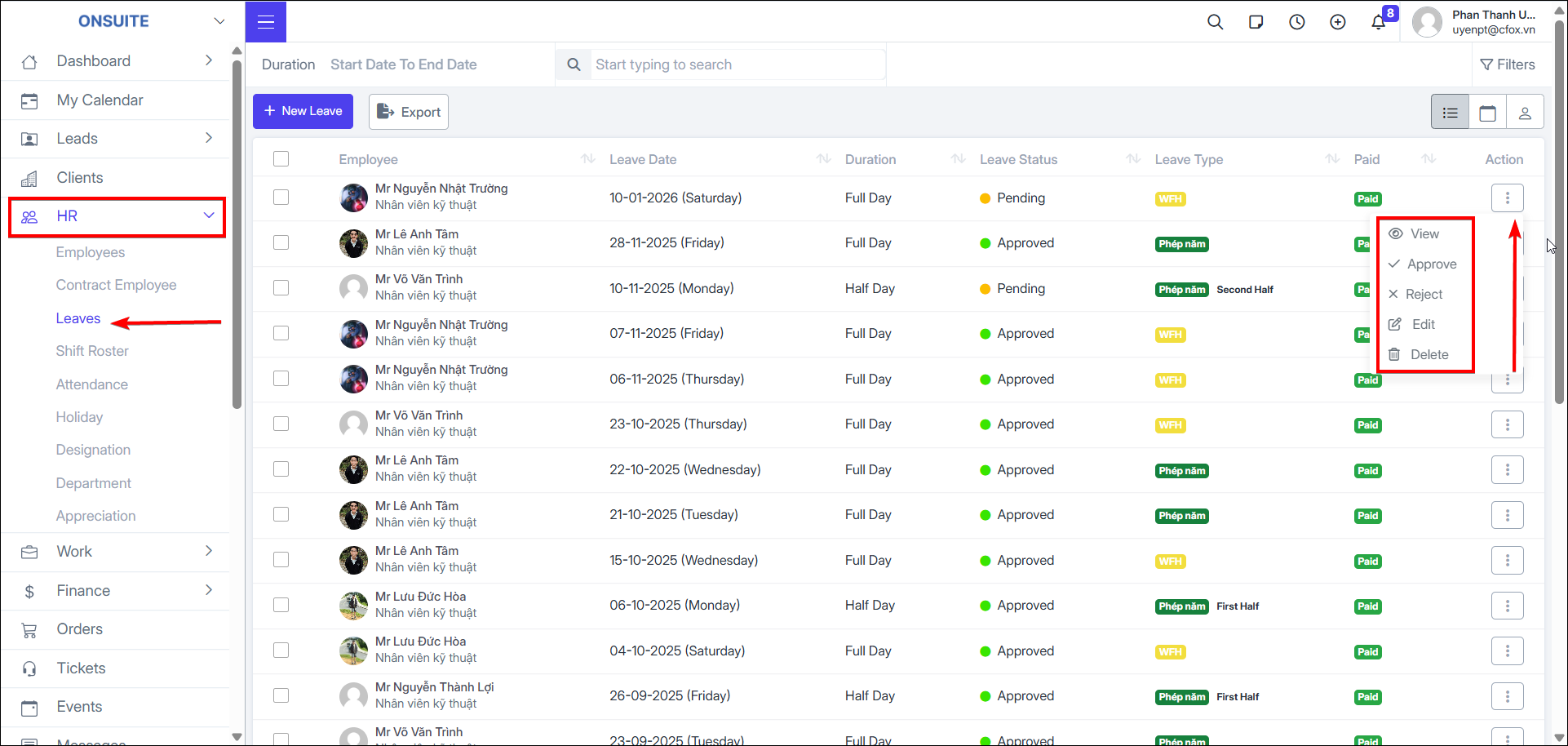
Go to HR → Leave → Manage leave
-
Can View / Approve / Reject / Edit / Delete
Create Leave:
-
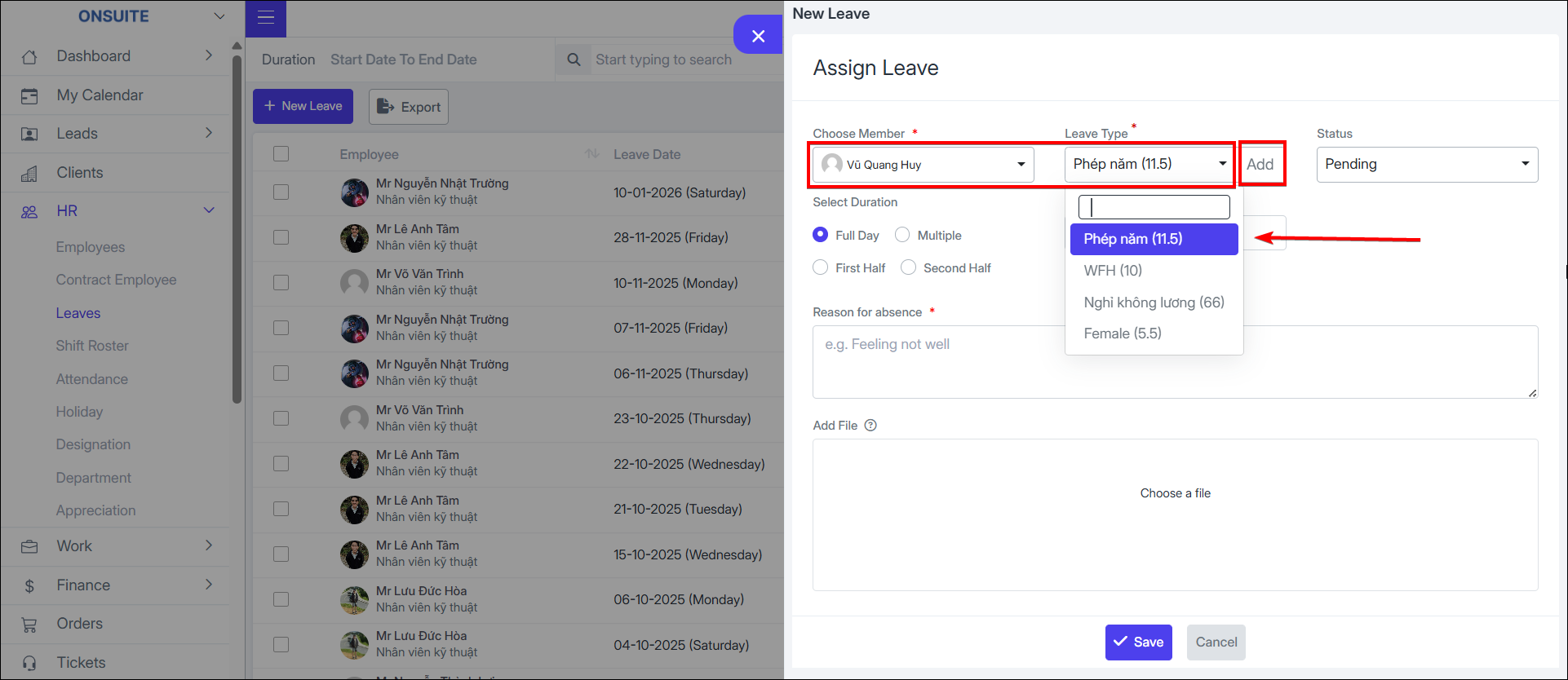
Step 1: Select New Leave
-
Step 2: Select employee
-
Step 3: Select leave type (can add new)
-
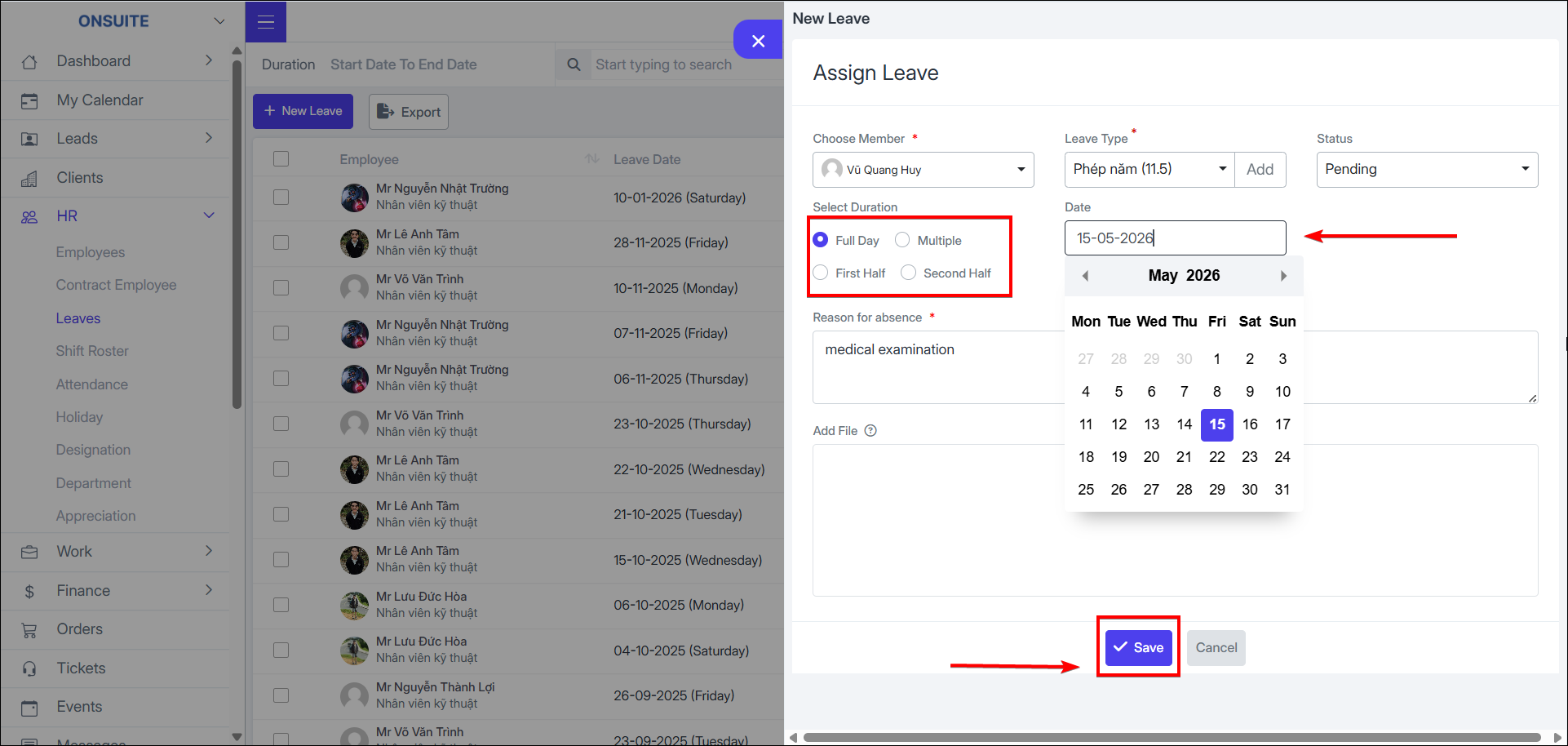
Step 4: Select status, leave duration
-
Step 5: Enter reason, upload file (if any)
-
Step 6: Save
-
Select to view in calendar view

-
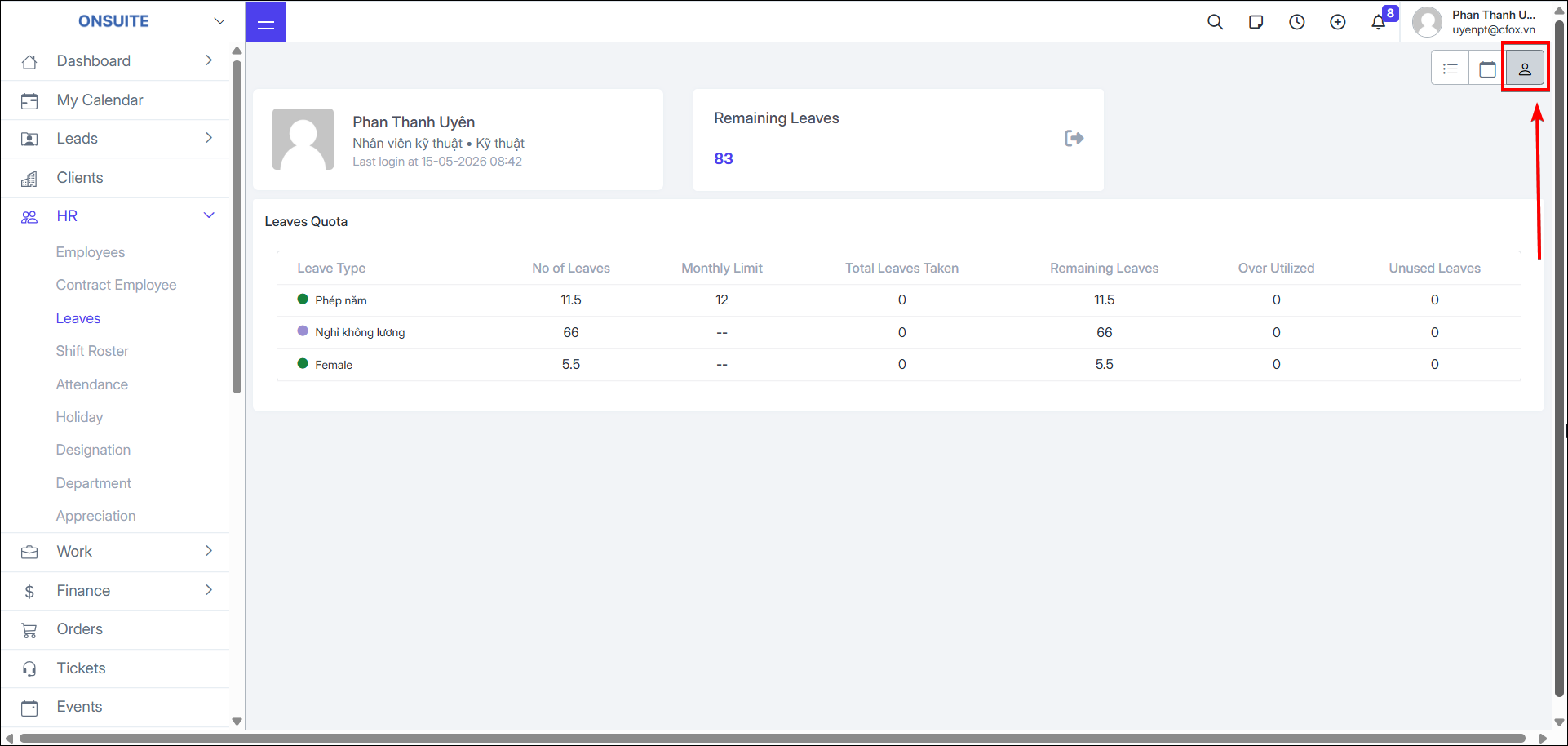
Select to view My Leave

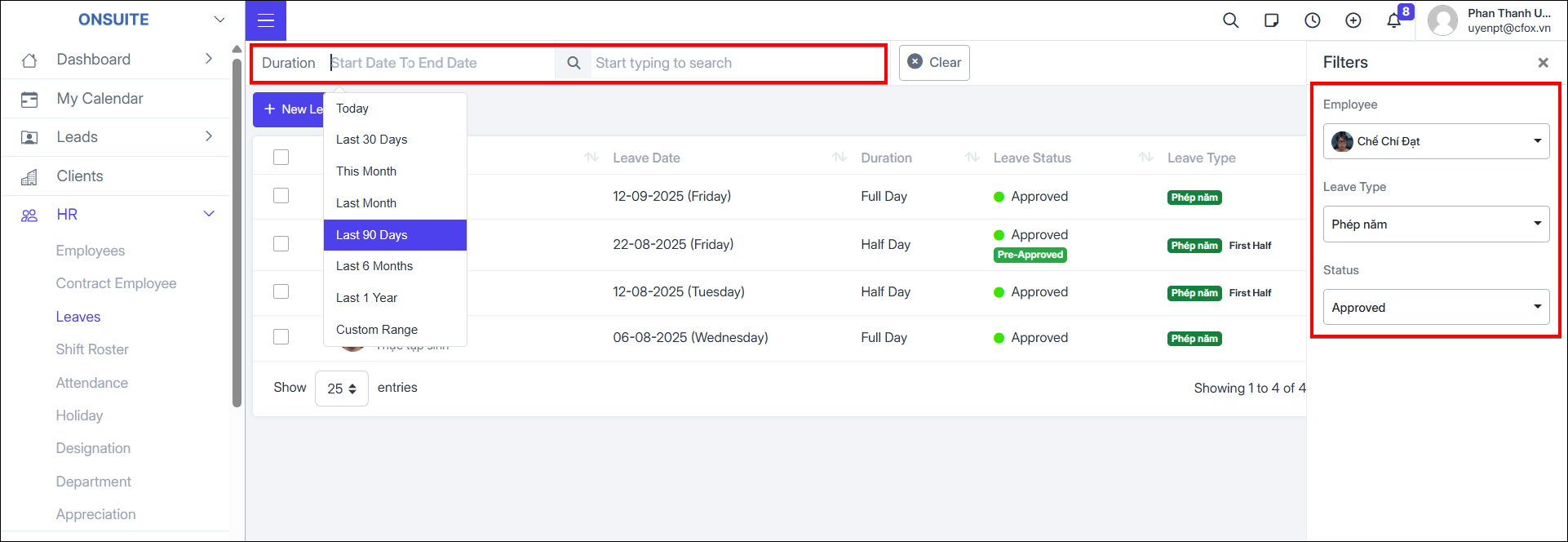
- Can filter by time / employee / type / status