4. TICKETS
This section is used to manage support tickets from Clients or Employees, track processing status and responses.
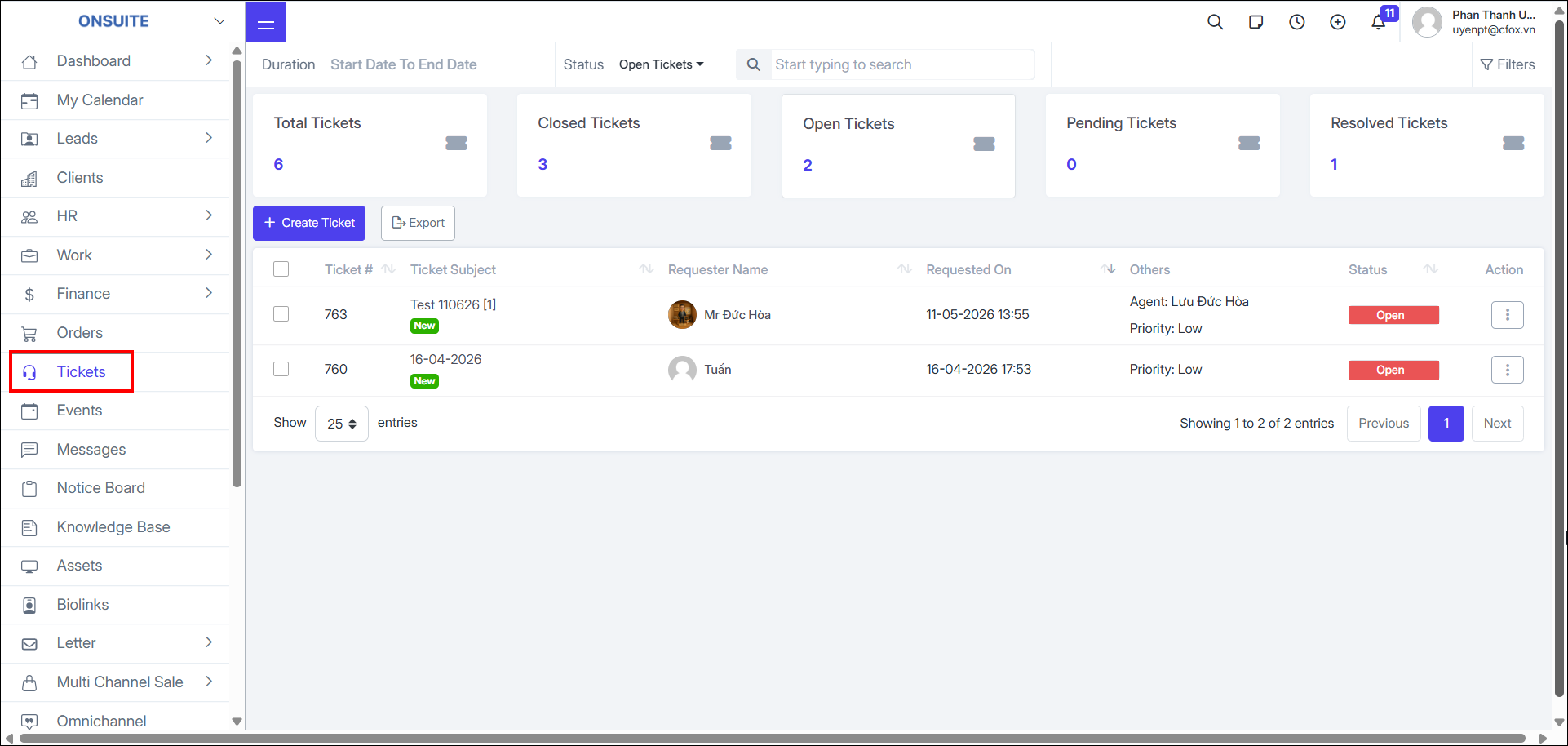
- Go to Tickets → Manage ticket list
-
Can update status
-
Can View / Edit / Delete / Follow tickets
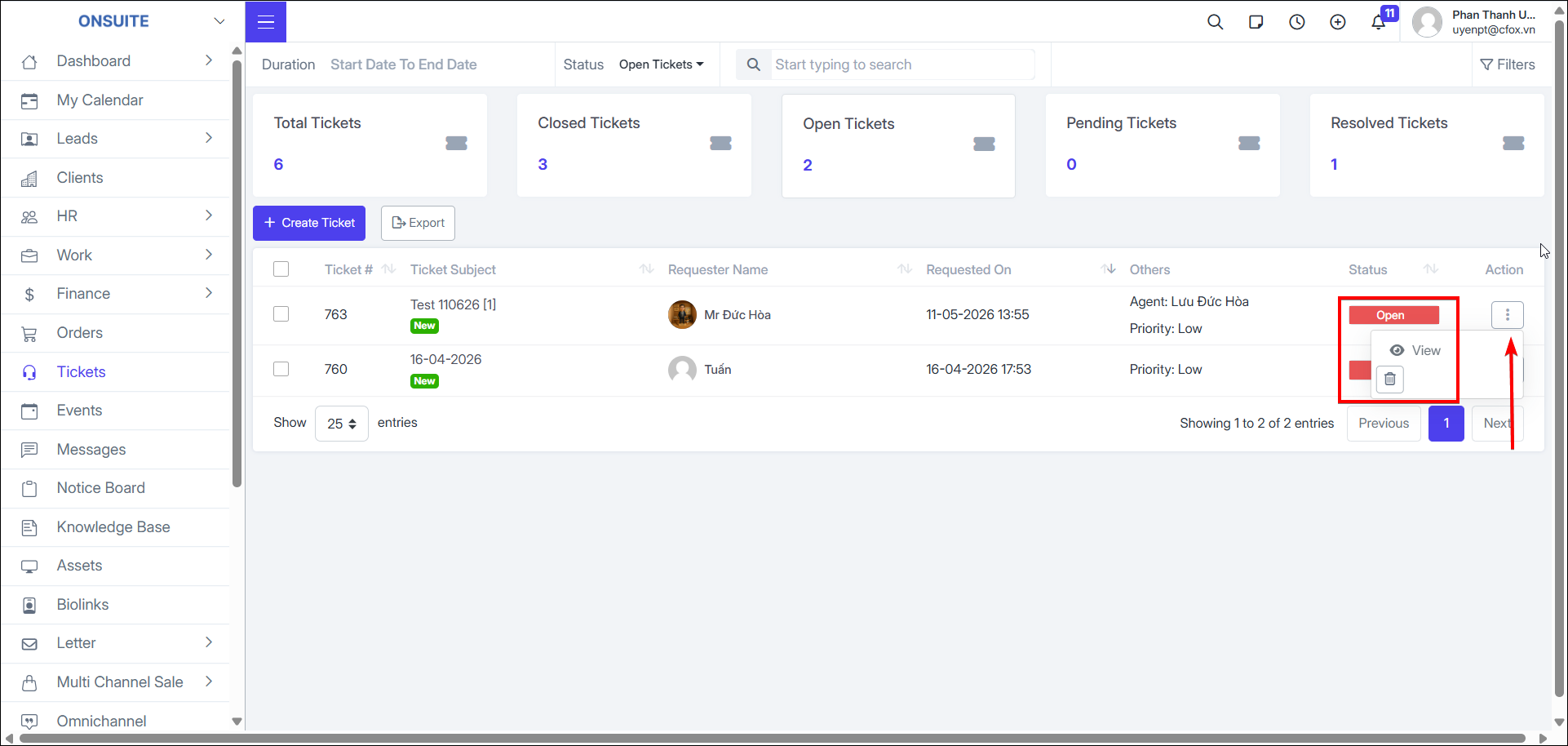
Create Ticket:
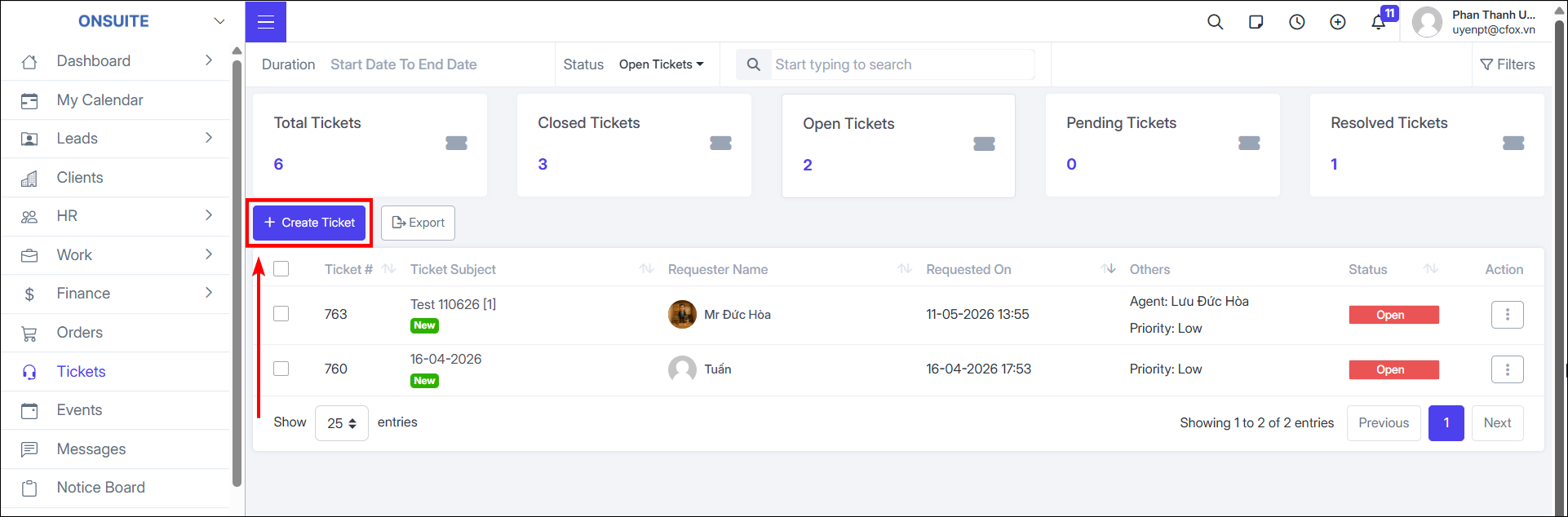
- Step 1: Select create ticket option
-
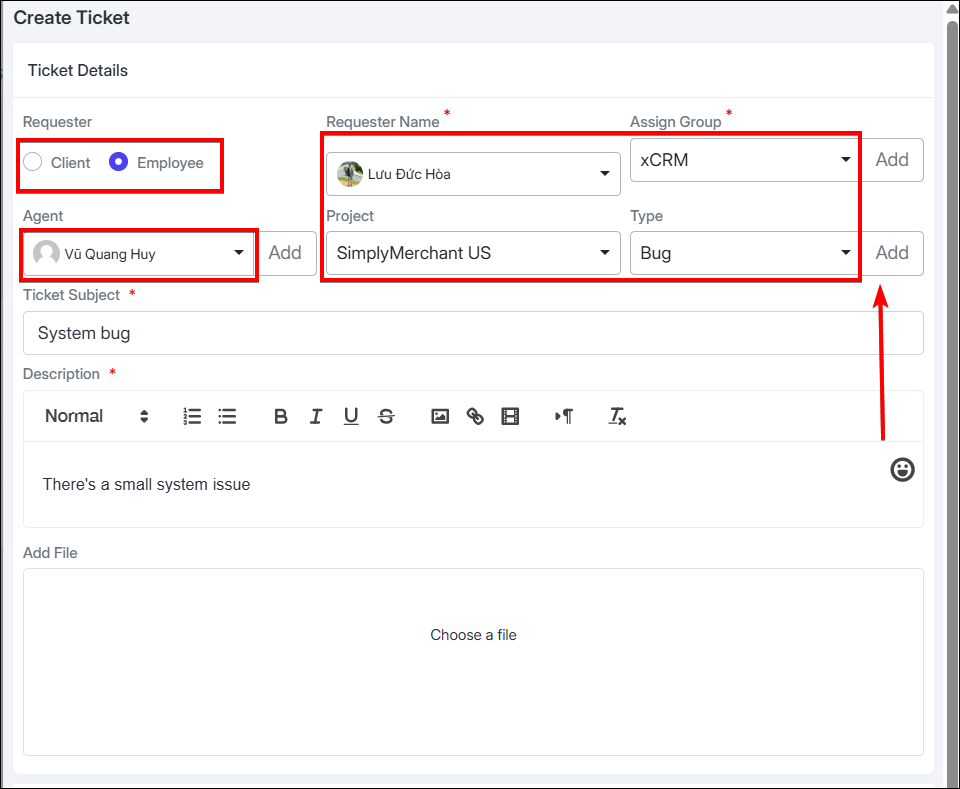
Step 2: Enter information:
-
Select requester type: Client / Employee
-
Select requester name from the corresponding list
-
Select ticket type (if not available, can add new)
-
Enter ticket subject
-
Describe the request in detail
-
Upload file (if any)
-
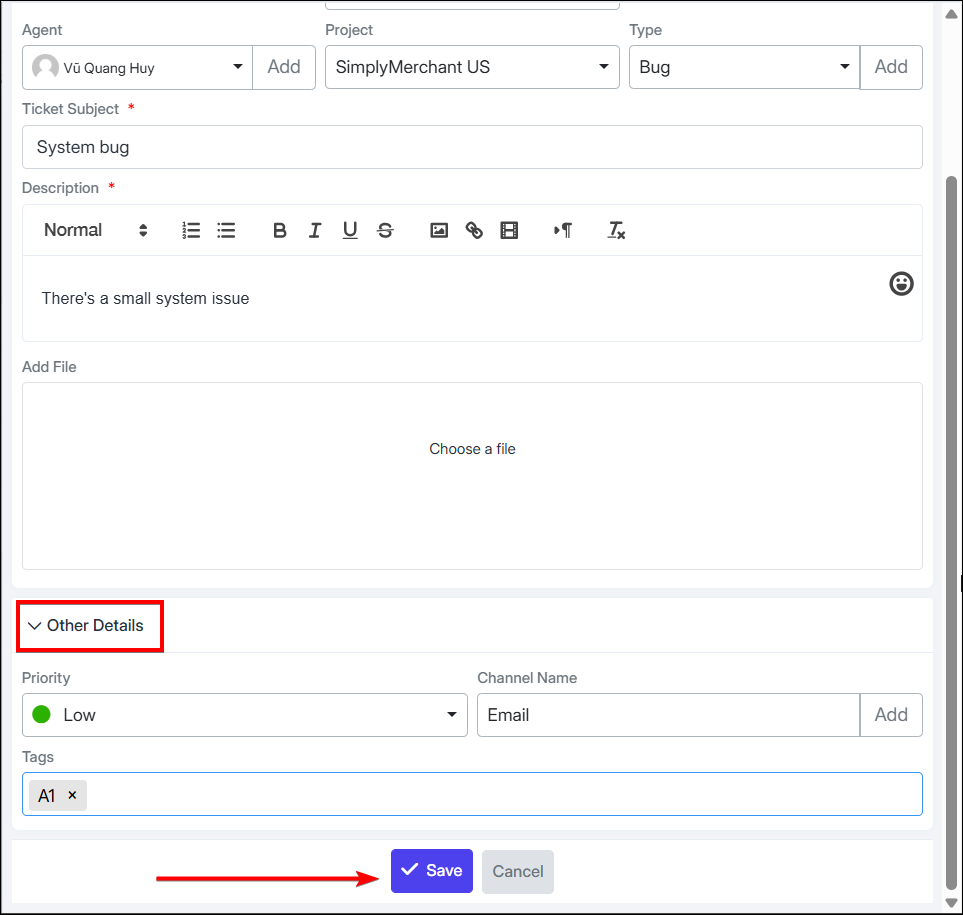
Step 3: Enter additional information:
-
Select Priority
-
Select channel name (if not available, can add new)
-
Enter Tags
-
Step 4: Select to complete ticket creation

Manage & Process Tickets:
-
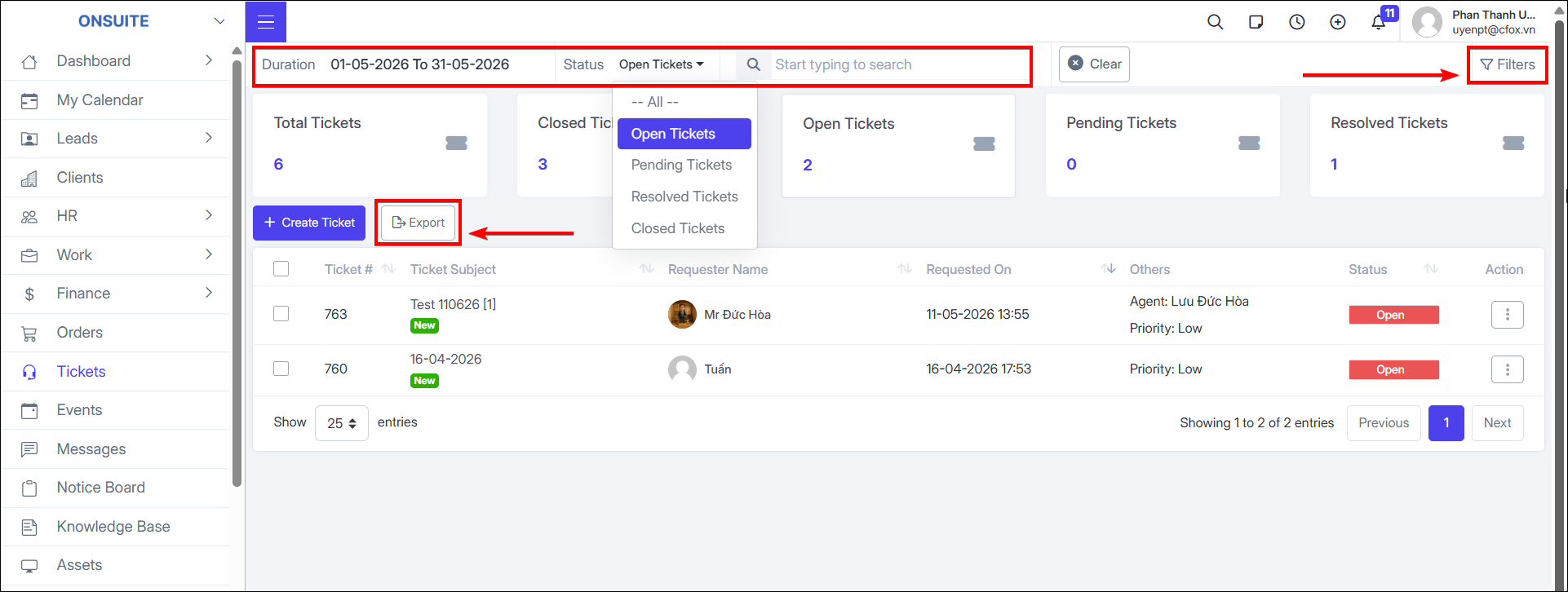
Can export ticket list to Excel
-
Can search or filter by time, status
-
Advanced filter by: Group, Handling Employee, Priority, Channel Name, Type, Tag, Project
-
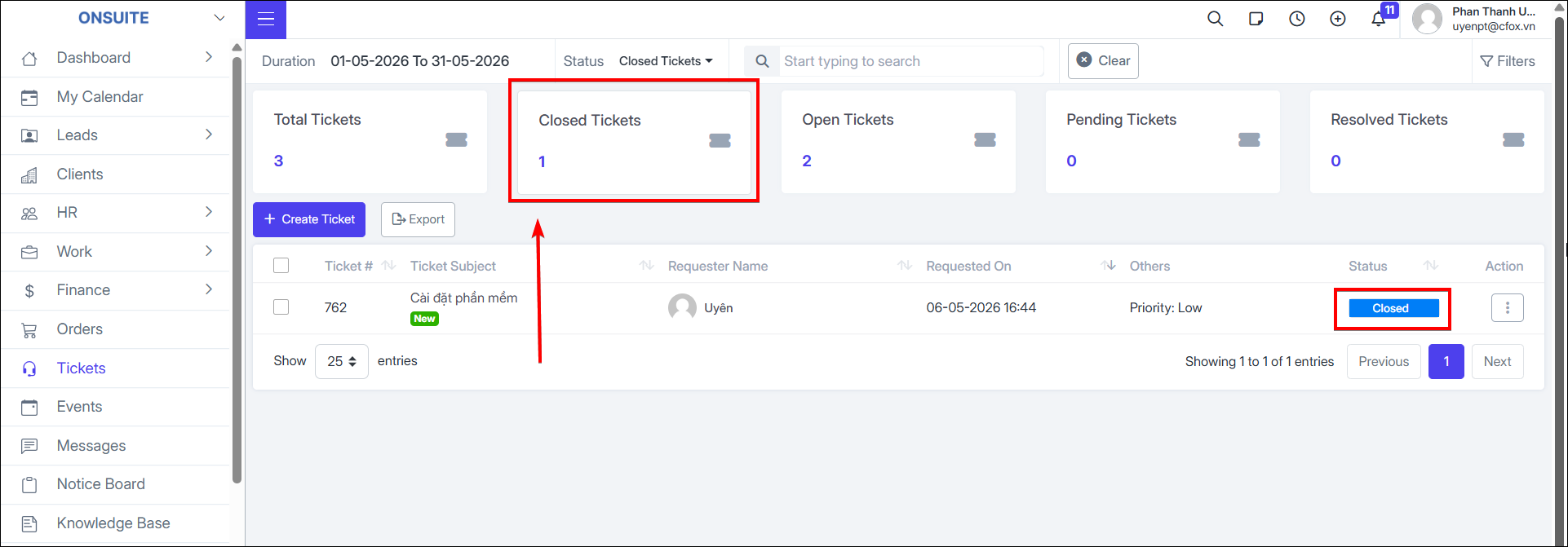
Can quickly select ticket status boxes to filter corresponding tickets
Process Ticket Details:
- Select a ticket → Perform the following actions:
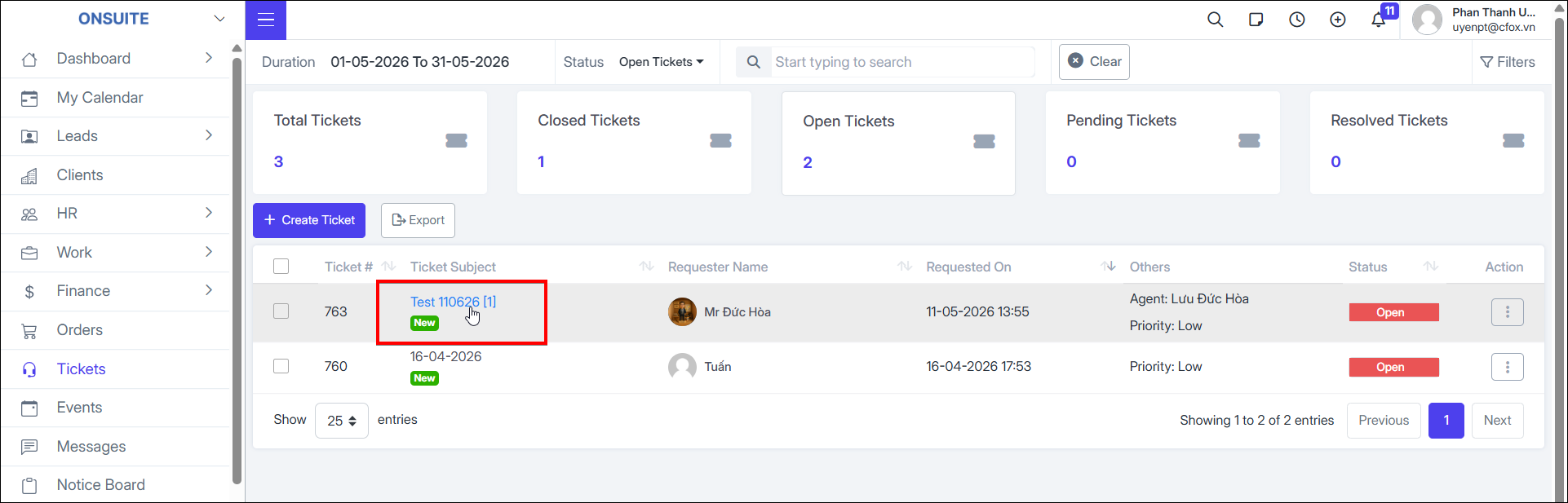
-
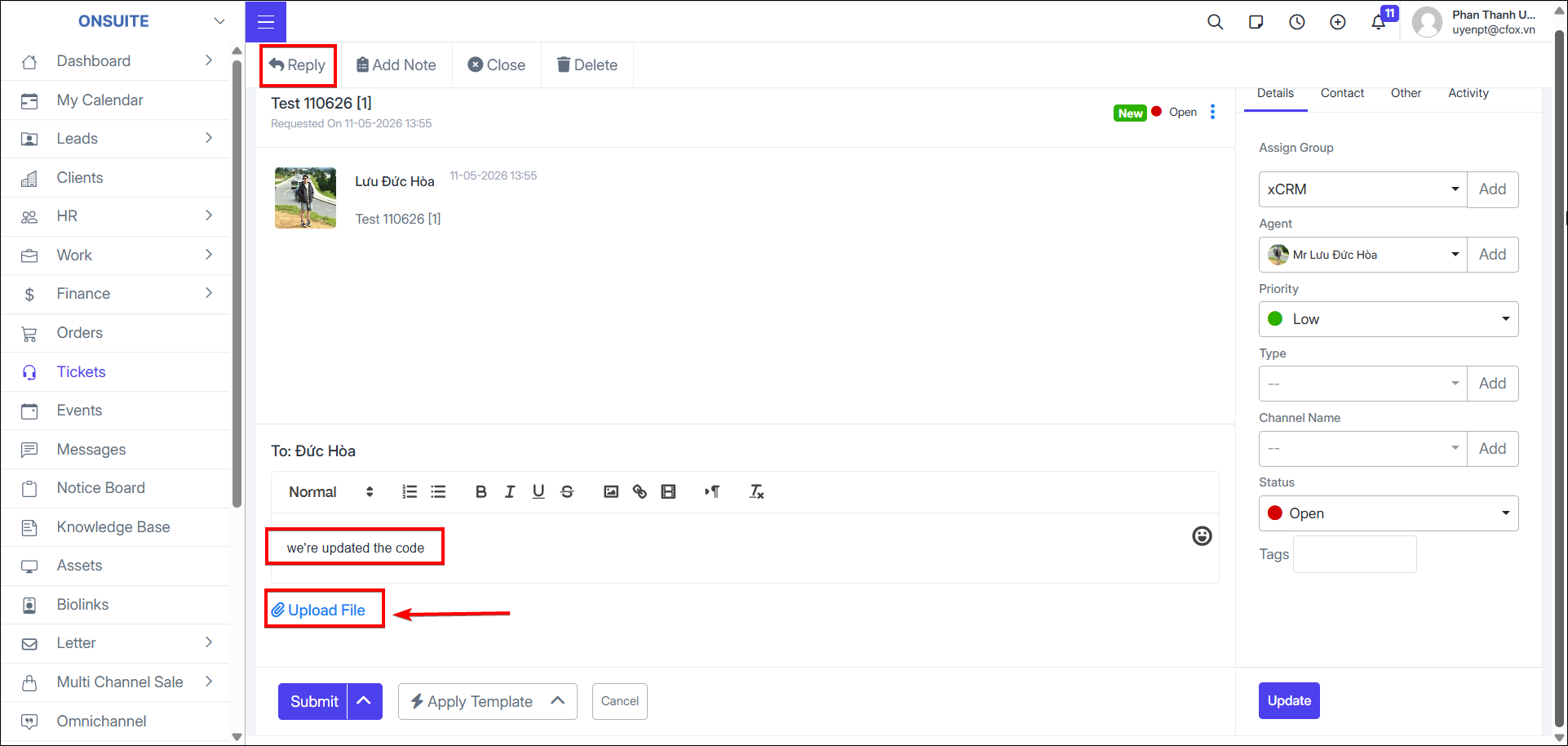
Reply to ticket:
-
Enter reply content
-
Upload file (if any)
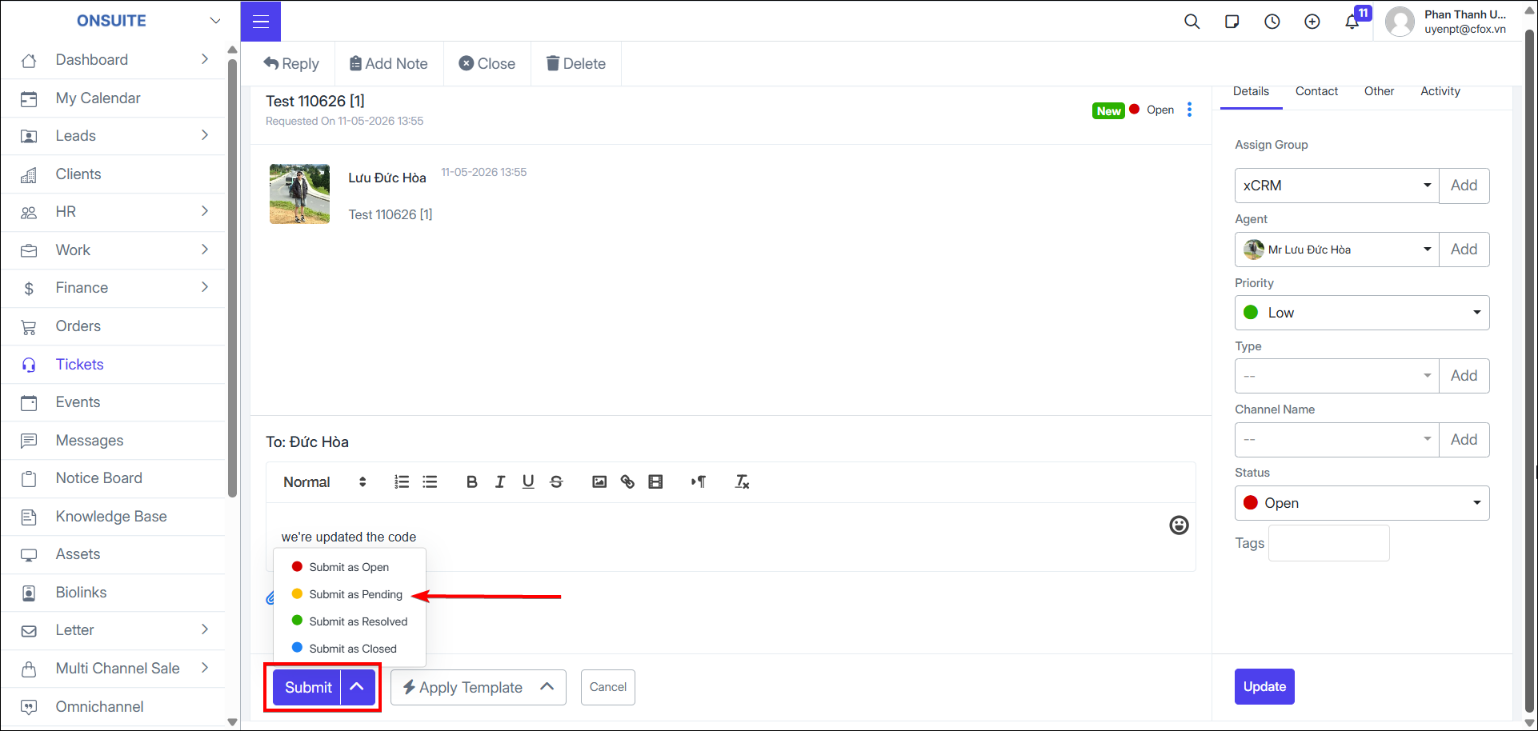
- Select with status: Open / Pending / Resolved / Closed
-
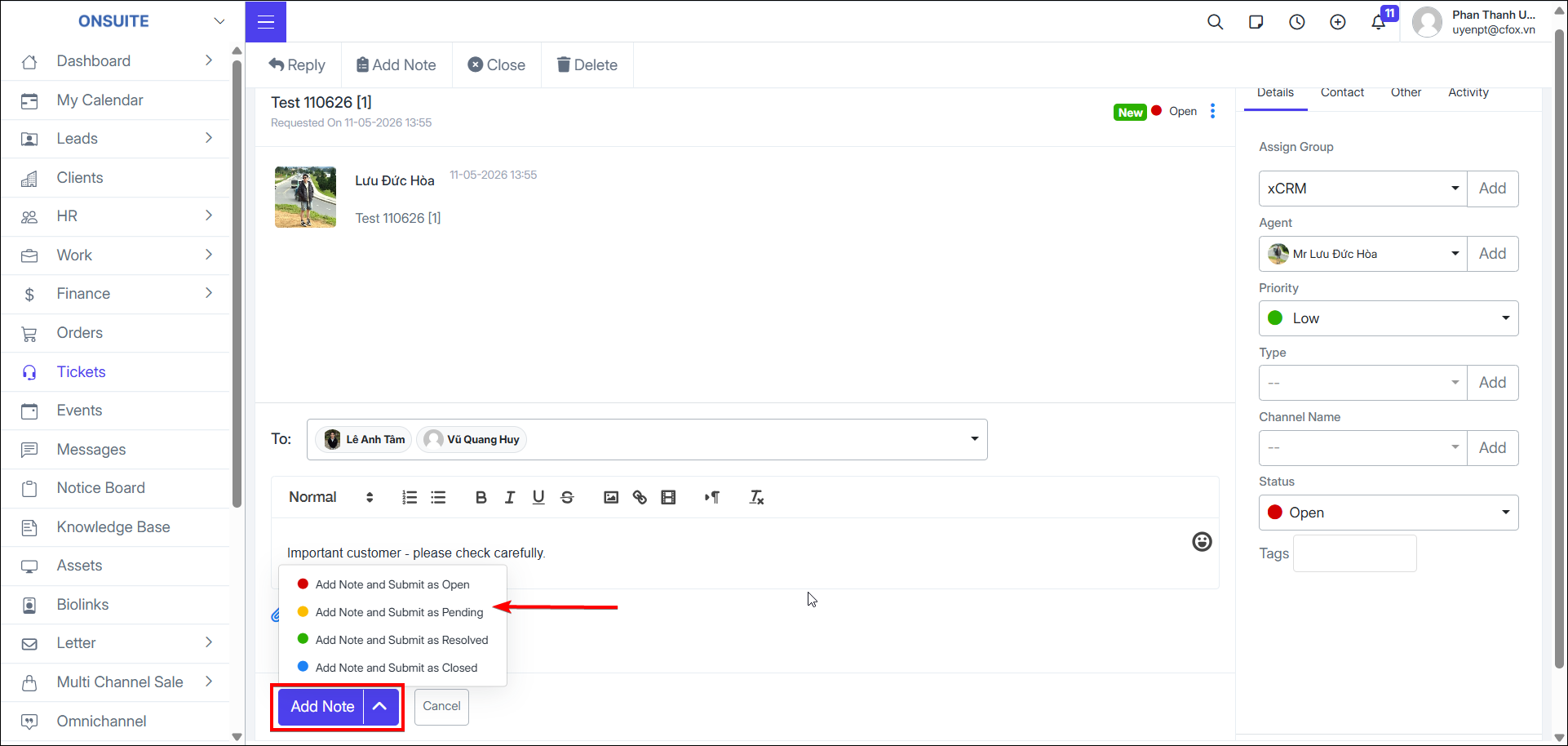
Add Internal Note:
-
Enter note content
-
Upload file (if any)
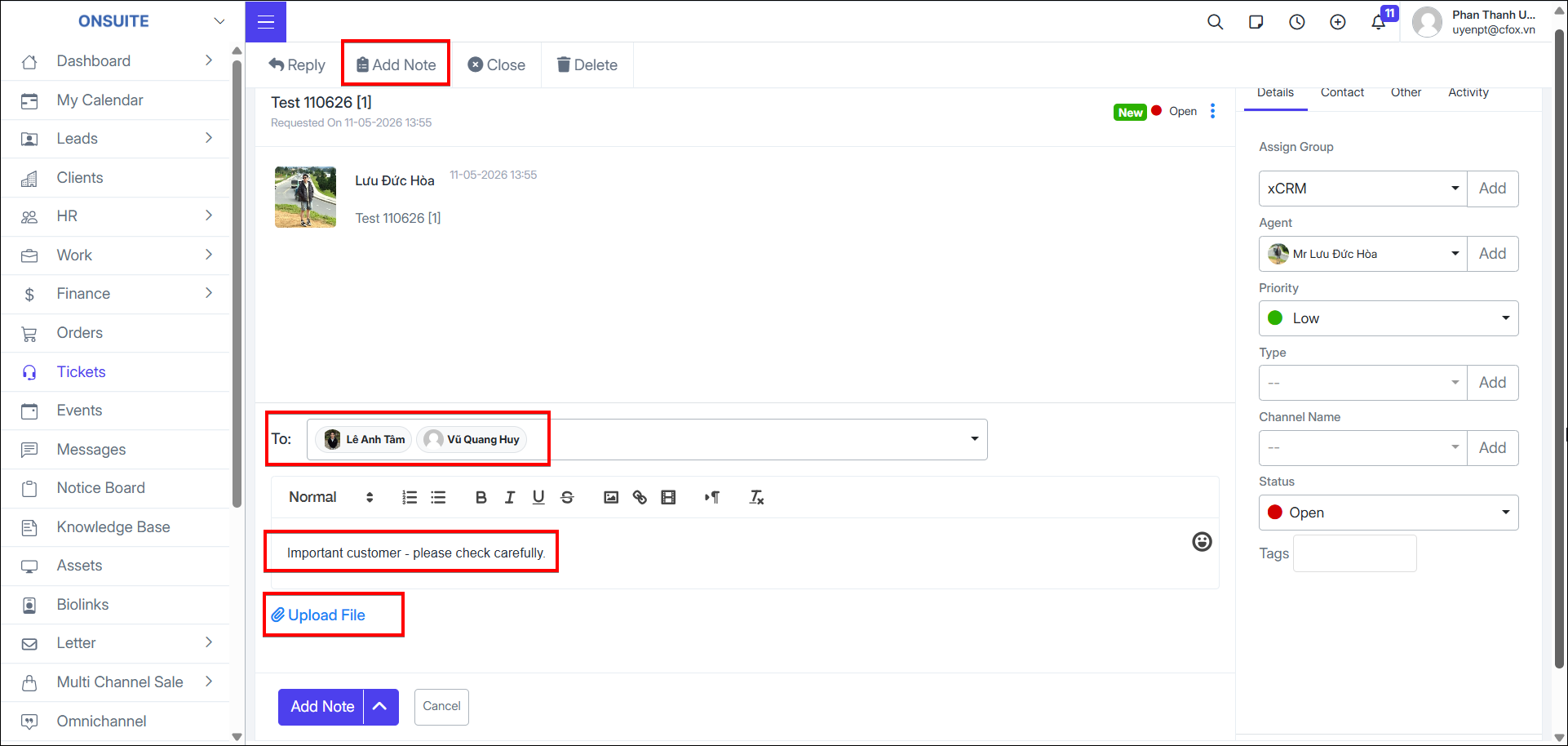
- Select and send with corresponding status
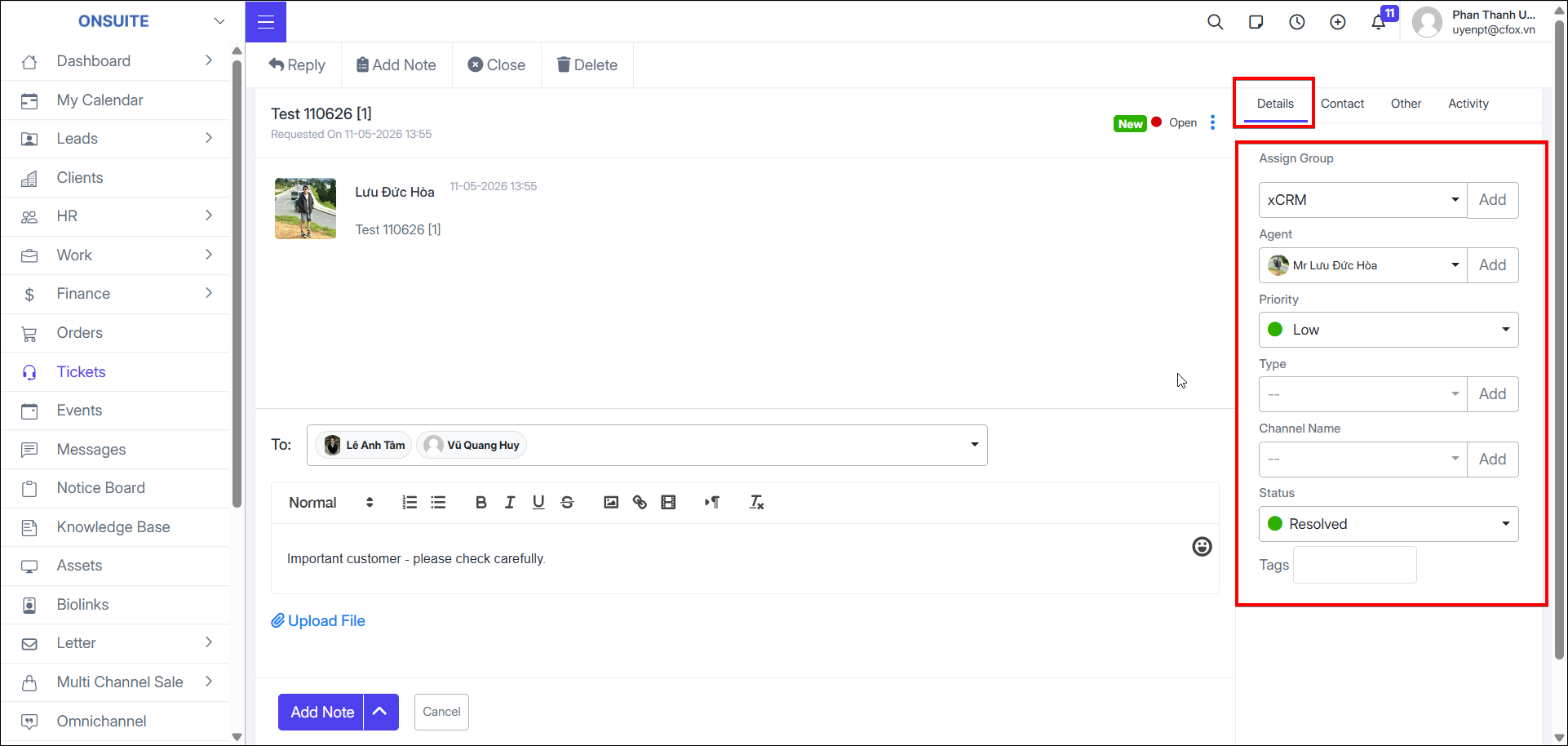
- Can update detailed ticket information
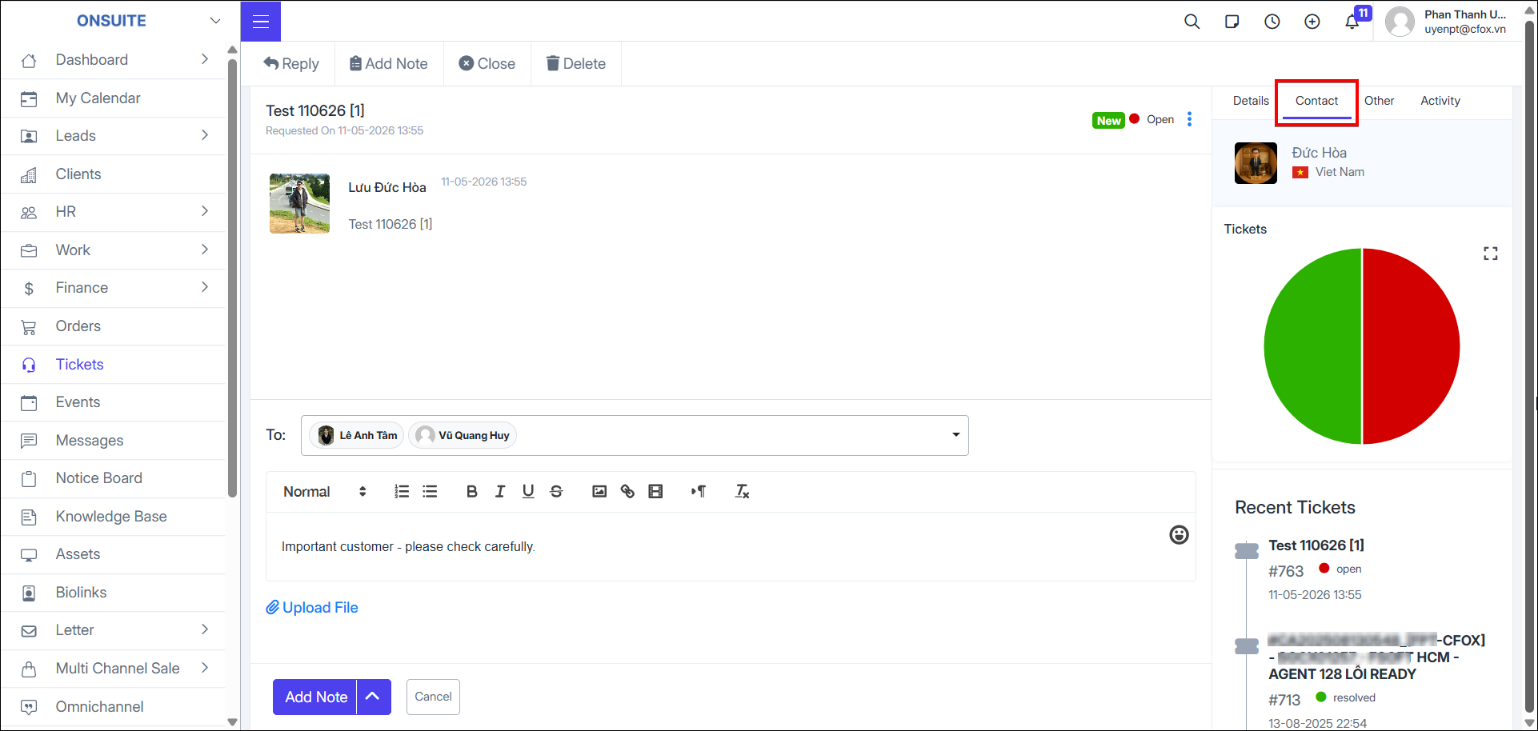
- View related contact information
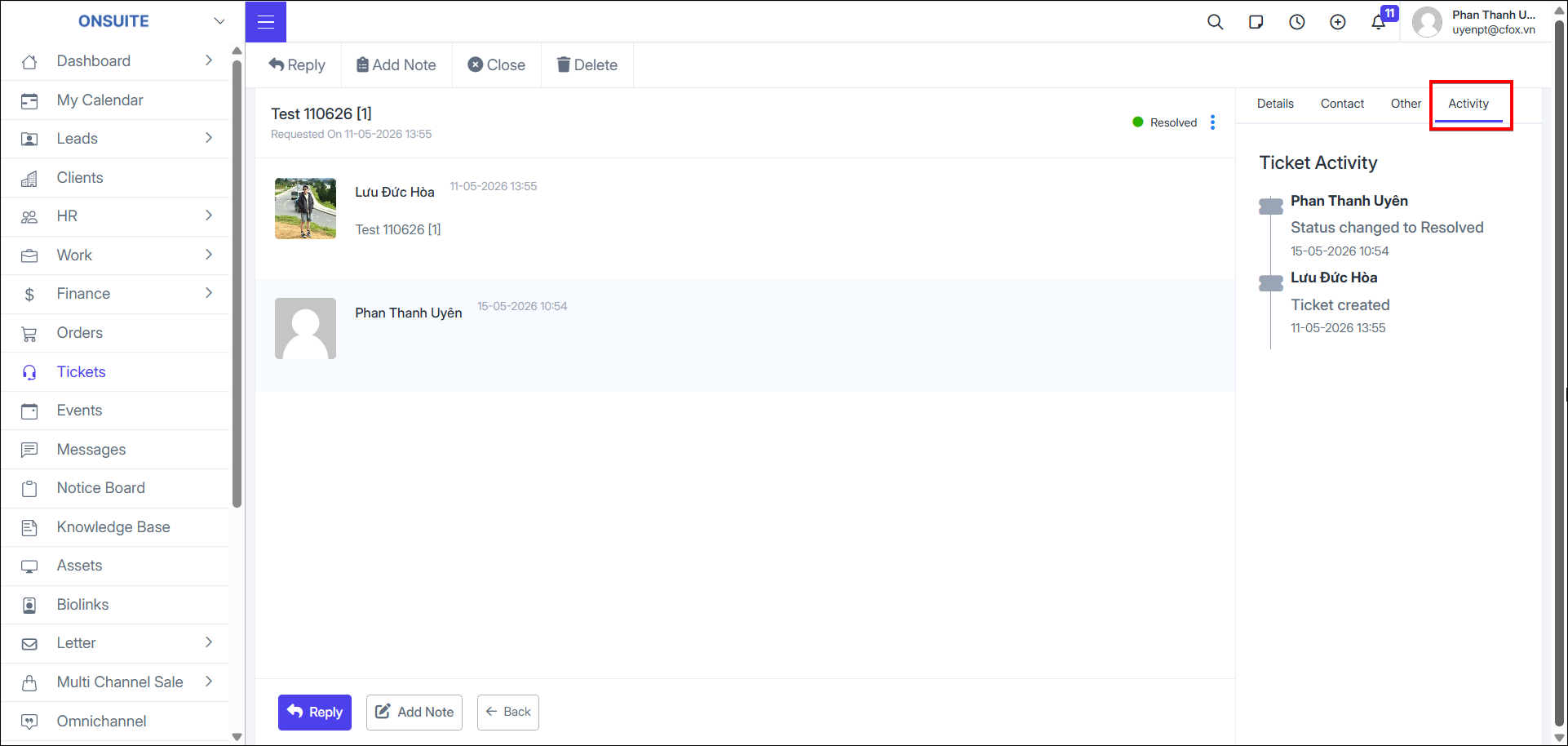
- View ticket activity log