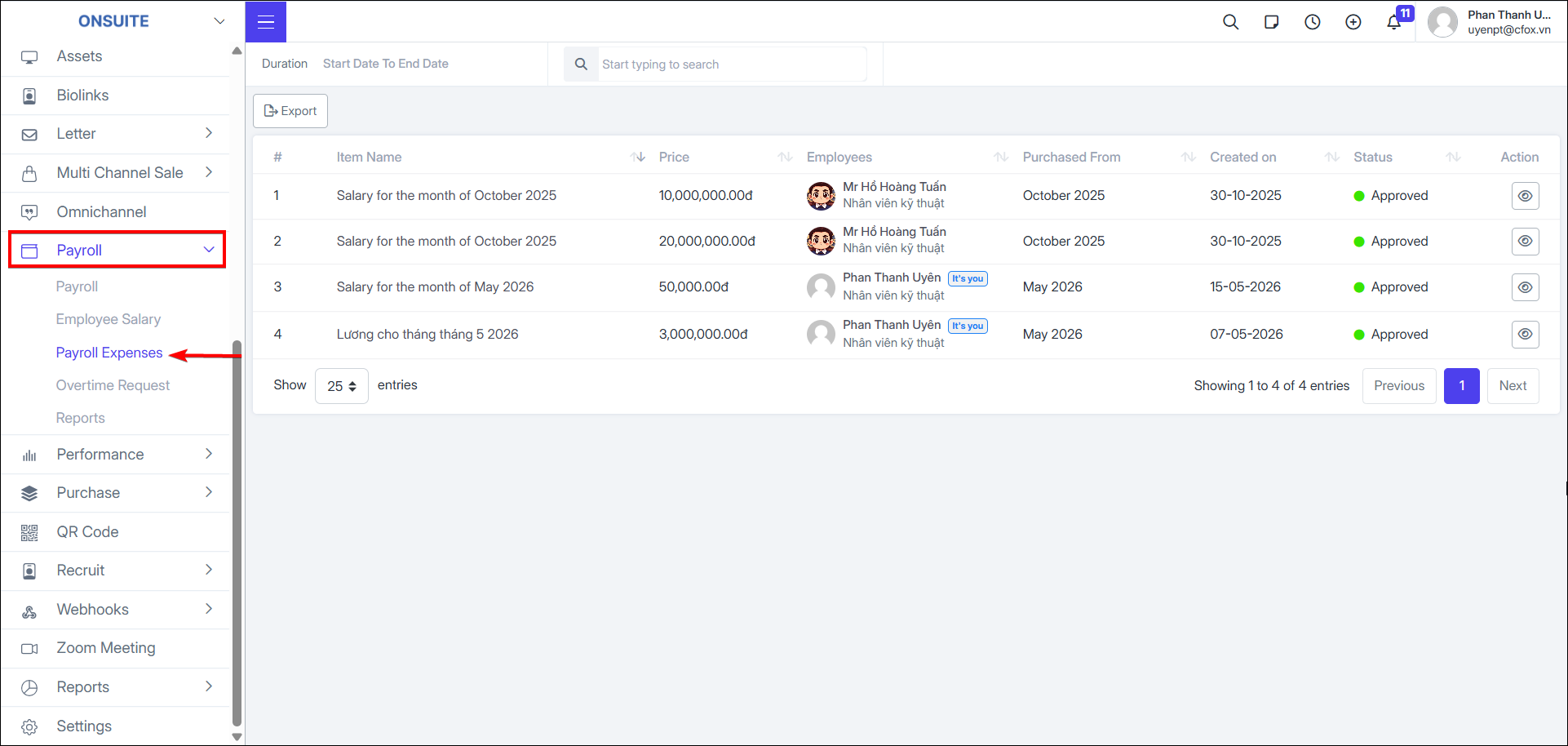
5.3. Payroll Expenses
-
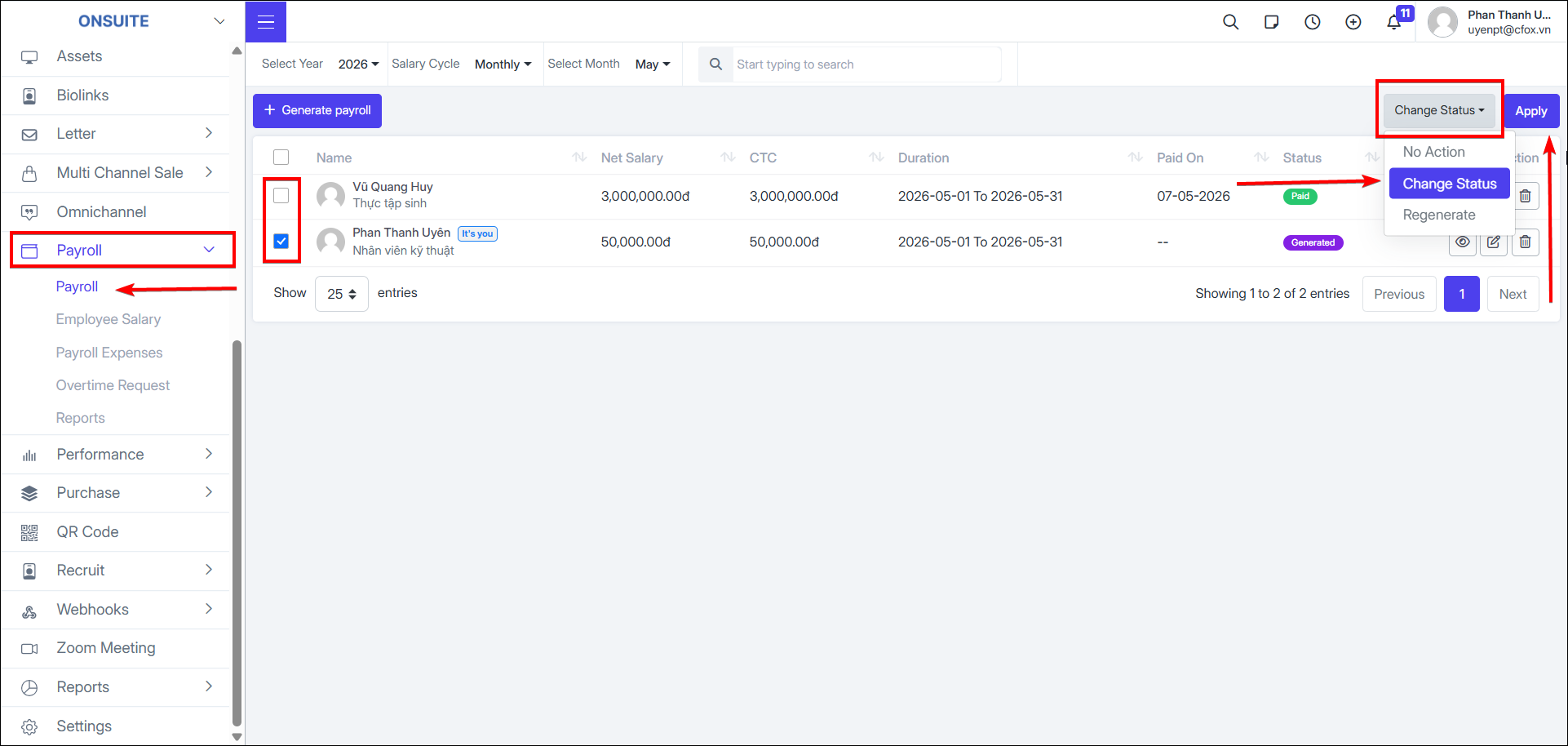
To create payroll expenses, go to Payroll → Check the employee payroll to process
-
In the action column → Select Change Status → Select Apply
-
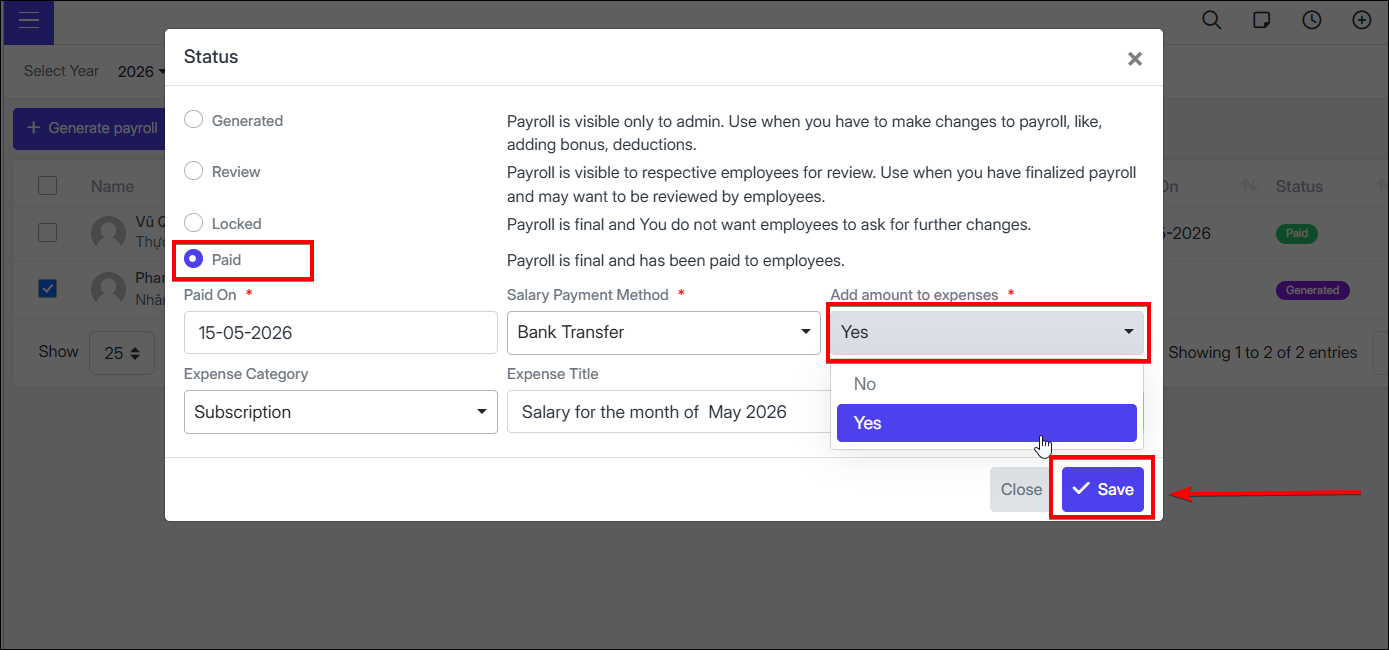
Select status Paid
-
Enter the corresponding payment information
-
In the Add Amount to Expense field → Check to record expense
-
Select expense category (if any)
-
Enter expense name
-
Select to complete

- Expenses will be displayed in the Payroll Expenses section