3.5. Attendance
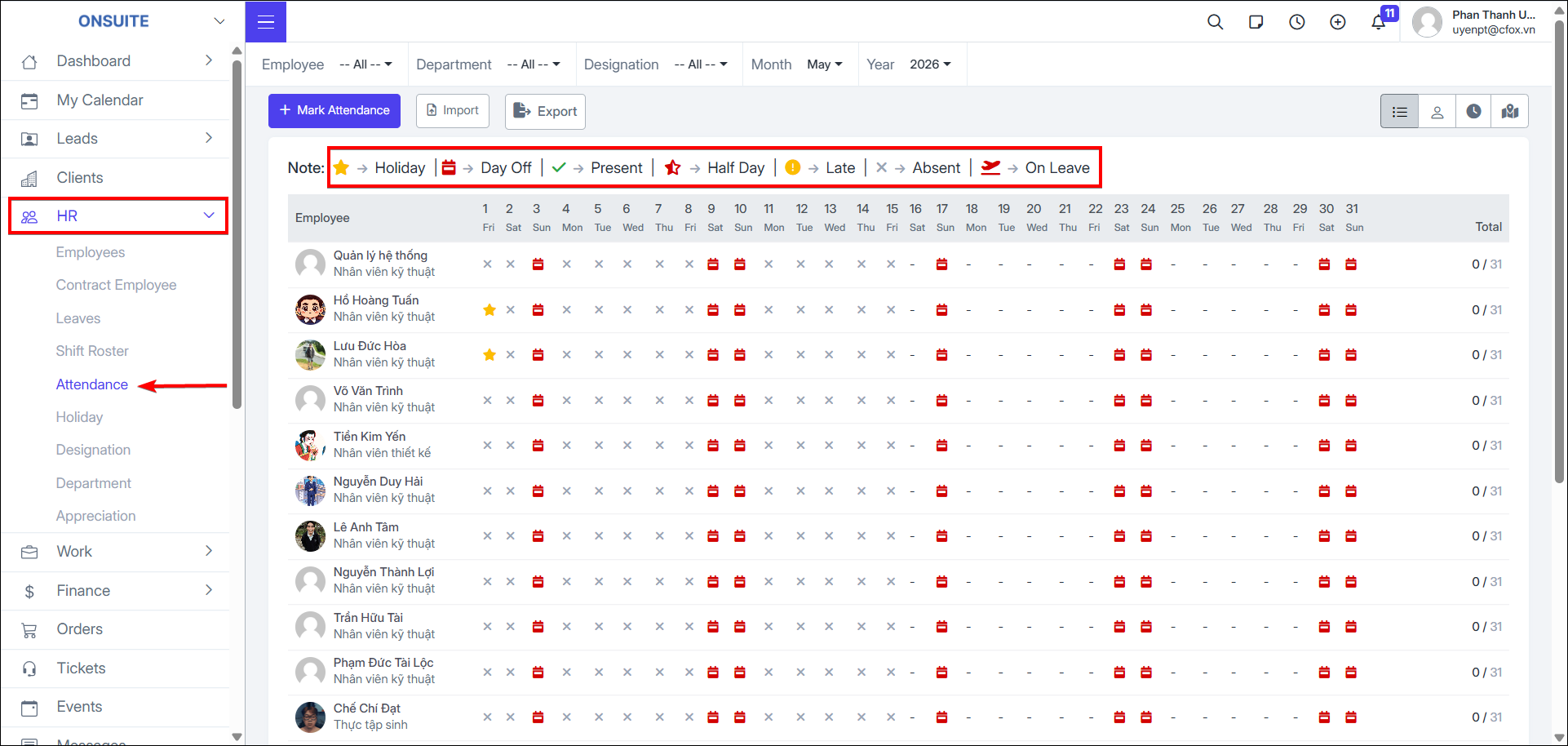
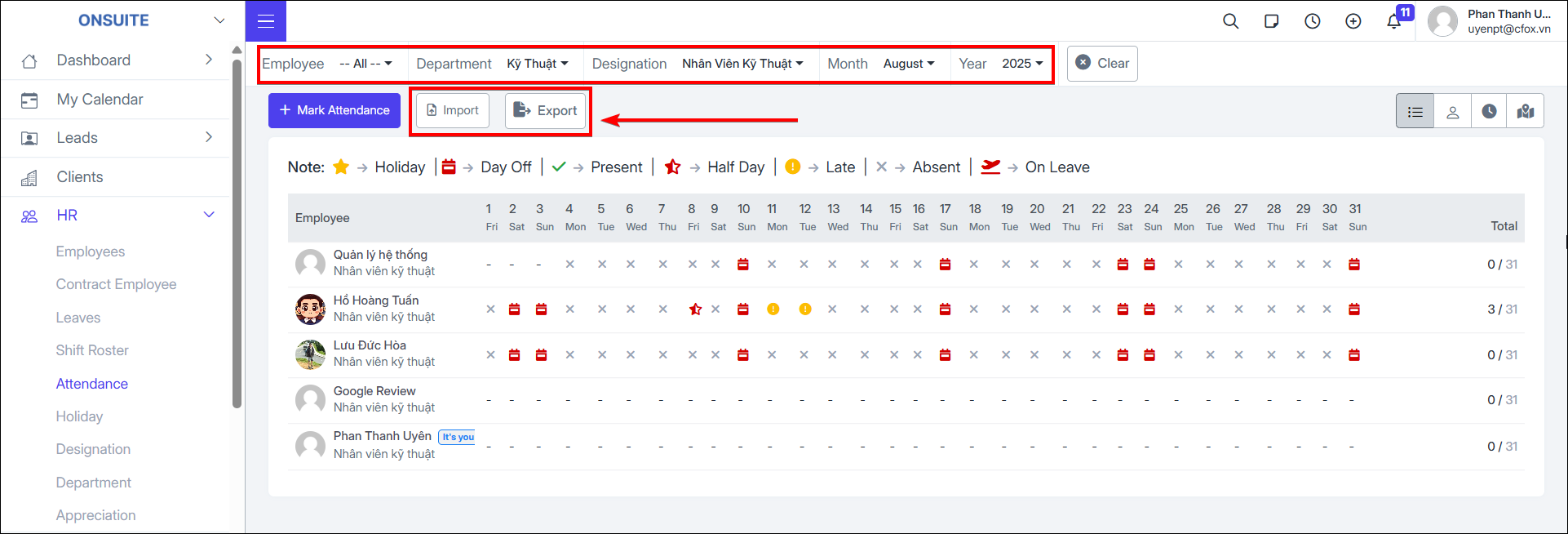
- Go to HR → Attendance → View attendance history by status: Holiday | Off | Present | Half Day | Late | Absent | Excused Absence
Mark Attendance:
-
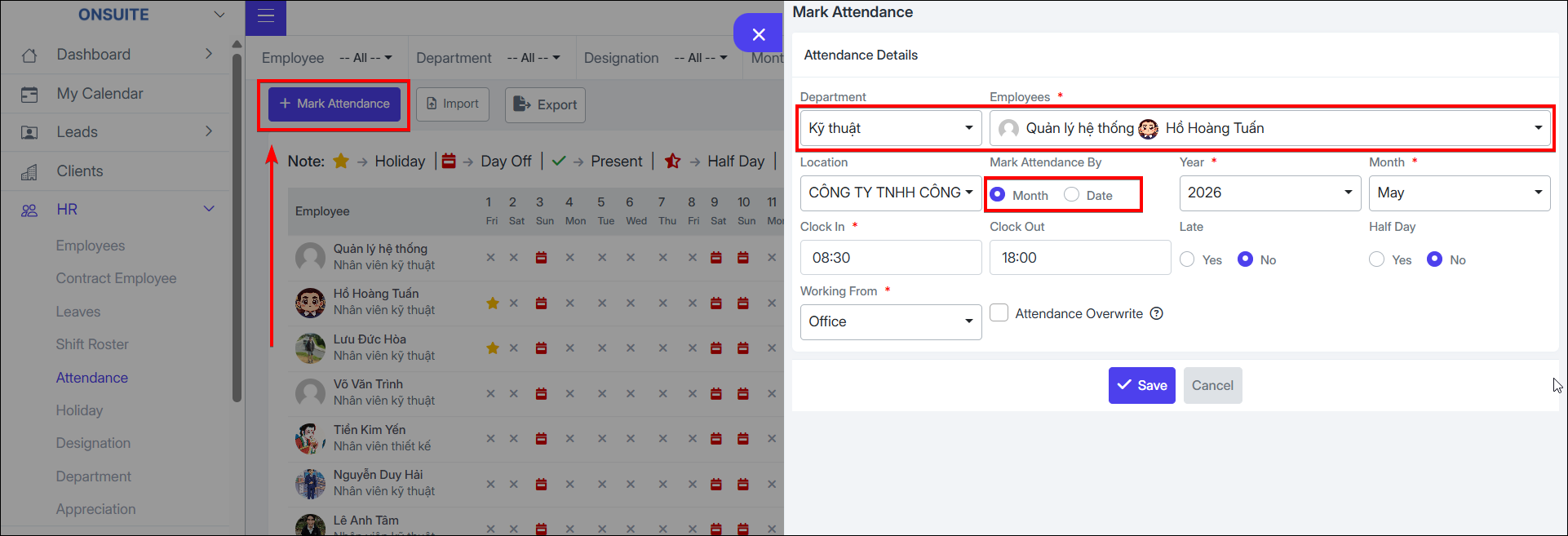
Step 1: Select attendance recording option
-
Step 2: Select department, employee
-
Step 3: Select by day / month
-
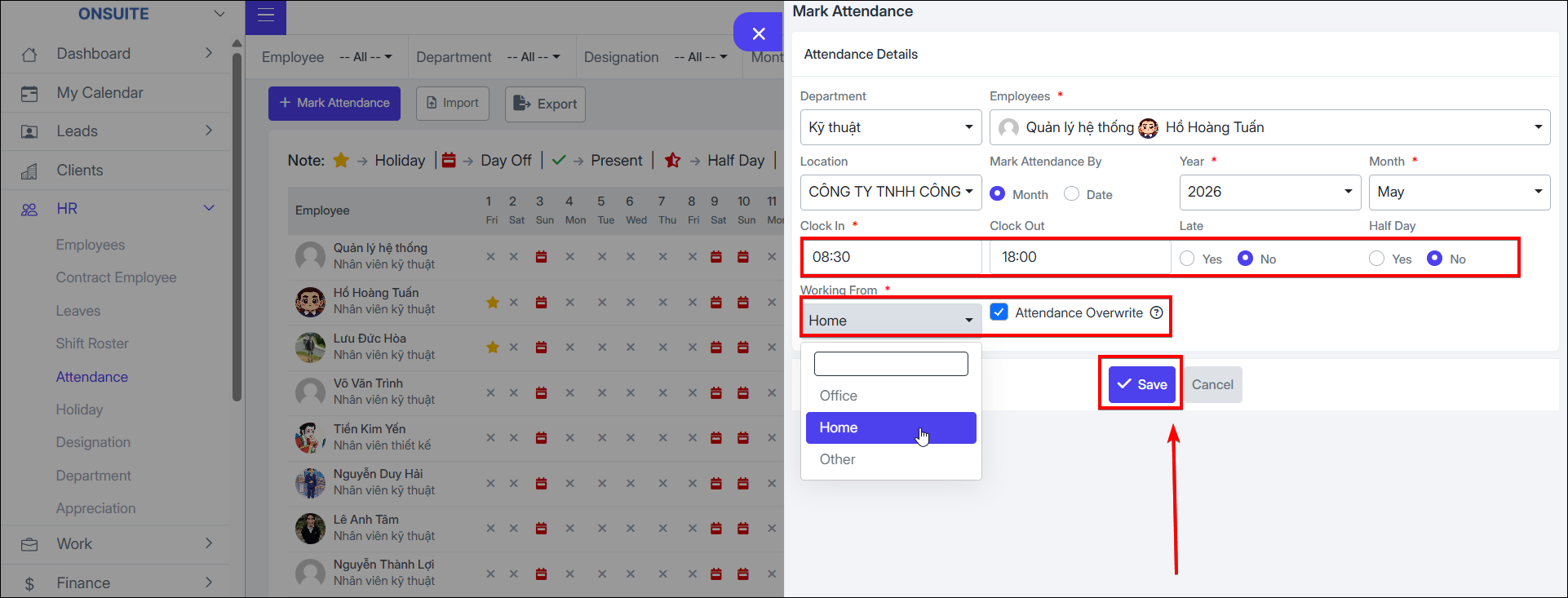
Step 4: Enter check-in – check-out
-
Step 5: Check: late / half day
-
Step 6: Check override if needed → Save
-
Can import / export attendance information
-
Filter by time / employee / department / designation
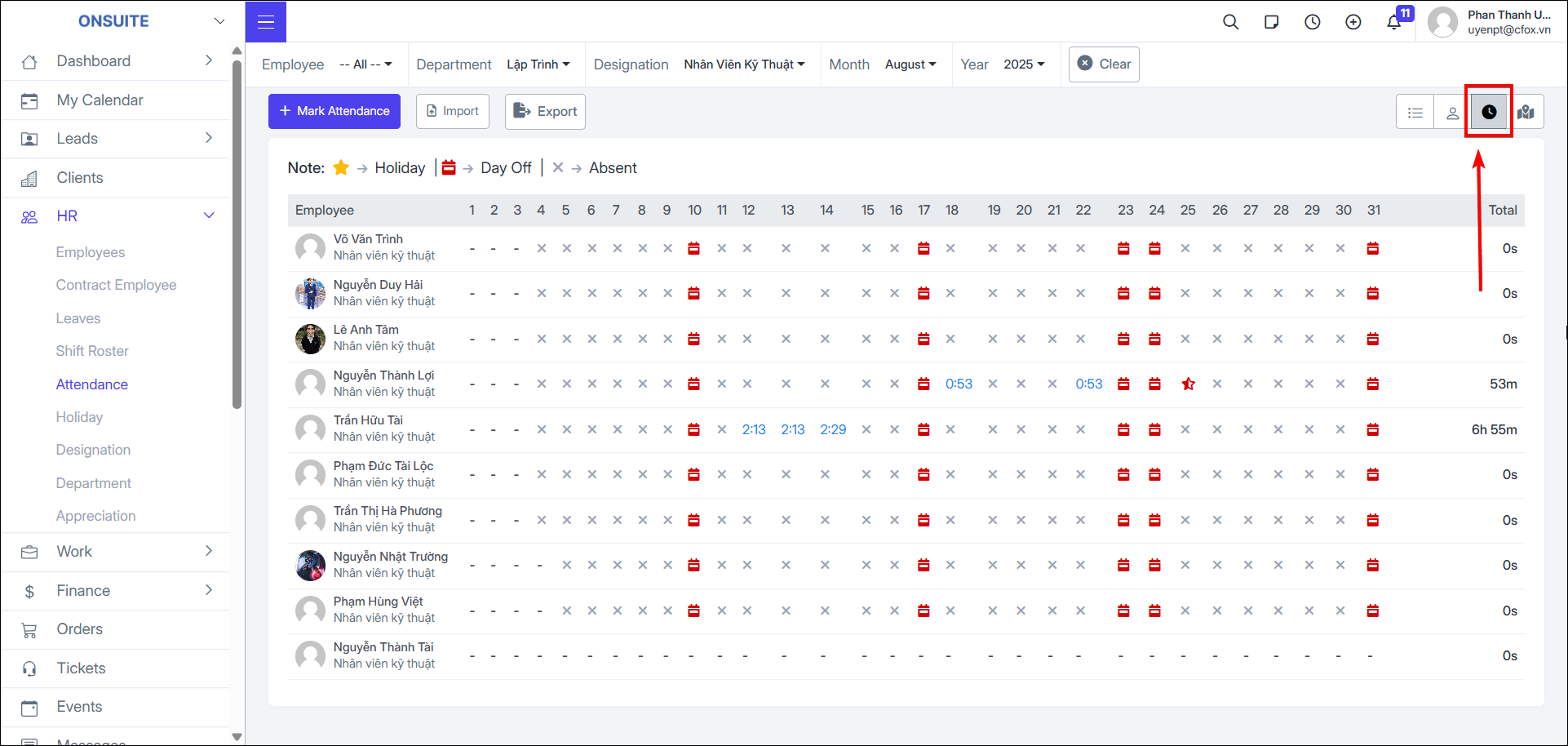
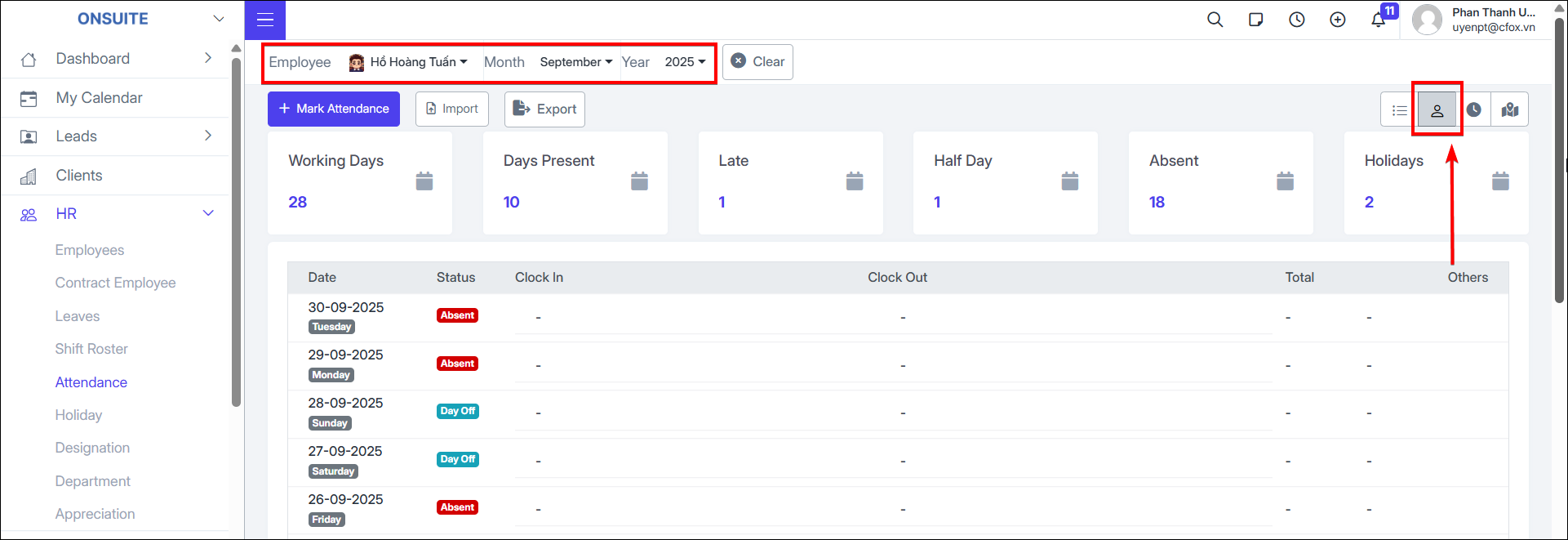
- Select to view individual employee history

- Select to view by hour